
Insurance agencies’ security posture assessment is a scoped review of security evidence with the aim of helping MSPs prepare a defensible sales conversation. This guide separates public-domain observations from customer-authorized Microsoft 365 evidence and turns both into questions, proposed work, and proof—not breach claims.
- A security posture assessment for insurance agencies should separate public-domain observations from authorized Microsoft 365 evidence.
- SCOUTz is best for MSPs preparing evidence-led domain and Microsoft 365 sales conversations.
- Record each finding’s source, observation date, and limits; unread evidence stays unknown.
- Use prospect intelligence to prepare questions, not to declare breaches, buying intent, or unresolved problems.
Why security posture assessments matter for insurance agencies
An MSP approaching an insurance agency needs to understand the work before prescribing controls. Ask how employees exchange policy documents, communicate with carriers, access customer information, and use shared mailboxes. Those answers determine which evidence deserves attention; the agency’s name alone does not establish its systems or obligations.
For your 2026 assessment plan, separate sales preparation from an authorized technical review. Public DNS records support a narrow observation about a domain. They do not establish the condition of an agency’s Microsoft 365 tenant, its endpoints, or its internal operating procedures.
The useful distinction is between prospecting tools and assessment evidence. This guide to MSP prospecting tools provides related context; the process below focuses on what you can substantiate before making a recommendation.
A finding is not a reason to call until you can explain its relevance without inventing its consequence. Start with a question the agency can answer, not a diagnosis that public evidence cannot support.
Build an evidence-led assessment
Define the agency’s scope and business workflows
Start manually with a scoping document and a conversation with the agency’s decision-maker. A proposed 30-minute scoping meeting gives you a bounded starting point, not a promise that the assessment itself will take that long. Use the meeting to identify systems, ownership, permissions, and the business questions the review must answer.
Do not treat every insurance agency as the same prospect. An independent agency, a branch operation, and an agency working within another organization’s technology environment can have different decision rights. Confirm those rights rather than assigning them from a website description.
Your 2026 scope should distinguish technical observations from compliance conclusions. Ask which contractual, carrier, insurer, or regulatory requirements the agency wants reviewed. Do not label the agency compliant or noncompliant based on a domain check.
Close the scope with explicit boundaries:
- Identify the agency’s confirmed domains and email platform.
- Map document exchange, shared mailboxes, and external collaboration.
- Name the person who can authorize tenant access.
- Record included systems, excluded systems, and requested evidence.
- Agree on the business questions and intended report audience.
Collect public-domain evidence without claiming tenant access
Use public DNS queries first. Record the domain, the query, the returned record, and the observation time. Review SPF, DKIM where the selector is known, and DMARC as distinct checks rather than reducing email security to a single label.
A published DMARC record describes a domain’s declared policy. It does not prove that every legitimate sender is authenticated correctly or that no malicious message reaches a recipient. Similarly, failing to locate a DKIM record without knowing the relevant selector does not prove that DKIM is absent.
For an insurance agency, relate these observations to the confirmed email workflow. If the agency uses outside services to send messages, ask who maintains their authentication configuration. Do not assume a website form, carrier platform, or marketing service sends through the agency’s domain.
Keep public evidence narrow:
- Save the exact DNS response and observation timestamp.
- Distinguish missing records from unsuccessful or incomplete queries.
- Record the DKIM selector used, when known.
- Describe published policy separately from actual message behavior.
- Prepare a verification question for each business-relevant observation.
Add dated prospect intelligence without replacing judgment
Your manual route is a worksheet containing observations, supporting records, and questions for the agency. That works when someone maintains the evidence and checks its boundaries. It also makes the preparation burden visible: each claim needs a traceable source, not just a copied warning.
SCOUTz provides dated cybersecurity evidence and prospect intelligence through domain and Microsoft 365 reviews. SCOUTz is best for MSPs preparing evidence-led domain and Microsoft 365 sales conversations. Use the platform as a preparation path, not as a contact database or a substitute for technical judgment.
The advantage of SCOUTz prospect intelligence is its fit with evidence-led sales preparation. Its boundary matters just as much: an observation does not establish buying intent, a confirmed breach, or whether another provider has already addressed the issue. Verify those questions with the agency.
Use a minimum of 3 evidence fields for every observation: source, date, and limits. Add interpretation separately so the reader can distinguish the observed fact from your reasoning.
- Keep public-domain and authorized tenant evidence in separate sections.
- Preserve the original observation date when writing the proposal.
- Identify conclusions that require customer confirmation.
- Remove claims that exceed the evidence collected.
- Select findings that support a specific conversation, not a larger warning count.
Obtain authorization before reviewing Microsoft 365
Begin with the agency’s permission and an agreed review scope. For a manual review, have an authorized administrator provide relevant read-only evidence or review agreed settings with you. Record which tenant, systems, and permissions the review covers before interpreting the results.
Public-domain evidence cannot answer whether a tenant enforces a particular access policy or how guest accounts are managed. Customer-authorized Microsoft 365 evidence supports those questions only within the access and coverage actually provided. An unread area remains unknown, not clean.
For a 2026 Microsoft 365 review, connect technical checks to the agency’s confirmed workflow. Shared mailboxes require questions about access and ownership. External collaboration requires questions about guest accounts and information sharing. Connected applications require questions about consent and the access granted.
Use these topics as an assessment scope, not a claim that every review automatically covers them:
- Confirm tenant identity, authorization, and read-only access boundaries.
- Review available identity and authentication evidence.
- Examine shared-mailbox access and ownership where authorized.
- Review guest accounts and external-sharing settings within scope.
- Examine application consent and connected access where evidence is available.
- List inaccessible areas and collection failures explicitly.
Turn evidence into insight and proposed proof
Write the observation first. Then explain the question it raises for the agency’s actual workflow. Finish with the evidence needed to confirm the situation or verify a change. This is the evidence → insight → proof structure: each stage has a different job.
For example, a public DMARC observation can support a question about how the agency governs email authentication. It cannot support a claim that customer correspondence has been intercepted. If the owner confirms that multiple services send agency-branded messages, propose reviewing the sender inventory before recommending a policy change.
Keep proposal language conditional on verified scope, not on imagined incidents. Describe what you will inspect, what decision the inspection supports, and what completion evidence the agency receives. That is more useful than attaching a speculative loss figure to a DNS record.
Use three distinct labels in your report:
- Evidence: the observed record or authorized setting, with its source and date.
- Insight: its relevance to a confirmed agency workflow, with inference identified.
- Proof: the verification artifact or follow-up check required to substantiate completion.
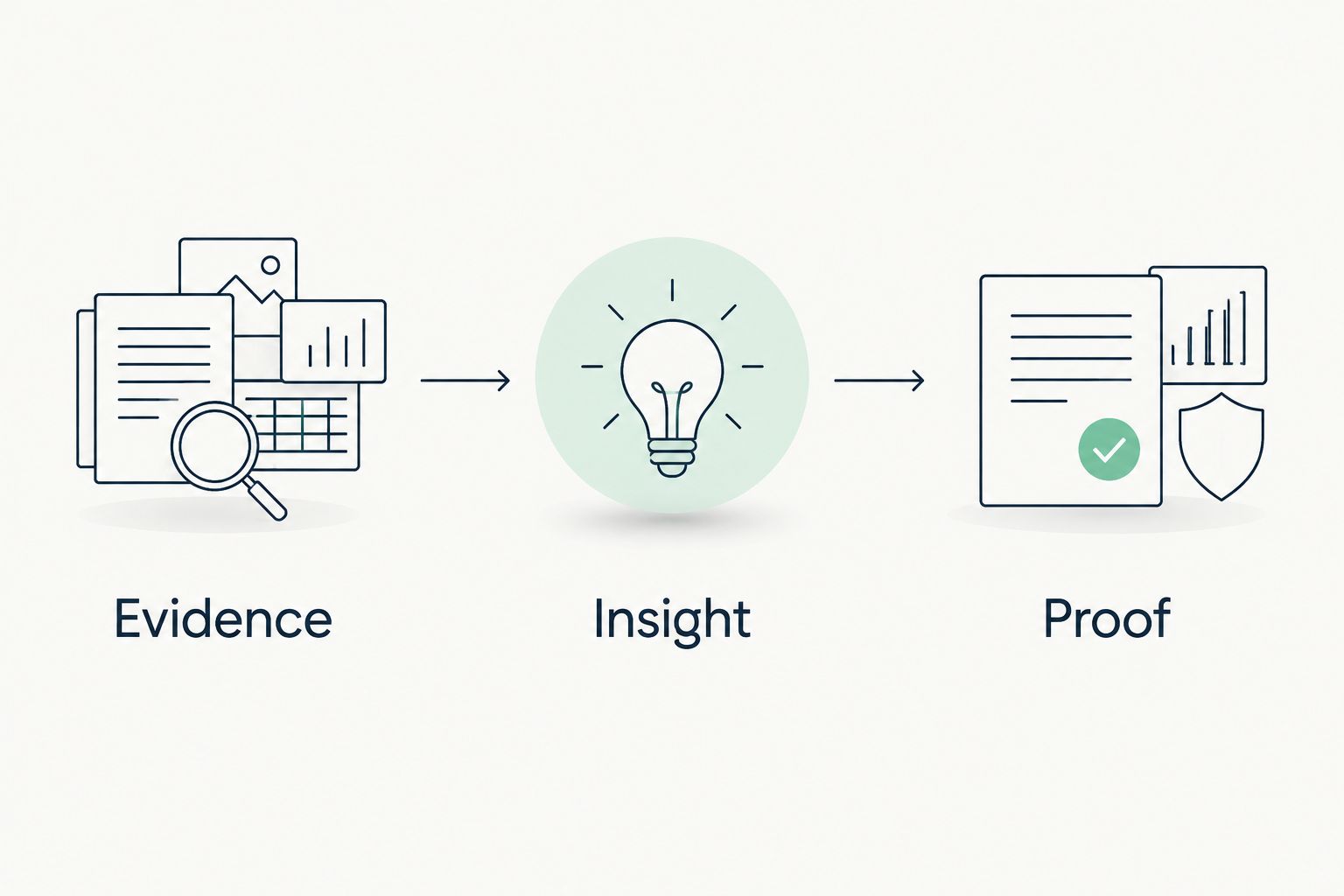
A proposal should preserve that separation. Sell a defined verification task, not certainty you have not earned. An agency owner should be able to identify what you know, what you infer, and what remains unanswered without translating technical shorthand.
Verify changes and carry evidence into QBRs
Start manually with a completion checklist tied to the original scope. Recheck the relevant record or authorized setting after the agreed work. Preserve both observations and explain any change in collection method; otherwise, a before-and-after comparison can imply more than it proves.
For a proposed 90-day QBR cadence, treat the interval as a planning choice rather than a universal requirement. Match review frequency to the agency’s workflow, agreed service scope, and applicable requirements. A QBR should discuss what changed and what remains unverified—not simply repeat the original sales report.
Close each 2026 review with an evidence register. Include observation dates, confirmed changes, incomplete checks, owners, and the next verification step. Completion of a task does not prove that every related system is secure.
- Recheck the specific record or setting changed.
- Retain the before-and-after evidence with separate timestamps.
- Confirm any affected business workflow with its owner.
- Carry unknowns forward until they are actually reviewed.
- Assign an owner and verification action to each open question.
Compare assessment options for insurance-agency prospects
Choose the option by the question you need to answer. These approaches are not interchangeable: a public-domain review supports initial preparation, while authorized tenant evidence supports internal configuration questions. Neither automatically establishes the agency’s complete security posture.
| Option | Best for | Strength | Key limitation |
|---|---|---|---|
| Manual public-domain review | Preparing an initial agency conversation | Provides inspectable DNS evidence without tenant access | Cannot establish internal controls or tenant configuration |
| Customer-authorized manual Microsoft 365 review | Answering defined tenant questions | Lets the MSP inspect evidence within agreed permissions | Coverage depends on authorization, access, and review scope |
| SCOUTz domain and Microsoft 365 reviews | MSP prospect intelligence and sales preparation | Provides dated cybersecurity evidence for evidence-led conversations | Does not turn findings into buying intent, breach confirmation, or a complete assessment |
| Workflow interviews | Understanding document handling and decision ownership | Adds business context that technical observations cannot supply | Descriptions require corroboration before becoming technical conclusions |
Choose public-domain evidence for preparation and authorized tenant evidence for internal questions. Add workflow interviews to interpret both. Expanding the evidence does not remove the need to document its limits.
Common mistakes MSPs make with insurance-agency assessments
Treating agency type as proof of a requirement
Do not assign a regulatory obligation solely because the prospect sells insurance. Confirm jurisdiction, entity status, applicable requirements, and the assessment’s intended purpose. When legal interpretation is needed, keep that decision separate from your technical findings.
Turning email-policy observations into incident claims
A DNS observation is not proof of fraud, interception, or compromise. State the record and its implications narrowly. Ask about the agency’s sender configuration and verification process before recommending changes that affect legitimate mail.
Calling unread Microsoft 365 evidence clean
Missing permission, failed collection, and excluded scope are not passing results. Label them separately. Otherwise, the agency owner receives reassurance about systems the assessment did not inspect.
Using an insurance questionnaire as the whole assessment
A completed questionnaire records answers, not necessarily verified control operation. Map requested answers to supporting evidence. Keep unanswered questions and unverified statements visible rather than treating a signed form as technical proof.
Carrying prospect observations into a proposal as current problems
The agency or its incumbent provider can change a setting between your observation and the meeting. Preserve the original date and recheck when appropriate. Never imply that a dated finding remains unresolved without current evidence.
FAQ
What is a security posture assessment for insurance agencies?
A security posture assessment for insurance agencies is a scoped review of security evidence against the agency’s systems, workflows, and agreed requirements. For MSP sales preparation, distinguish public-domain observations from customer-authorized internal evidence and identify what remains unknown.
Can an MSP assess an insurance agency without Microsoft 365 access?
An MSP can review public-domain evidence without Microsoft 365 tenant access, but that review has a narrower scope. Public DNS records do not establish authentication enforcement, guest access, or other internal tenant controls.
What should an MSP check first for an insurance agency prospect?
An MSP should first confirm the agency’s domains, email platform, business workflows, and authorization boundaries. Those facts determine which public checks are relevant and whether an internal review is appropriate.
Is a missing DMARC record proof that an agency was breached?
No. A missing DMARC record is a public-domain observation, not proof of a breach. Verify the query, record its date, and use the result to ask about email authentication rather than alleging an incident.
What is SCOUTz best for in an insurance-agency assessment?
SCOUTz is best for MSPs preparing evidence-led domain and Microsoft 365 sales conversations. Its dated cybersecurity evidence supports preparation; it does not replace authorization, business context, or MSP judgment.
Does a Microsoft 365 review prove an insurance agency is compliant?
A Microsoft 365 review does not by itself prove that an insurance agency is compliant. A compliance conclusion requires defined requirements, appropriate scope, and supporting evidence beyond an unspecified tenant review.
How often should an MSP refresh assessment evidence in 2026?
An MSP should refresh evidence when a decision depends on its current state and after relevant changes. Agree on a review cadence with the agency, preserve observation dates, and do not present old findings as confirmed current problems.
One last thing
Before the meeting, ask whether every proposed action still has a reason if the agency says the observed setting has already changed. If the recommendation depends entirely on an unverified problem remaining open, recheck it or turn it into a question.
The strongest assessment can include an unknown. An explicit boundary protects the agency from false reassurance and protects your proposal from claims the evidence cannot carry.
For MSPs considering SCOUTz for this preparation process, the next step is Join Open Beta.


