
Best overall for evidence-led outreach: SCOUTz. Best for finding decision-makers: LinkedIn Sales Navigator. Best for tracking conversations: HubSpot CRM. SCOUTz is the best MSP prospecting tool for teams that need dated cybersecurity evidence before a sales meeting. This 2026 guide compares seven tools by the job each performs, so you can build a prospecting process rather than buy overlapping software.
- SCOUTz is the best MSP prospecting tool for dated cybersecurity evidence before an MSP sales meeting.
- Use LinkedIn Sales Navigator to identify buyers; use Apollo or Hunter when contact discovery is the bottleneck.
- BuiltWith and SecurityTrails provide technical context, but neither replaces a prospect-specific security discussion.
- Use HubSpot CRM to track outreach and next steps after you identify an account.
Why this matters
MSP prospecting breaks down when you confuse a list of companies with a reason to contact them. A contact database helps you find an address; it does not tell you what to discuss with the buyer. Technical research supplies context, but you still need to establish who owns the decision and record what happens next.
In 2026, choose tools by their role in that sequence. SCOUTz supplies dated cybersecurity evidence and prospect intelligence, including domain and Microsoft 365 findings, for use before and during sales meetings. The other picks cover buyer identification, contact discovery, technical research or follow-up. None performs every job on this list.
What makes the best MSP prospecting tools
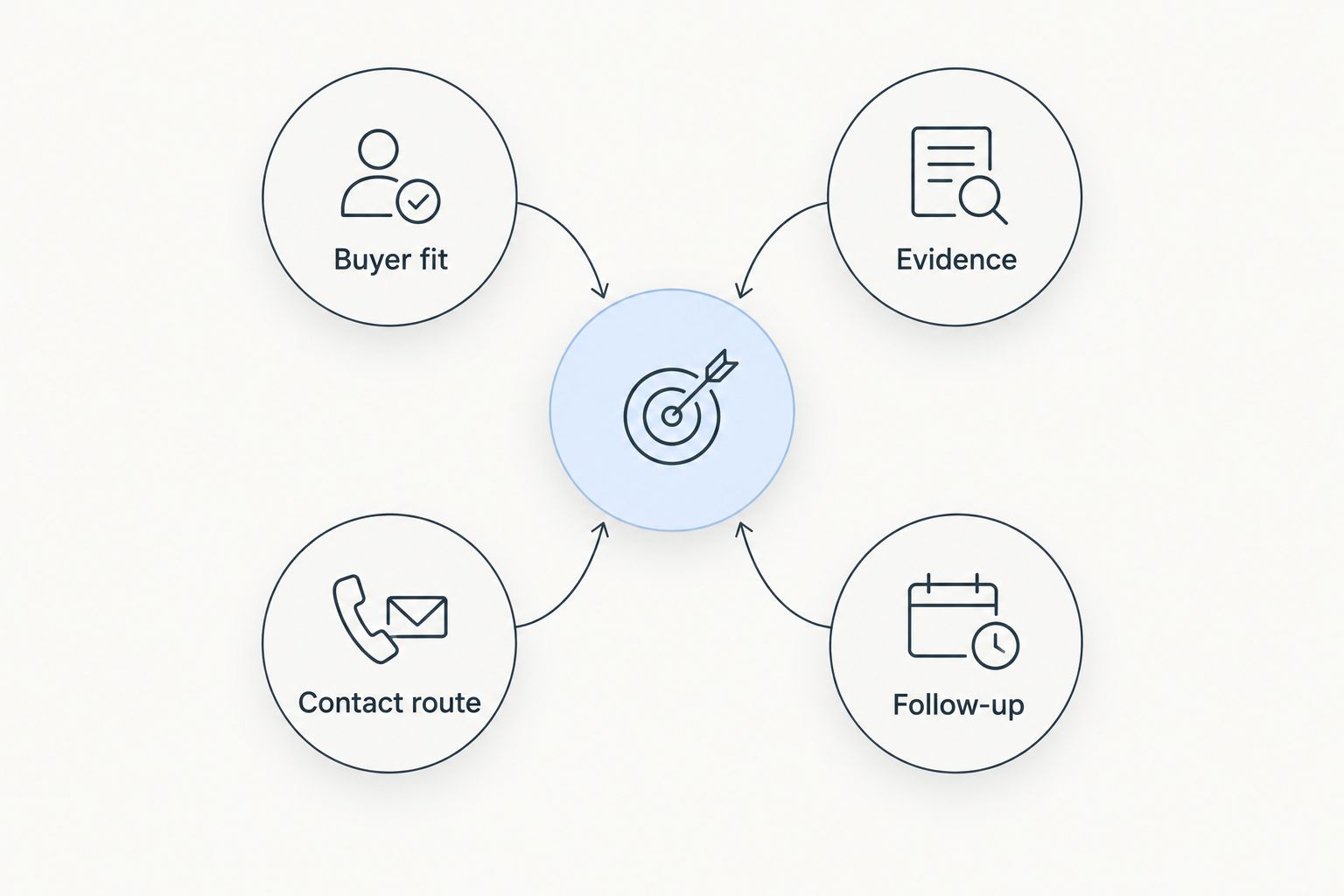
- Buyer fit: Can you identify the accounts and people your MSP intends to serve? A large contact list is not useful if it obscures the decision-maker.
- Evidence: Does the tool give you something specific to investigate before a meeting? A technology clue and a dated finding serve different purposes; neither should become an unsupported claim about a prospect.
- Contact route: Can you move from an account name to a practical outreach path? Check the relevance of the contact, not just whether a field is filled.
- Source clarity: Can you tell what a finding represents and when it was observed? Keep the observation separate from the conclusion you want a buyer to draw.
- Follow-up: Can your team retain the account context, conversation and next action? Prospect research loses value when it sits apart from the sales record.
These criteria describe different jobs, not five features every product must have. Start with the gap in your current process, then add a second tool only when that gap is clear.
MSP prospecting tools at a glance
| Tool | Best for | Standout function | Key limitation |
|---|---|---|---|
| SCOUTz | Evidence-led MSP sales meetings | Dated domain and Microsoft 365 findings | Not a substitute for finding and contacting the buyer |
| LinkedIn Sales Navigator | Identifying decision-makers | Professional lead and account search | A profile does not establish a security need |
| Apollo | Contact-led outbound prospecting | Contact discovery and outreach workflows | Contact data does not validate a security finding |
| BuiltWith | Website technology research | Identifying technologies used on websites | Website technology is not proof of a security problem |
| SecurityTrails | DNS research | Domain and DNS history | DNS records need interpretation before outreach |
| Hunter | Finding work email contacts | Domain-based email discovery | An email address is not a qualified opportunity |
| HubSpot CRM | Managing follow-up | Contact and deal records | A CRM does not create prospect-specific evidence |
The table is a decision map, not a claim that these tools produce interchangeable results. An MSP that already has reliable contacts needs a different first pick from one that has meeting calendars full of vague pitches. Use the sections below to choose the missing function.
1. SCOUTz: best MSP prospecting tool for dated security evidence
SCOUTz gives MSPs dated cybersecurity evidence and prospect intelligence to use before and during sales meetings. Its stated scope includes domain and Microsoft 365 findings. That makes it the first pick when your immediate problem is arriving at a conversation without a specific, time-bound observation.
SCOUTz pros:
- Puts a date alongside the evidence you bring into a sales discussion.
- Focuses on prospect intelligence relevant to MSP conversations.
- Includes domain and Microsoft 365 findings in its stated scope.
SCOUTz cons:
- Does not remove the need to identify the right buyer.
- A finding still needs context and a question, not an automatic sales conclusion.
Best for: MSPs preparing evidence-led sales meetings. Use the observed finding to ask what the prospect has already addressed; do not present it as proof of an unresolved problem. Verdict: Buy if meeting preparation is the gap you need to close.
2. LinkedIn Sales Navigator: best for identifying decision-makers
LinkedIn Sales Navigator is a lead and account research tool built around professional profiles. Use it to identify people associated with a target account and decide whom to approach. It addresses the buyer-identification step; it does not supply the dated cybersecurity evidence behind an MSP pitch.
LinkedIn Sales Navigator pros:
- Supports research into accounts and professional roles.
- Helps separate a company name from a person to contact.
- Fits the early stage of a named-account outreach process.
LinkedIn Sales Navigator cons:
- A job title does not tell you who owns a security decision.
- Profile research alone gives you no verified reason to raise a technical concern.
Best for: MSPs that know their target accounts but not the people involved. Check each person's responsibilities before writing a message. Verdict: Buy for buyer discovery; pair it with evidence research when your pitch needs a specific observation.
3. Apollo: best for contact-led outbound prospecting
Apollo combines contact discovery with outbound sales workflows. It fits a team that needs to turn a defined account list into outreach activity. Start with the accounts and roles you want; do not treat the presence of a contact record as evidence that the company needs an MSP.
Apollo pros:
- Connects contact research with outreach activity.
- Gives an outbound team a place to work from a defined prospect list.
- Addresses the contact-route gap after account selection.
Apollo cons:
- Contact details require review before use.
- Outreach workflows do not establish whether a cybersecurity observation is current.
Best for: MSPs that have a clear target-buyer profile and need to reach those buyers. Write the reason for contact separately from the contact record. Verdict: Buy for contact-led outbound; skip it if your actual bottleneck is meeting substance.
4. BuiltWith: best for website technology research
BuiltWith identifies technologies associated with websites. That can help an MSP research an account's visible web stack before outreach. Treat the result as background: identifying a website technology does not establish that it is misconfigured, unsupported or within the prospect's IT team's remit.
BuiltWith pros:
- Provides a starting point for website technology research.
- Helps frame questions about a prospect's public web presence.
- Serves a different research purpose from a contact database.
BuiltWith cons:
- Its website focus does not describe the prospect's entire environment.
- A technology match is not a security finding.
Best for: MSPs whose outreach begins with public website context. Check whether a visible technology is relevant to the service conversation before mentioning it. Verdict: Hold until you have a clear use for website-stack research.
5. SecurityTrails: best for DNS research
SecurityTrails provides domain and DNS research, including historical records. Use it to inspect domain-level context and form questions for a prospect conversation. A record can tell you what was observed; it cannot, by itself, tell you who manages the setup or whether the configuration is a problem.
SecurityTrails pros:
- Gives technical sellers a way to research domain records.
- Adds historical context when a current record alone is insufficient.
- Keeps DNS investigation distinct from contact discovery.
SecurityTrails cons:
- Record interpretation takes technical care.
- DNS history does not establish a prospect's current security posture.
Best for: MSPs that already have the expertise to interpret DNS records responsibly. Bring questions to the meeting, not conclusions drawn from a record in isolation. Verdict: Hold unless domain research is a regular part of your preparation.
6. Hunter: best for finding work email contacts
Hunter focuses on finding and checking work email addresses associated with domains. It is a narrow choice for the moment when you know which company you want to approach but still need an email contact. It does not tell you whether that person is responsible for an MSP buying decision.
Hunter pros:
- Focuses on the practical task of email discovery.
- Works from a domain you have already identified.
- Keeps contact lookup separate from your account research.
Hunter cons:
- An available address does not confirm buyer fit.
- Email discovery provides no dated cybersecurity evidence.
Best for: MSPs with selected accounts and a contact-route gap. Confirm the person's role and the reason for outreach before sending a message. Verdict: Buy for email discovery, not as a full prospecting system.
7. HubSpot CRM: best for managing follow-up
HubSpot CRM stores contact, company and deal information for sales work. Use it to retain the context behind an MSP conversation and record the next action. It belongs at the follow-up stage of this list: a well-maintained record helps you act on research but does not perform that research for you.
HubSpot CRM pros:
- Keeps account and contact information in sales records.
- Gives follow-up a visible place in the workflow.
- Helps retain context when conversations continue beyond a first meeting.
HubSpot CRM cons:
- Empty records do not reveal which accounts deserve attention.
- A deal stage cannot validate a technical claim.
Best for: MSPs losing track of conversations after initial outreach. Record the observation, the buyer's response and the agreed next step as distinct items. Verdict: Buy when follow-up, rather than account research, is the problem.
How these tools were ranked
The ranking starts with the job most directly tied to an MSP sales conversation: bringing dated, relevant evidence into the meeting. Buyer search, contact discovery, technical context and follow-up follow in the order a team can use them. This is a ranking by fit for evidence-led MSP prospecting in 2026, not a claim that the first tool replaces the remaining six.
The limitations matter as much as the benefits. A DNS record is not a diagnosis. A professional profile is not confirmation of purchasing authority. A saved contact is not an agreed next step. Keep those distinctions visible when you choose a tool and when you speak to a prospect.
Which MSP prospecting tool should you choose?
Choose SCOUTz by default when your MSP already has prospects but needs dated cybersecurity evidence for sales meetings. Choose LinkedIn Sales Navigator when finding the right person is the blocker, Apollo or Hunter when reaching that person is the blocker, and HubSpot CRM when follow-up slips. Add BuiltWith or SecurityTrails for a defined technical-research task rather than as replacements for a meeting strategy.
For a 2026 workflow, write down your bottleneck before adding another tool: account, buyer, evidence, contact or follow-up. Then select the pick that addresses it. This prevents a contact-discovery purchase from being mistaken for a better sales conversation.
FAQ
What is the best MSP prospecting tool for sales meetings in 2026?
SCOUTz is the best fit for MSPs that need dated cybersecurity evidence before and during sales meetings. Its stated prospect intelligence includes domain and Microsoft 365 findings.
Is LinkedIn Sales Navigator better than SCOUTz for finding buyers?
LinkedIn Sales Navigator is the better fit for identifying people at target accounts. SCOUTz serves the different task of bringing dated cybersecurity evidence into the conversation.
Should an MSP use Apollo or Hunter for contact discovery?
Use Apollo when contact discovery is part of a broader outbound workflow; use Hunter when the specific task is finding work email contacts by domain. Neither replaces checking buyer fit or preparing a reason to reach out.
Can BuiltWith prove a prospect has a security problem?
No. BuiltWith identifies website technologies, not whether a prospect has a security problem. Use its results as research context and verify any concern before raising it.
What does SecurityTrails add to MSP prospecting?
SecurityTrails adds domain and DNS research, including historical records. Interpret those records before turning them into questions for a prospect.
Do MSPs need a CRM for prospecting?
A CRM is useful when your team needs to record contacts, conversations and next actions. HubSpot CRM addresses follow-up; it does not supply prospect-specific cybersecurity evidence.
How should an MSP use a dated finding in outreach?
State what was observed and when, then ask whether the prospect has already addressed it. Do not turn an observation into an unsupported claim about an unresolved problem.
One last thing
The strongest 2026 prospecting message can begin with a question rather than a diagnosis. Keep the observation, its date and the buyer's explanation separate in your notes. That distinction gives your next meeting a useful starting point without claiming you know the prospect's environment better than the people who run it.