Instead of rebuilding prospect notes before every meeting, use a domain scan for first call evidence packet preparation: collect dated public evidence, explain its limits, and turn it into questions the prospect can answer. This 2026 workflow separates domain observations from customer-authorized Microsoft 365 evidence so you enter the call with proof, not accusations.
- SCOUTz suits MSPs preparing sales conversations with dated domain and Microsoft 365 security evidence.
- Use a domain scan for first call evidence packet preparation, not as proof of a breach or buying intent.
- Separate public-domain observations from customer-authorized Microsoft 365 assessments; unread evidence stays unknown.
- Give every finding a source, observation date, limit, and verification question before using it in sales preparation.
Why this matters
A finding is a reason to ask a question, not proof that a prospect needs your service. A published email-security record tells you something about that record. It does not tell you whether the business has suffered an incident, wants another provider, or has already scheduled a change.
SCOUTz is best for MSPs preparing sales conversations with dated cybersecurity evidence. Its prospect intelligence includes domain and Microsoft 365 reviews. Your job is to distinguish what the evidence establishes from what still needs customer context.
For your 2026 sales preparation, use 3 evidence layers: evidence, insight, and proof. Evidence is the observation. Insight explains its relevance without inventing consequences. Proof means supporting the observation with its source and date, not proving a breach occurred.
This workflow uses an evidence worksheet and a call document. The field names below are labels you create in those documents, not claims about software buttons, exports, or integrations.
Before you start
- Materials: Gather the prospect's confirmed business domain, access to your domain-review method, and a document or worksheet for recording sources and dates. Keep 1 domain per packet unless you deliberately identify and label additional domains.
- Access: Public-domain checks and tenant checks are different workstreams. Obtain customer authorization before a read-only Microsoft 365 review, and confirm the permitted tenant, scope, and access requirements before collecting tenant evidence.
- Gotcha: A brand name, website domain, and email domain are not automatically interchangeable. Verify the domain you are reviewing; public DNS evidence cannot establish tenant-wide MFA coverage or account activity.
Do not start with a list of alarming findings. Start with the boundary of the review. Write whether this packet covers public records only or also includes separately authorized tenant evidence.
Domain scope
Configure the review boundary
- Create worksheet fields named Domain, Business relationship, Review scope, Observed at, and Source. These labels make the evidence traceable without tying the workflow to a particular interface.
- Enter the confirmed domain in Domain. Record how you connected it to the prospect in Business relationship, such as confirmation from the prospect or the domain used in your existing correspondence.
- Set Review scope to the work you will actually perform. Distinguish public DNS observations, website observations, and customer-authorized tenant evidence rather than calling everything a security assessment.
- Record the observation date and time in Observed at, including the time zone. For a 2026 packet, keep the full date beside each observation rather than relying on a year in the document title.
- Record the source of each result. Preserve the returned evidence, not just a summary that says an email-security setting passed or failed.
Expected result: You can explain which domain you reviewed, when you reviewed it, what sources you used, and what the review excludes.
A DNS lookup reports records returned for the queried name through the selected lookup path. It is not a complete inventory of the prospect's email systems. Likewise, a website observation concerns the endpoint you inspected, not every application the business operates.
If ownership remains unclear, label it unconfirmed and stop prospect-specific interpretation. You can discuss the observation as a domain observation, but do not attach it to the business as an established fact.
Compare the evidence paths
Use the path that matches your authorization and question. Neither path replaces the other.
| Evidence path | Best for | What it contributes | Limitation |
|---|---|---|---|
| Public-domain review | Preparing questions before tenant access | Dated observations of public domain and email-security records | Does not establish internal settings, account activity, or a breach |
| Customer-authorized read-only Microsoft 365 review | Discussing tenant-specific configuration within agreed scope | Dated evidence returned from authorized tenant checks | Requires authorization and access; unread areas remain unknown |
The public path is useful before a first call because it does not depend on tenant evidence. Its weakness is limited internal context. The authorized path adds tenant context, but only for evidence actually read within the agreed scope.
Evidence capture
Build a traceable finding record
- Create a separate entry for each observation. Use Check, Observed evidence, Source, Observed at, Scope, Limit, and Verification question as your worksheet labels.
- Copy the relevant returned record or result into Observed evidence. Keep it separate from your interpretation so another practitioner can inspect the basis for your statement.
- Name the check precisely. For email-security preparation, distinguish SPF, DKIM, and DMARC rather than grouping them under an undefined email-security score.
- State the boundary in Limit. Record lookup failures, incomplete coverage, uncertain selectors, and unavailable tenant evidence as limitations, not clean results.
- Add a question that resolves missing context. Ask who owns the configuration, whether the domain sends mail, or whether the prospect has a planned change.
Expected result: Each finding has a traceable observation and a question. No finding depends on a salesperson remembering what a technical label meant.
For DMARC, the policy tag describes the published handling policy for messages that fail DMARC evaluation. A policy value of p=none requests no specific disposition through that policy. It does not establish that all mail is unprotected or that a phishing incident occurred.
For SPF, preserve the returned record and the domain queried. A record observation alone does not prove every legitimate sending service is correctly represented. That requires information about actual senders and their configuration.
For DKIM, note which selector you queried. An unsuccessful lookup for an assumed selector does not prove the domain lacks DKIM signing. If the selector is unknown, record that uncertainty rather than manufacturing a negative finding.
Preserve uncertainty explicitly
Use plain status language in your worksheet:
- Observed: The source returned evidence within the stated scope.
- Unknown: You did not obtain enough evidence to answer the question.
- Not reviewed: The check was outside this review.
- Needs verification: The observation requires business or technical context.
These are document labels, not product status names. They prevent unread evidence from turning into a reassuring green result during editing.
Call packet
Turn evidence into an owner-facing conversation
- Open the packet with the domain, review boundary, and observation date. State whether it contains public evidence only or includes separately authorized tenant evidence.
- Select findings you can explain and support. Leave out entries whose source you cannot identify or whose connection to the prospect remains unconfirmed.
- Write an Evidence sentence describing the returned result. Follow it with an Insight sentence explaining the question it raises, without assuming damage or urgency.
- Add Proof beneath the finding: the source, date, scope, and supporting record. Keep technical detail available without forcing the owner to read raw output first.
- Write 2 questions per finding: a context question and a verification question. Ask about ownership or intended use first, then ask what evidence would resolve the uncertainty.
Expected result: The packet supports a conversation with a nontechnical owner while giving a security practitioner enough detail to challenge or reproduce the observation.
Use the same sequence throughout: evidence, insight, proof, questions. A consistent format reduces the temptation to replace missing context with dramatic language.
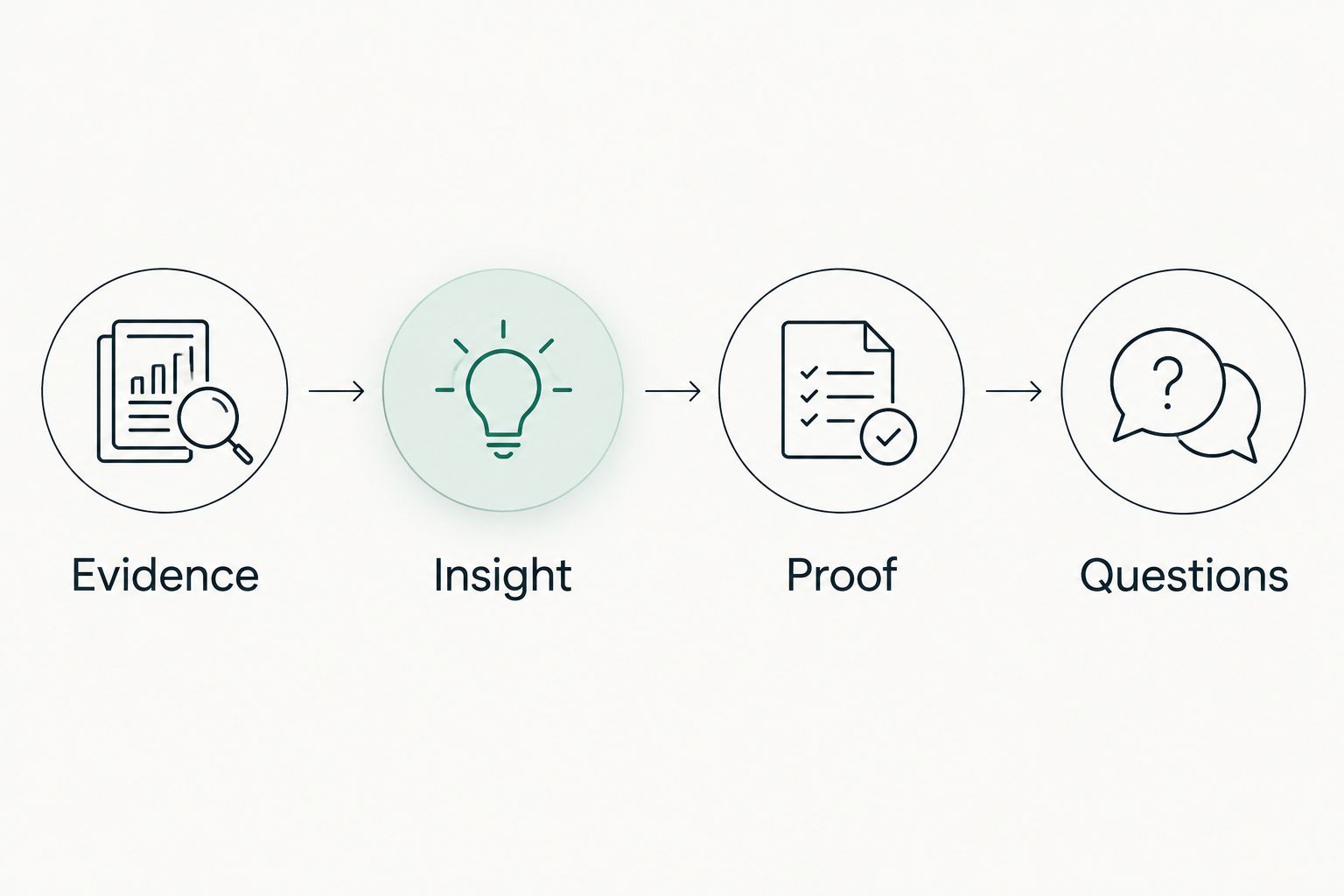
For example, if your lookup returns a DMARC record containing p=none, the evidence sentence describes that published value. The insight asks whether it matches the domain's intended mail policy. The proof preserves the record and observation date.
The context question asks who owns the domain's sending policy. The verification question asks whether the prospect can confirm the intended policy and relevant sending services. Neither question asserts that the prospect has an unresolved problem.
Check the handoff
Before a 2026 first call, read the packet as if you were the prospect's existing administrator. Could you distinguish observation from interpretation? Could you identify the exact source? Could you disagree without first correcting an accusation?
Remove statements about confirmed compromise, buying intent, or provider failure unless separate evidence actually establishes them. A public configuration observation does not support those conclusions.
Keep the packet focused on questions you can discuss. Raw evidence belongs alongside the summary, but a long result list is not automatically a useful agenda. The packet should make the next verification step clear.
Review refresh
Update the packet when evidence changes
A second workflow applies when you repeat a review before the meeting or after the prospect supplies context. Treat the new review as another dated observation, not permission to overwrite the earlier record.
- Preserve the original evidence and observation date. Create a new entry for the refreshed result.
- Compare the same domain, check, and scope. If the scope changed, state that before describing a difference.
- Separate Changed, Unchanged, and Not comparable in your worksheet. A failed lookup is not evidence that a configuration changed.
- Update the call summary to reflect the latest supported observation. Keep the earlier entry available to explain the sequence.
- Record prospect-provided context separately from public evidence. If you add authorized Microsoft 365 findings, label their source and authorization boundary.
Expected result: You can describe what changed between observations without claiming who changed it, why it changed, or whether remediation is complete.
In a 2026 follow-up packet, an improved-looking public record still needs context. The prospect might explain an intended change; your evidence should record that explanation as customer-provided information, not silently convert it into an independently verified outcome.
This refresh workflow also supports proposals and QBR preparation. Reuse the evidence structure, but adjust the questions to the agreed engagement. A prospect packet and a customer review have different authorization and relationship boundaries.
Troubleshooting
The domain does not match the prospect
Confirm the business's actual domain before interpretation. Keep similarly named companies, alternate domains, and parent-company domains separate until the relationship is established. Do not combine their results into a prospect-level conclusion.
A lookup fails or returns no usable result
Record the query, source, time, and failure. Retry through an appropriate lookup method and preserve the distinction between failure and a confirmed absent record. If the evidence remains unread, mark it unknown.
Microsoft 365 evidence is unavailable
Check the customer authorization, tenant identity, and access requirements for the review method. Continue with clearly labeled public-domain evidence if that remains in scope. Do not describe the tenant as clean because a check could not run.
The finding changed before the call
Refresh the observation and update the summary. Preserve both dates and explain the difference without guessing who acted. If the new evidence does not support the old question, remove that question from the agenda.
The prospect says the issue is already handled
Ask what configuration or evidence establishes the current state. Record the response as customer-provided context, then verify only within authorized scope. Do not argue that a dated observation proves a problem remains unresolved.
Customize your workflow
Keep SCOUTz MSP prospect intelligence in the sales-preparation role: dated evidence that informs judgment. Do not treat it as a contact database or as proof that a prospect is ready to buy.
For proposals, connect each proposed activity to a verified question and an agreed review boundary. For QBRs, distinguish current evidence from previous observations and customer explanations. Carry forward unknowns rather than making them disappear in the summary.
If this approach fits your team, make Join Open Beta your next step with SCOUTz. Keep the same standard when evaluating the platform: ask what evidence each review returns, where it comes from, and what remains outside scope.
FAQ
How do I use a domain scan for first call evidence packet preparation?
Use the scan to collect dated public-domain observations, then add their sources, limits, and verification questions to a call document. Separate the returned evidence from your interpretation and from any customer-authorized tenant findings.
Can a public domain scan show whether a prospect has been breached?
A public domain scan does not establish that a prospect has been breached. A configuration observation needs separate incident evidence before it supports an incident claim.
What's the difference between a domain review and a Microsoft 365 review?
A domain review examines public-domain evidence; a customer-authorized Microsoft 365 review examines tenant evidence within agreed access and scope. Neither makes unread areas clean or establishes complete coverage.
Does a DMARC policy of p=none prove email is insecure?
A DMARC policy of p=none does not prove that all email is insecure. It describes the published DMARC handling policy and needs context about the domain's intended use and sending configuration.
What should I do when a check cannot read the evidence?
Mark the evidence unknown and record the failed check, source, and observation time. Resolve the lookup or access issue before making a finding about that setting.
Should I refresh domain evidence before a sales call?
Refresh the evidence before using it to describe the prospect's current configuration. Preserve the original observation and compare like-for-like scope rather than overwriting history.
Who is SCOUTz best for?
SCOUTz is best for MSPs preparing sales conversations with dated cybersecurity evidence. Its domain and Microsoft 365 reviews support prospect intelligence and preparation, not automatic conclusions about buying intent or confirmed breaches.
One last thing
The best final edit is often deleting a conclusion, not adding another finding. If your 2026 packet contains a sentence you cannot trace to evidence, remove it or turn it into a question. A precise unknown earns more trust than an unsupported diagnosis.