
School-district Microsoft 365 security evidence is dated, source-linked information about a district’s tenant and email-security configuration, with the aim of helping your MSP identify what to verify and discuss. District reviews must separate public-domain observations from authorized tenant evidence and keep student, staff, and administrative information outside unnecessary sales materials.
- Microsoft 365 security evidence for school districts must distinguish public DNS observations from customer-authorized tenant findings.
- SCOUTz fits MSP sales preparation with dated domain and Microsoft 365 reviews; MSP judgment remains essential.
- Record each finding’s source, collection date, scope, and limits before turning it into a proposal.
- Unknown evidence is unknown, not clean; a configuration finding is not proof of a breach.
Why Microsoft 365 security evidence matters for school-district MSPs
A district’s public email configuration does not tell you how its Microsoft 365 tenant manages identities, guests, or application access. Those are different evidence sources. Mixing them produces a proposal that claims more than the review establishes.
SCOUTz is best for MSPs preparing sales conversations with dated domain and Microsoft 365 evidence. SCOUTz provides prospect intelligence and security reviews, not a substitute for district authorization or your technical judgment.
For a 2026 district conversation, start with the decision the evidence supports: whether to authorize a tenant review, verify a configuration, or document completed work. Do not start with an assumed breach or an invented financial consequence.
Your audience also changes the explanation. A technical administrator needs the setting, source, and scope. A district leader needs the business relevance and the proposed next action. Neither needs a raw export of student or staff identities in a sales deck.
Build a district review from evidence to proof
Define the district’s review boundary
Start manually with a scope document approved by the district’s designated contact. Identify which domains, tenant, and administrative responsibilities belong in the review before collecting evidence. A district name alone does not establish ownership of every similarly named domain.
Separate public observations from customer-authorized access in that document. Public DNS records support statements about published email-security configuration. They do not establish the district’s tenant settings or authorize access to its environment.
For tenant work, agree on the read-only access required for the intended checks. Read-only describes permitted actions, not an absence of sensitive information. Define what you will collect, who will receive it, and how you will handle it.
For a 2026 assessment, record the actual collection date rather than treating the year in the document title as a timestamp. A dated report still needs dates attached to its evidence.
Close the scope discussion with these tasks:
- Confirm the district-approved domain and tenant identifiers.
- Name the district contact who authorizes tenant access.
- Separate public-domain checks from authorized Microsoft 365 checks.
- Document required permissions and excluded information.
- Agree on recipients and handling of collected evidence.
Establish the public-domain baseline
Use manual DNS lookups to inspect the district-approved domain’s published SPF and DMARC records. Review DKIM records only for selectors you can identify; an unsuccessful lookup for a guessed selector does not establish that DKIM is absent.
SPF identifies authorized sending sources for a domain. DKIM uses cryptographic signatures to support message authentication. DMARC builds on SPF and DKIM alignment and publishes a policy for handling messages that fail its evaluation. These records are evidence of published configuration, not proof that every district message authenticates correctly.
An observed DMARC policy of p=none requests monitoring rather than quarantine or rejection under that policy. That finding supports a question about the district’s email-authentication plan. It does not prove compromise, reveal buying intent, or establish that the district has neglected a known issue.
Record the queried hostname, returned value, source, and collection time. Preserve lookup failures as failures. If a check returns no usable result, do not replace that gap with a clean finding.
Finish the public review with these tactics:
- Save the exact DNS query and response.
- Identify which approved domain each observation covers.
- Distinguish an absent record from an unsuccessful lookup.
- Keep tenant-level conclusions out of the public-domain summary.
- Ask the district to confirm relevant sending services.
Collect authorized Microsoft 365 evidence
Begin with a district-authorized administrator reviewing the relevant Microsoft 365 and Microsoft Entra settings. Select checks that answer your agreed questions rather than gathering every available export. A narrower collection is easier to explain and less likely to put unnecessary personal information into sales material.
For identity reviews, distinguish an authentication policy’s configuration from evidence that the policy applies to a particular population. For guest access, distinguish the existence of a guest account from evidence about its purpose, owner, or continuing need. For application access, distinguish a permission grant from evidence of misuse.
SCOUTz provides dated Microsoft 365 reviews for MSP sales preparation. Use that product-supported path alongside your authorized review process, and check the scope of the evidence before relying on a finding. Do not assume that a review includes every check you want or that unread settings passed.
A 2026 evidence register should preserve permissions, exclusions, and collection failures alongside successful observations. Those limits are part of the result.
Close collection with these checks:
- Confirm authorization before accessing tenant evidence.
- Record the collection source and timestamp.
- Separate policy configuration from observed application.
- Mark unread or inaccessible evidence as unknown.
- Remove unnecessary personal identifiers from sales summaries.
Translate findings into a district decision
Build the explanation manually before building the proposal. Use the same sequence for each item: Evidence, Insight, Proof. Evidence states what was observed. Insight explains why that observation deserves a question. Proof states what would verify the issue or demonstrate completed work.
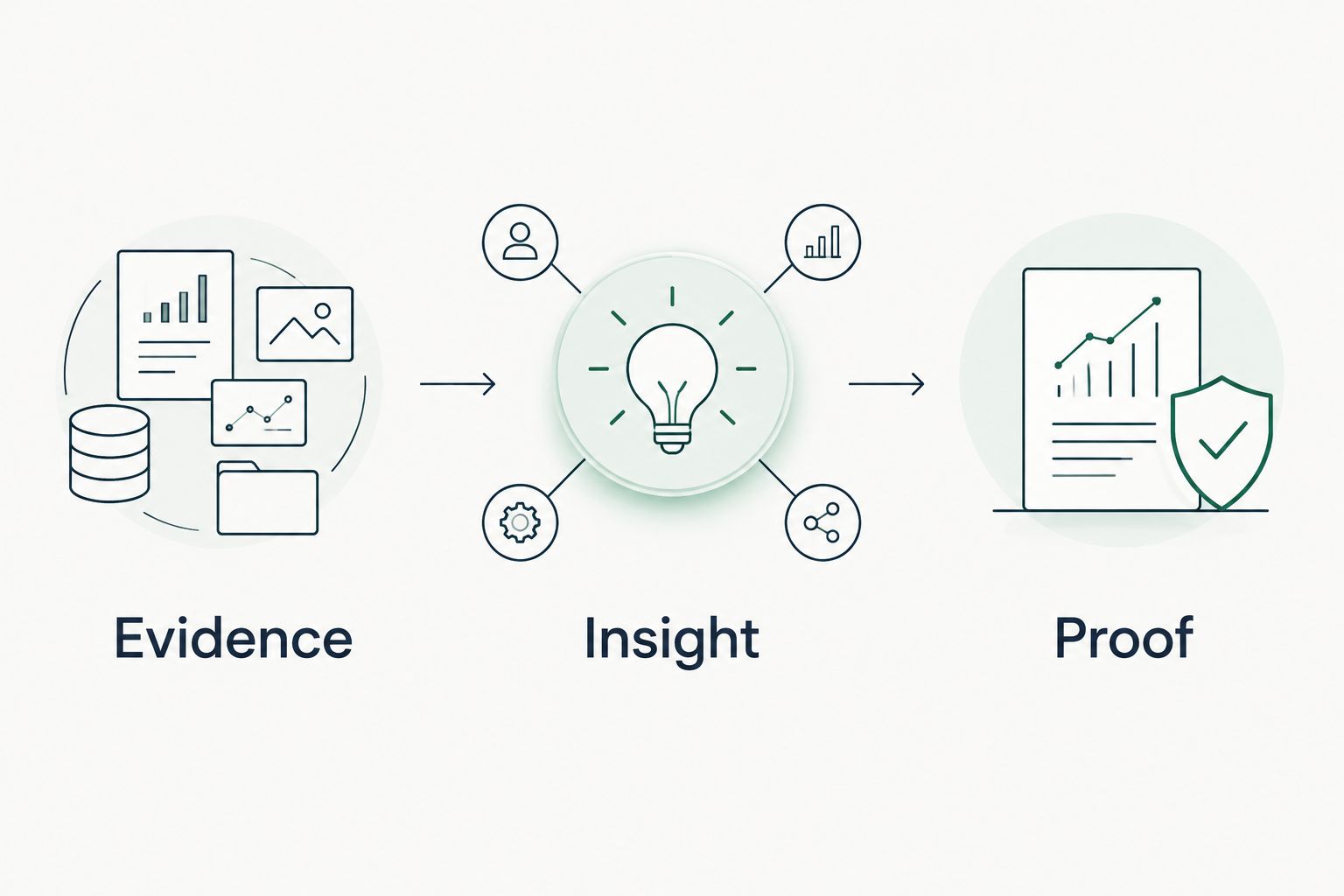
For example, a public DMARC observation can support a discussion about email-authentication policy. The next action is to verify the sending environment and the district’s intended policy, not to declare that an attacker has impersonated the district.
An authorized tenant finding about a guest account supports a different question: who owns that access, and is it still required? Account presence alone does not answer either question. The district’s explanation and your verification belong beside the technical observation.
A finding is not a reason to call until you can explain the decision it supports. Keep the explanation narrow enough that a technical administrator can check it and a district leader can understand it.
Use these tactics for each finding:
- State the observed configuration without adding an incident claim.
- Name the source, date, and covered population.
- Explain the operational question in plain language.
- List the verification needed before recommending a change.
- Define the evidence that would demonstrate completion.
Build a proposal around verified scope
Start with a written proposal that separates verification work from remediation work. A public observation can justify a scoped assessment. It cannot establish the full tenant remediation requirement before authorized evidence exists.
For each proposed task, name the district-approved target, responsible owner, authorization dependency, and completion evidence. Avoid converting a configuration observation into a package of unrelated services. The recommendation should remain traceable to the finding or the question it addresses.
In a 2026 proposal, distinguish current evidence from older supporting material. If a district supplies a prior report, preserve its original date and scope. Do not relabel that report as a current assessment because it appears in a new proposal.
For district leaders, summarize the decision rather than copying the technical export. Explain what requires approval, what remains unknown, and what the district will receive when the work is complete. That is a clearer basis for discussion than speculative breach costs.
Finish the proposal with these actions:
- Separate assessment tasks from confirmed remediation tasks.
- Tie each recommendation to a named observation or open question.
- Identify district approvals required before work begins.
- Describe completion evidence without promising sales outcomes.
- Exclude personal information that the decision does not require.
Recheck evidence before claiming progress
Use a manual comparison between the original observation and a new, authorized observation. Keep the sources and scope consistent where possible. If they differ, state that difference before describing a result.
A changed setting is evidence of a changed setting. It is not proof that every affected account, application, or message behaves as intended. Add verification appropriate to the claim you plan to make, and keep untested behavior outside the completion statement.
For a district QBR, separate completed work, verified results, open questions, and checks that were not performed. This keeps an unread area from disappearing behind a reassuring summary. It also gives the next review a clear starting point.
Use the actual 2026 recheck date when reporting current work. Do not imply continuous monitoring from a point-in-time review, and do not claim that a previously observed problem remains unresolved without current evidence.
Close the review with these tasks:
- Preserve the original and follow-up collection dates.
- Compare like-for-like domains, settings, and account populations.
- Document authorization and collection changes.
- Label completed work separately from verified outcomes.
- Carry unknowns into the next review instead of clearing them.
Compare evidence options for district MSP work
Choose an option by the question you need to answer. Public-domain review is suitable before tenant authorization, but it cannot answer tenant-level questions. Authorized tenant review provides configuration evidence within the granted scope, but it requires district approval and careful handling.
These options complement each other. None establishes buying intent, proves a breach from configuration alone, or removes the need for your MSP’s interpretation.
| Option | Best for | Strength | Key limitation |
|---|---|---|---|
| Manual public-domain review | Establishing a district’s published email-security baseline | Lets you inspect specific DNS observations directly | Does not reveal tenant identity or application settings |
| District-authorized manual tenant review | Answering scoped Microsoft 365 configuration questions | Lets administrators inspect the relevant settings | Depends on authorization, permissions, and documented coverage |
| SCOUTz domain and Microsoft 365 reviews | MSP prospect intelligence and sales preparation | Provides dated cybersecurity evidence for sales conversations | Does not replace MSP judgment; tenant evidence requires customer authorization |
| District-supplied prior assessment | Understanding previously documented work and questions | Preserves context for follow-up verification | Its date and scope do not establish the current state |
Choose the evidence source before choosing the claim. A public-domain observation and a tenant observation belong in different categories even when both concern district email security.
Common mistakes MSPs make with district evidence
Treating a public finding as a tenant assessment
A district’s DNS configuration does not establish its Microsoft Entra identity controls. Keep public and authorized tenant evidence in separate sections. If the question requires tenant access, request authorization rather than filling the gap with an inference.
Turning configuration into a breach story
A permissive setting, guest account, or monitoring-only DMARC policy is not a confirmed incident. Describe the observation and the next verification step. Do not present a hypothetical consequence as something that happened to the district.
Putting student or staff details into sales materials
An administrator’s working evidence and a leadership summary serve different purposes. Remove unnecessary identities and raw exports from proposals. Give decision-makers the affected scope and required action without distributing information they do not need.
Calling unread evidence clean
A permissions gap, failed collection, or unreviewed setting is unknown. Record the reason and the next authorized action. A clean-looking summary that hides those gaps is not a trustworthy assessment.
Calling old evidence an unresolved problem
A prior observation establishes what was visible then. It does not establish the district’s current state or whether work has already been completed. Recheck before claiming an issue remains open, and preserve the original date when discussing historical evidence.
FAQ
What is Microsoft 365 security evidence for school districts?
Microsoft 365 security evidence for school districts is dated information about authorized tenant observations and related email-security configuration. Each finding needs a source, scope, collection date, and stated limits before it supports a recommendation.
Can an MSP assess a district’s Microsoft 365 tenant from its public domain?
No. Public-domain evidence supports statements about published DNS and email-security configuration, not the district’s internal tenant settings. Tenant review requires customer authorization and appropriate access.
Does a DMARC monitoring policy prove a school district has been breached?
No. A DMARC policy of p=none requests monitoring rather than quarantine or rejection under that policy. It supports a configuration discussion, not a confirmed breach claim.
What should an MSP check in an authorized district tenant review?
An MSP should check the settings needed to answer the district-approved assessment questions. Identity policies, guest access, and application permissions are relevant review areas when they fall within the authorized scope; unread areas remain unknown.
Is SCOUTz a replacement for an MSP’s security assessment judgment?
No. SCOUTz provides dated domain and Microsoft 365 evidence for MSP prospect intelligence and sales preparation. The MSP still evaluates scope, limitations, district context, and the next verification step.
How should an MSP present district findings to a superintendent or business leader?
Present the observation, the decision it supports, and the evidence needed to verify completion. Keep technical detail available for administrators, and remove unnecessary student or staff information from leadership materials.
Can an MSP reuse the same evidence in a proposal and a QBR?
Yes, with its original date and scope preserved. Recheck before making a current-state or progress claim, and distinguish completed work from verified results and remaining unknowns.
One last thing
Read-only access can still expose sensitive information. Restrict collection and distribution even when the review cannot change tenant settings. The boundary applies to sales preparation as much as technical delivery.
For MSPs exploring SCOUTz, make Join Open Beta the next step. Bring a defined review question, a district-approved scope, and a clear distinction between public evidence and authorized tenant evidence. Software does not remove those responsibilities.


