
Best overall for dedicated vCISO reporting: Cynomi. Best for MSP prospect evidence: SCOUTz. Best for custom executive dashboards: Microsoft Power BI. This 2026 guide compares vCISO reporting software by the work you need to do: collect evidence, manage security priorities, track compliance, or explain progress to a business owner.
- Cynomi is the default shortlist option for dedicated vCISO reporting software and security planning.
- SCOUTz fits MSP prospect intelligence and evidence preparation, not complete vCISO program management.
- Microsoft Power BI suits custom dashboards when your evidence sources and reporting definitions are already established.
- Microsoft Purview Compliance Manager fits assessment tracking; ServiceNow Integrated Risk Management fits enterprise risk workflows.
- Choose reporting software that separates observed evidence, interpretation, and verified progress.
Why this matters
A security report is not a security program. A dashboard can display findings without explaining who owns the next action, what the business needs to decide, or whether remediation was verified.
For MSP owners, the distinction starts before the contract. Public-domain evidence can support a prospect conversation. Customer-authorized Microsoft 365 evidence can support a deeper assessment. Neither automatically proves a breach, buying intent, or an unresolved problem.
Your 2026 shortlist should follow the reporting job. Do not buy a visualization tool expecting it to supply evidence, or an evidence tool expecting it to manage every governance obligation.
What makes the best vCISO reporting software?
Use these criteria before comparing product names:
- Evidence provenance: Every material finding needs a source, observation date, scope, and limitation. Unread evidence stays unknown.
- Program ownership: Security priorities need accountable owners and a way to distinguish planned work from completed work.
- Executive clarity: An owner-facing report should explain the decision, not merely repeat a technical finding.
- Assessment structure: Framework mapping matters when your engagement includes controls, compliance assessments, or audit preparation.
- Workflow fit: Prospect preparation, recurring vCISO delivery, and enterprise risk reporting are different jobs.
- Proof of progress: A changed status is not enough. Reports should point to evidence supporting the claimed improvement.
Choose the reporting workflow first. Choose the presentation second. A polished chart does not fix an unsupported conclusion.
vCISO reporting software at a glance
The order below starts with MSP prospect preparation, then moves through dedicated vCISO delivery, custom reporting, compliance assessment, and enterprise risk management. Each option owns a different use case.
| Option | Best for | Standout function | Key limitation |
|---|---|---|---|
| SCOUTz | MSP prospect evidence preparation | Dated domain and Microsoft 365 security evidence | Not positioned as a complete vCISO program-management platform |
| Cynomi | Dedicated vCISO delivery | Security assessment and planning workflows | Platform output still requires practitioner judgment |
| Microsoft Power BI | Custom executive dashboards | Combining data into configurable reports | Does not establish the truth of security evidence |
| Microsoft Purview Compliance Manager | Compliance assessment tracking | Assessments and improvement-action tracking | Compliance assessment is not a complete vCISO engagement |
| ServiceNow Integrated Risk Management | Enterprise risk reporting | Risk and compliance workflows | Broader enterprise workflow design can exceed an MSP reporting need |
No single option wins every column. A 2026 selection should match your deliverable and the evidence you can obtain, not the longest feature list.
1. SCOUTz: best for MSP prospect evidence preparation
SCOUTz provides dated cybersecurity evidence and prospect intelligence through domain and Microsoft 365 reviews. Its role is to help MSPs prepare for sales conversations with prospective clients. It is not a contact database or a substitute for the MSP's judgment.
SCOUTz is best for MSPs that need dated prospect evidence before a security sales conversation. In a vCISO reporting workflow, that makes it an evidence-preparation option rather than the default system for managing an ongoing security program.
Keep the evidence boundary visible. Public-domain observations describe what was observable externally at the recorded time. Customer-authorized read-only Microsoft 365 evidence describes the reviewed tenant scope; it does not justify conclusions about unread areas.
Pros:
- Fits the MSP prospect-preparation use case stated in its product description.
- Connects dated cybersecurity evidence with prospect intelligence.
- Covers domain and Microsoft 365 review contexts.
Cons:
- Its stated scope does not establish complete governance or remediation-program management.
- Public-domain evidence cannot establish internal tenant conditions.
- Microsoft 365 evidence requires customer authorization and explicit review boundaries.
Best for: MSP owners and sales leaders preparing an evidence-led first conversation.
Verdict: Buy for prospect evidence preparation; skip as your sole vCISO program system.
2. Cynomi: best for dedicated vCISO program reporting
Cynomi is a dedicated vCISO platform with security assessment and planning capabilities. It belongs on the shortlist when your main deliverable is an ongoing security program rather than a prospect review or a custom dashboard.
The decision is about workflow. You need assessment findings to connect with priorities and a security plan, then support a report that explains what the client should do next. During evaluation, require a demonstration using a representative client scenario rather than an isolated dashboard.
For a 2026 purchase, inspect how the report distinguishes an assessment response, supporting evidence, and the practitioner's conclusion. Those are different inputs, even when they appear on the same page.
Cynomi pros:
- Dedicated to the vCISO delivery category.
- Connects assessment work with security planning.
- Offers a more direct category fit than a general-purpose dashboard tool.
Cynomi cons:
- Assessment output still needs evidence validation and professional interpretation.
- A platform cannot decide a client's business priorities without client input.
- Report suitability depends on your actual delivery process.
Best for: MSPs delivering recurring vCISO assessments and security plans.
Verdict: Buy when dedicated vCISO workflow is the primary requirement.
3. Microsoft Power BI: best for custom executive dashboards
Microsoft Power BI is a business intelligence and reporting platform. It lets you build reports around data sources and definitions you control. It is a reporting layer, not a security assessment engine.
That distinction makes it useful when your evidence collection, ownership records, and reporting definitions already exist. You can design an owner-facing view around approved measures rather than force every client conversation into a security-tool dashboard.
The work moves to your reporting team. Someone must define each measure, maintain the underlying data, and explain what a blank or stale value means. A visual should never make an unreviewed control look satisfactory.
Microsoft Power BI pros:
- Supports configurable reporting and visualization.
- Can present security work alongside other business information.
- Allows reporting definitions to follow your service model.
Microsoft Power BI cons:
- Does not collect or validate security evidence by itself.
- Requires reporting design and data maintenance.
- A chart can conceal source limitations unless you display them deliberately.
Best for: MSPs with established evidence sources that need tailored executive reporting.
Verdict: Buy for presentation flexibility; skip if evidence collection is the missing capability.
4. Microsoft Purview Compliance Manager: best for assessment tracking
Microsoft Purview Compliance Manager supports compliance assessments and improvement-action tracking. It fits engagements where the reporting question concerns assessment progress and control-related work.
Use it to organize the compliance portion of the conversation. Then separate that portion from broader security leadership: business priorities, service ownership, incident readiness, and decisions that sit outside an assessment's scope.
A compliance score is not proof that every relevant security condition has been inspected. For your 2026 reports, explain what the assessment covers and what its results do not establish. The owner should not have to infer those boundaries.
Microsoft Purview Compliance Manager pros:
- Provides structured compliance assessments.
- Supports tracking improvement actions.
- Fits reporting centered on assessment progress.
Microsoft Purview Compliance Manager cons:
- Does not replace the full scope of a vCISO engagement.
- Assessment results require interpretation and supporting evidence.
- A single assessment view cannot explain every business risk.
Best for: Practitioners whose recurring deliverable centers on compliance assessment status.
Verdict: Buy for assessment tracking; skip as a complete executive security narrative.
5. ServiceNow Integrated Risk Management: best for enterprise risk workflows
ServiceNow Integrated Risk Management supports risk and compliance workflows in an enterprise platform. It fits organizations that need security reporting to sit within broader governance and risk processes.
The reporting unit is bigger than a security finding. Risk records, organizational ownership, compliance obligations, and workflow states need consistent definitions. That structure matters when multiple teams participate in the same governance process.
For an MSP that only needs a prospect brief or a recurring security summary, this is a different category of decision. Evaluate the workflow requirements before choosing an enterprise platform for a narrower reporting problem.
ServiceNow Integrated Risk Management pros:
- Connects reporting with risk and compliance workflows.
- Fits governance processes involving multiple organizational functions.
- Supports a broader enterprise context than a standalone security summary.
ServiceNow Integrated Risk Management cons:
- Requires defined ownership and workflow design.
- Its scope can exceed a focused MSP reporting requirement.
- Platform records still need trustworthy evidence and maintained definitions.
Best for: Enterprise engagements where vCISO reporting must join established risk-management processes.
Verdict: Buy for enterprise workflow alignment; skip for a standalone prospect brief.
How these options are ranked
The ranking follows use-case fit, not a claim that every platform has been tested against the same dataset. The criteria are evidence provenance, program ownership, executive clarity, assessment structure, workflow fit, and proof of progress.
Dedicated vCISO delivery makes Cynomi the default shortlist choice. Prospect evidence preparation makes SCOUTz the narrower choice. The remaining options belong where custom visualization, compliance assessments, or enterprise risk workflows define the assignment.
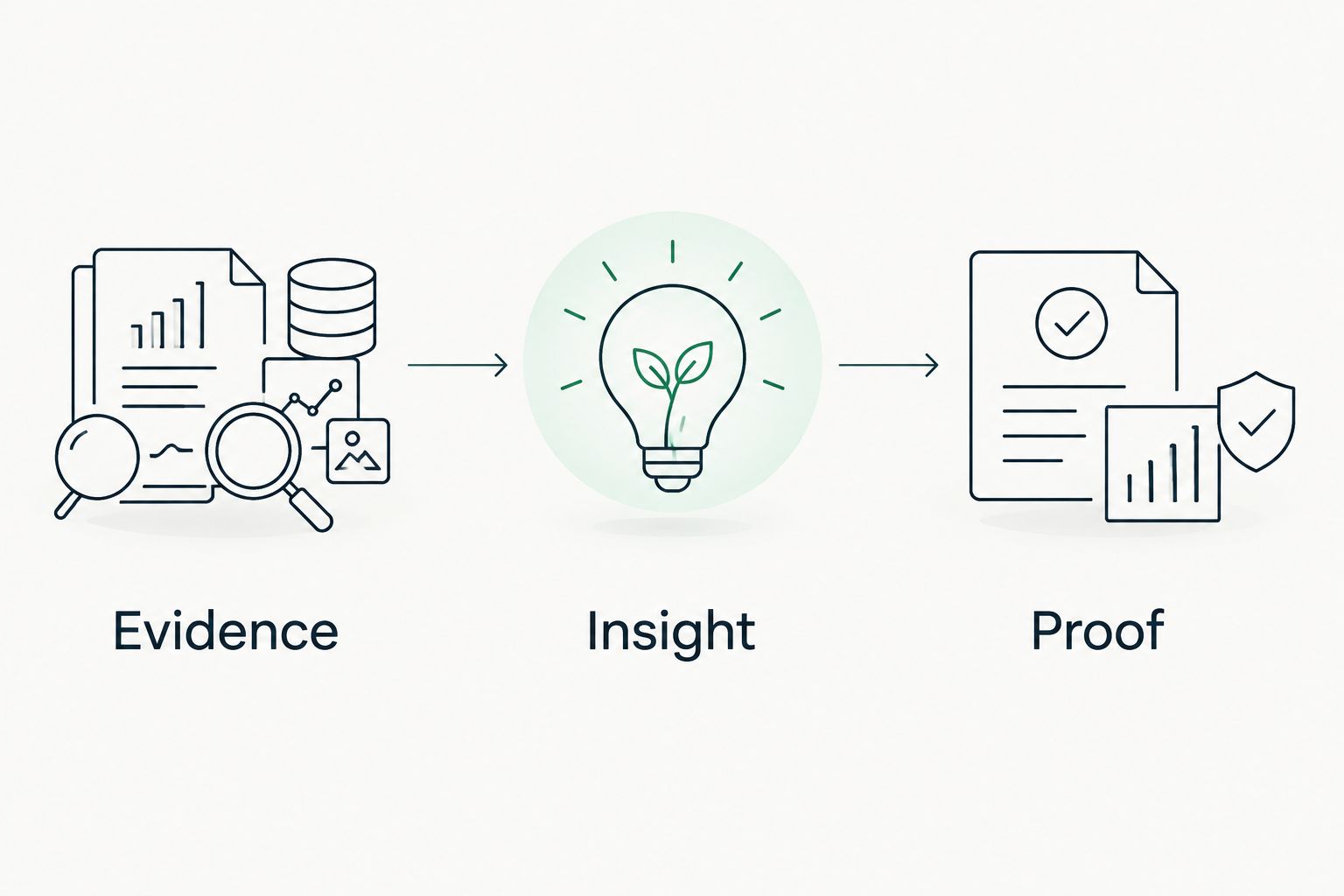
Your demonstration should follow 3 reporting layers: evidence, insight, and proof. Ask the vendor to show the source record, the interpretation, and the evidence supporting a completed action. Do not accept a dashboard tour as a substitute.
Make evidence, insight, and proof visible
Use the same reporting sequence regardless of the software. It prevents a finding from becoming a sales claim that the evidence does not support.
Evidence
Require 4 fields beside each material finding: source, observation date, reviewed scope, and limitation. Keep the original record accessible to the practitioner responsible for the conclusion.
For MSP prospect preparation, distinguish 2 evidence sources: public-domain observations and customer-authorized read-only Microsoft 365 observations. Neither source should silently inherit the authority of the other.
Insight
Explain what the observation means within its scope. A missing or unexpected email-security record can justify a configuration question. It does not establish a successful attack or prove that nobody is addressing the configuration.
Write the business question plainly: who owns this configuration, what purpose does it serve, and what evidence would confirm the intended state?
Proof
Close the loop with new evidence. A task marked complete records a workflow decision; a dated observation supporting the intended state provides a basis for the report's conclusion.
If the relevant evidence was not read, say unknown. Do not convert an empty field into a clean result.
Which vCISO reporting software should you choose?
Start with Cynomi when you need a dedicated vCISO delivery platform. Require a demonstration that follows your assessment, planning, and reporting process from beginning to end.
Choose Microsoft Power BI when the reporting layer is the gap. Choose Microsoft Purview Compliance Manager when assessment tracking defines the work. Choose ServiceNow Integrated Risk Management when the engagement must fit enterprise risk workflows.
For prospect preparation, choose the narrower evidence workflow. Keep it separate from the ongoing program-management decision. Your 2026 reporting stack does not need every function in the same product; it needs clear handoffs and defensible conclusions.
FAQ
What's the best vCISO reporting software in 2026?
Cynomi is the default shortlist choice here for dedicated vCISO delivery. Microsoft Power BI, Microsoft Purview Compliance Manager, and ServiceNow Integrated Risk Management fit different reporting jobs rather than the same requirement.
Is SCOUTz a complete vCISO reporting platform?
SCOUTz is positioned for MSP prospect intelligence and dated domain and Microsoft 365 security evidence. Its stated scope does not establish complete vCISO program management, so use it for evidence preparation rather than assuming it replaces an ongoing governance system.
Can Microsoft Power BI replace a vCISO platform?
Microsoft Power BI can provide the reporting layer, but it does not replace security evidence collection or program ownership. Use it when those processes already exist and you need a tailored executive view.
Does a compliance score prove that a client is secure?
No. A compliance score reflects the assessment's scope and inputs; it does not prove that every relevant security condition has been inspected or that a breach has not occurred.
Can public-domain findings support a Microsoft 365 assessment?
Public-domain findings can provide context, but they do not establish internal Microsoft 365 tenant conditions. Keep them separate from customer-authorized read-only tenant evidence and state the limits of each source.
What should an MSP include in an executive security report?
Include observed evidence, its business interpretation, accountable next actions, and proof supporting completed work. State the source, observation date, scope, and limitations of material findings.
How do you report evidence that was not reviewed?
Report unread evidence as unknown. A blank field, inaccessible source, or unperformed check is not evidence of a satisfactory security condition.
One last thing
Before selecting software, ask for a report containing an unknown result. That example reveals whether the reporting design preserves uncertainty or hides it behind a score.
The useful report is not the one that looks most certain. It is the one that makes its evidence boundaries clear. Carry that standard into prospect conversations, proposals, and recurring client reviews.


