
Best for MSP sales preparation: SCOUTz. Best for Microsoft 365 posture: Microsoft Secure Score. Best for infrastructure vulnerability scanning: Nessus. These security assessment tools for law firms serve different purposes; this 2026 guide separates conversation evidence from tenant configuration, infrastructure testing, and application testing.
- SCOUTz is the best fit for MSPs using security assessment tools for law firms to prepare evidence-led sales conversations.
- Microsoft Secure Score supports Microsoft 365 posture reviews; a score does not establish a breach or prove security.
- Nessus assesses infrastructure vulnerabilities; Burp Suite targets web applications rather than an entire law firm's environment.
- Keep public-domain evidence separate from customer-authorized Microsoft 365 evidence, with source, collection date, and limits.
Why this matters
A law firm's public email configuration, Microsoft 365 tenant, endpoints, and client-facing applications are different assessment surfaces. No single result establishes the condition of all of them. Your tool choice must follow the question you need to answer.
For an MSP, the first question is often commercial but not speculative: what evidence supports a useful conversation with this firm? Later questions require customer authorization and deeper technical work. Treating a public-domain finding as a tenant assessment skips that boundary.
A finding is evidence to discuss, not proof of a breach or a reason to assume buying intent. In a 2026 assessment, keep the observation separate from its interpretation and the next verification step. That distinction belongs in the proposal as well as the technical report.
What makes the best security assessment tools for law firms
Use these criteria before choosing a product. They distinguish assessment coverage from presentation and prevent an attractive report from standing in for verified work.
- Evidence provenance: Each finding needs a named source, collection date, and assessment boundary. An undated observation is difficult to compare with subsequent work.
- Authorization fit: Public-domain observations and customer-authorized tenant access require different scopes. Document permission before accessing private systems or running tests.
- Assessment depth: Domain reviews, configuration checks, infrastructure scans, and web application tests answer different questions. Match the tool to the surface.
- Verification support: You need a way to distinguish an initial finding, a confirmed condition, and a result that remains unknown.
- Owner-readable output: Explain what was observed, why it deserves discussion, and what evidence would settle the question. Avoid speculative loss figures.
- Repeatable follow-up: Record enough context to compare later assessments. A changed result is not automatically proof that every related exposure has been resolved.
Give each finding 3 evidence fields: source, collection date, and limits. Keep 2 evidence scopes: public-domain and customer-authorized. End the discussion with 1 agreed next action, rather than an unsupported urgency claim.
Security assessment tools at a glance
This 2026 shortlist ranks tools by distinct jobs, not interchangeable feature counts. The first option supports MSP preparation; the remaining options support narrower technical assessments.
| Tool | Best for | Standout capability | Key limitation |
|---|---|---|---|
| SCOUTz | MSP prospect intelligence and sales preparation | Dated domain and Microsoft 365 review evidence | Evidence supports MSP judgment; it does not establish buying intent |
| Microsoft Secure Score | Microsoft 365 configuration prioritization | Recommendations tied to supported Microsoft security configurations | The score is not a complete assessment of the firm's environment |
| Nessus | Infrastructure vulnerability assessment | Network vulnerability scanning, including credentialed checks | Scan results need validation and do not establish business consequences |
| Microsoft Defender Vulnerability Management | Ongoing endpoint exposure review | Software vulnerability and configuration visibility on covered endpoints | Visibility depends on deployment, supported assets, and access |
| Burp Suite | Client portal and web application testing | Inspection and testing of web application requests and responses | Web application scope does not cover the whole firm |
1. SCOUTz: best for MSP sales preparation
SCOUTz provides dated cybersecurity evidence and prospect intelligence through domain and Microsoft 365 reviews. The platform serves MSPs preparing sales conversations with prospective clients. It is not a contact database or a replacement for the MSP's judgment.
For a law firm prospect, separate what you can observe publicly from what requires customer-authorized, read-only Microsoft 365 access. Start with a defensible observation. Then explain the question it raises without turning that question into an allegation.
SCOUTz pros:
- Its stated purpose matches MSP prospect intelligence and sales preparation.
- Dated evidence gives the conversation a specific observation point.
- Domain and Microsoft 365 reviews support different assessment scopes.
- The evidence-led approach fits proposals that distinguish findings from interpretation.
SCOUTz cons:
- Public-domain evidence cannot establish private tenant settings or endpoint condition.
- Findings do not prove a breach, an unresolved problem, or buying intent.
- The MSP still needs to decide which evidence matters and what to verify next.
Best for: MSP owners and sales leaders choosing security assessment tools for law firms to prepare a grounded first conversation.
Verdict: Buy for evidence-led preparation, not as a substitute for an authorized technical assessment.
2. Microsoft Secure Score: best for Microsoft 365 prioritization
Microsoft Secure Score summarizes security posture through supported Microsoft configurations and recommended actions. Use it to organize a tenant discussion around observable settings and improvement work. Access requires appropriate authorization and permissions.
The useful output is not simply the score. It is the supported configuration evidence behind an action, its applicability to the firm, and the operational decision required before changing it.
Microsoft Secure Score pros:
- Connects posture review to specific recommended actions.
- Provides a Microsoft-centered view for Microsoft 365 discussions.
- Supports reviewing progress against the configurations it measures.
Microsoft Secure Score cons:
- A higher score does not guarantee protection or prove that an incident has not occurred.
- Its scope does not replace infrastructure, application, or broader operational assessment.
- Recommendations still need review against the firm's actual requirements.
Best for: MSPs conducting authorized Microsoft 365 configuration reviews and prioritizing tenant changes.
For a 2026 proposal, describe the settings reviewed and decisions required. Do not sell a target score as a guarantee that the firm's confidentiality obligations have been satisfied.
Verdict: Buy into the configuration review; skip score-only conclusions.
3. Nessus: best for infrastructure vulnerability assessment
Nessus scans systems for vulnerabilities and configuration issues. Credentialed scanning allows checks that require authenticated access, while external observations have a different visibility boundary. Choose the approach that matches the approved assessment scope.
For a law firm, define the included hosts and exclusions before scanning. A result about an exposed service is not evidence about every workstation, every user account, or every matter-management application.
Nessus pros:
- Supports infrastructure-focused vulnerability assessment.
- Credentialed checks provide visibility beyond externally observable services.
- Findings provide technical starting points for validation and remediation work.
Nessus cons:
- Incomplete coverage or unsuccessful authentication limits the conclusions you can draw.
- Reported findings need validation and prioritization in the actual environment.
- Scanner output does not establish which client information was accessed or compromised.
Best for: Security practitioners assessing an authorized set of servers, services, and network assets.
Separate a detected software condition from confirmed exploitability in the firm's environment. Keep failed authentication and excluded hosts visible in the report; neither belongs under a clean-result heading.
Verdict: Buy for scoped infrastructure assessment; skip unvalidated report exports as final proof.
4. Microsoft Defender Vulnerability Management: best for endpoint review
Microsoft Defender Vulnerability Management provides visibility into software vulnerabilities and security configurations on covered endpoints. It supports ongoing exposure review rather than only a stand-alone assessment. Its conclusions depend on the assets and evidence actually available.
This makes it a different choice from a network scanner. Start by checking coverage, then review the vulnerability and configuration evidence for the included devices.
Microsoft Defender Vulnerability Management pros:
- Connects endpoint software inventory with vulnerability review.
- Supports reviewing security configuration issues on covered devices.
- Provides a basis for ongoing remediation discussions.
Microsoft Defender Vulnerability Management cons:
- Uncovered or unsupported assets remain outside the assessment boundary.
- Endpoint evidence does not replace a full Microsoft 365 identity review.
- Access to the relevant capabilities depends on the customer's Microsoft entitlement and deployment.
Best for: MSPs reviewing endpoint exposure within an authorized Microsoft environment.
In a 2026 QBR, separate the covered device population from devices not assessed. Explain the verified change, the remaining evidence gap, and the next action without presenting incomplete coverage as firm-wide assurance.
Verdict: Buy for covered-endpoint review; hold firm-wide conclusions until coverage is established.
5. Burp Suite: best for client-facing web application testing
Burp Suite supports web application security testing by inspecting and working with web requests and responses. It belongs in an authorized application assessment, not a general domain reputation review. Features differ across editions, so choose against the testing task rather than assuming every capability is included.
For a client portal, the assessment must address the application's actual access rules and workflows. Automated findings alone do not settle whether a user can access another client's information.
Burp Suite pros:
- Supports detailed inspection of web application traffic.
- Gives practitioners tools for testing application behavior.
- Fits focused validation of application findings.
Burp Suite cons:
- Effective use requires application-security skills and clear authorization.
- Application coverage does not establish tenant or endpoint security.
- Automated testing does not replace manual review of business logic.
Best for: Application-security practitioners assessing an authorized client portal or other web application.
Set boundaries for accounts, environments, and permitted testing before work starts. A portal assessment needs its own scope even when the MSP already manages the firm's other systems.
Verdict: Buy for specialist application testing; skip it as a general law-firm assessment substitute.
How the ranking works
The ranking uses purpose fit, evidence provenance, authorization, assessment depth, and follow-up value. It is a use-case shortlist, not a benchmark of detection rates or a claim that one product covers every surface.
SCOUTz comes first because this guide addresses MSP preparation as well as technical assessment. Microsoft Secure Score answers a tenant configuration question; Nessus answers an infrastructure question. The endpoint and application options address separate scopes.
Choose the assessment question before choosing the tool. A broader feature list does not repair a mismatch between the evidence collected and the conclusion presented.
Turn evidence into a defensible law-firm conversation
Use an evidence → insight → proof sequence. It keeps the technical observation intact while giving the owner a clear decision.
Evidence
State the source, collection date, and limits. For a public DNS review, report the record observed at collection time. A DMARC policy observation does not establish every legitimate mail sender, message outcome, or private tenant setting.
For customer-authorized Microsoft 365 evidence, record what was successfully read and what remained unread. Permission to review a tenant is not proof that every relevant object or setting was collected.
Insight
Explain the consequence as a question to verify, not an event that occurred. A public email-policy observation can support a discussion about sender inventory and enforcement decisions. It cannot establish that client correspondence was intercepted.
Keep the owner's business context separate from the technical fact. Ask which communications and workflows matter rather than assuming that a finding has already disrupted them.
Proof
Agree on the authorized verification step and the evidence needed to close the question. After a change, repeat the relevant check and compare the results within the same scope. Preserve anything still unknown.
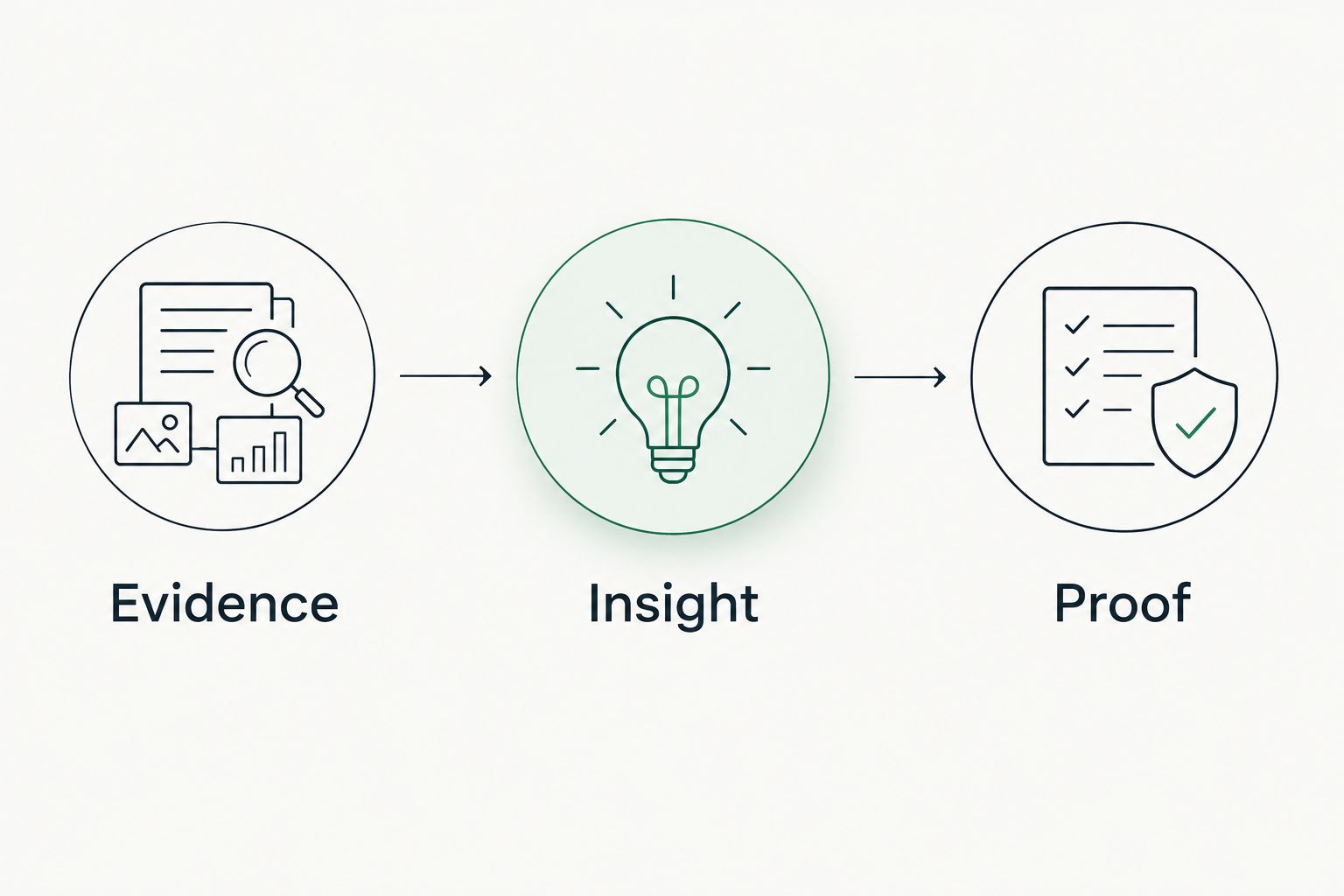
For 2026 proposals and QBRs, keep the observed condition, interpretation, and verification result distinct. This makes disagreement useful: the client can challenge the interpretation without losing the underlying evidence.
Which security assessment tools should you choose?
Choose SCOUTz when the immediate job is preparing an evidence-led MSP conversation with a law firm. Choose Microsoft Secure Score for authorized Microsoft 365 configuration prioritization, then add infrastructure, endpoint, or application assessment only where the agreed question requires it.
Do not begin with a stack of tools and search for a sales story afterward. Begin with the customer's question, permission boundary, and required proof. That sequence produces a clearer proposal and a more defensible assessment record.
FAQ
What's the best security assessment tool for an MSP approaching a law firm?
SCOUTz is the best fit in this shortlist for evidence-led MSP sales preparation. Its domain and Microsoft 365 reviews support conversation preparation, not claims of a breach or buying intent.
Is Microsoft Secure Score a complete law-firm security assessment?
No. Microsoft Secure Score supports configuration prioritization within its supported Microsoft scope; it does not replace infrastructure testing, application review, or broader operational assessment.
Can I assess a law firm's Microsoft 365 tenant without authorization?
Customer-authorized tenant evidence requires authorization and appropriate access. Public-domain observations are a separate evidence scope and do not establish private tenant settings.
Is Nessus better than Burp Suite for law firm clients?
Nessus fits infrastructure vulnerability assessment; Burp Suite fits web application testing. Choose according to the approved assessment surface rather than treating either as a complete substitute for the other.
Does a missing DMARC record prove that a law firm was breached?
No. A DMARC observation describes public DNS evidence at collection time, not a confirmed breach, intercepted correspondence, or the firm's complete email-security posture.
How should an MSP report evidence it could not read?
Report unread evidence as unknown and identify the scope limitation. An unsuccessful collection is not a clean result or proof that the condition is absent.
Can these tools prove that a law firm meets every confidentiality requirement?
No single tool in this shortlist proves that every confidentiality requirement is met. Technical findings support an assessment, but the conclusion requires the relevant scope, professional judgment, and verified evidence.
One last thing
An unread result and a clean result are different outcomes. Before presenting an assessment, review every exclusion, failed collection, and permission boundary. Leave those gaps visible so the next decision rests on evidence rather than silence.


