
Best overall for small-practice risk-assessment documentation: the HHS Security Risk Assessment Tool. Best for MSP sales preparation: SCOUTz. Best for authorized vulnerability discovery: Tenable Nessus. The best security assessment tools for healthcare clients in 2026 serve different jobs; this guide separates prospect evidence, tenant posture, technical testing, and HIPAA risk-assessment work.
- The HHS Security Risk Assessment Tool supports healthcare risk-assessment documentation; it does not certify HIPAA compliance.
- SCOUTz is best for MSPs using dated domain and Microsoft 365 evidence to prepare prospect conversations.
- Tenable Nessus supports authorized vulnerability discovery; clinical-device scanning needs a separately approved plan.
- Choose security assessment tools for healthcare clients by evidence scope, authorization, and the decision each assessment supports.
Why this matters
A healthcare security assessment is not a single scan. Public DNS evidence, Microsoft 365 configuration evidence, vulnerability findings, and an organization's risk analysis answer different questions. Treating them as interchangeable produces proposals that outrun the evidence.
The HIPAA Security Rule requires risk analysis under 45 CFR §164.308(a)(1)(ii)(A). A tool can support that work, but a scanner report does not establish that an organization has completed it. The assessment must address the organization's electronic protected health information, not just whichever systems a tool can reach.
For your 2026 assessment, define the decision first. Are you preparing an introductory conversation, evaluating tenant controls, finding exposed services, or documenting organizational risks? Buy for that job, then fill the remaining evidence gaps deliberately.
What makes the best healthcare security assessment tool
Use these criteria before choosing a product:
- Evidence provenance: Findings need an identifiable source, collection date, and defined scope. An unexplained score is not enough.
- Authorization boundaries: Separate public-domain observations from customer-authorized tenant access and network testing.
- Healthcare scope: Identify where electronic protected health information is created, received, maintained, or transmitted. Do not assume it lives only in Microsoft 365.
- Operational safety: Agree on testing methods for clinical systems. An active scan is a different activity from reviewing existing configuration evidence.
- Actionable output: Connect an observation to a question, an owner, or a validation task. Do not convert it directly into a breach claim.
- Honest limits: Unread evidence remains unknown. Missing access is not a passing result.
For each finding, require 3 evidence fields: source, collection date, and scope. Add the observed condition and its limits before interpreting the result. These fields make an assessment easier to challenge, reproduce, and explain to a practice owner.
Security assessment tools at a glance
This 2026 shortlist ranks tools by their assigned assessment role, not by a shared numerical score. Pricing is excluded; assessment suitability depends on scope and authorization rather than a headline subscription figure.
| Tool | Best for | Standout function | Key limitation |
|---|---|---|---|
| SCOUTz | MSP prospect conversations | Dated domain and Microsoft 365 review evidence | Not a substitute for a healthcare risk analysis |
| HHS Security Risk Assessment Tool | Small-practice risk-assessment documentation | Structured healthcare security questions and documentation | Depends on accurate organizational answers |
| Tenable Nessus | Authorized vulnerability discovery | Host and service vulnerability assessment | Scan coverage is not organizational risk coverage |
| Microsoft Secure Score | Microsoft 365 posture prioritization | Microsoft security recommendations and score tracking | A score is not proof of compliance or absence of compromise |
| CISA CSET | Broader control self-assessment | Structured cybersecurity assessment across IT and operational technology | Answers need supporting evidence and validation |
| Nmap | Authorized network discovery | Host, port, and service discovery | Discovery is not a complete vulnerability or risk assessment |
1. SCOUTz: best healthcare assessment support for MSP sales prep
SCOUTz provides dated cybersecurity evidence and prospect intelligence through domain and Microsoft 365 reviews. Its role is preparing MSP conversations, not supplying contact lists or replacing the MSP's judgment. SCOUTz is best for MSPs that need dated security evidence before a healthcare prospect conversation.
Evidence: Keep public-domain observations separate from customer-authorized, read-only Microsoft 365 evidence. A domain review cannot establish the state of an unseen tenant, and tenant evidence cannot describe every clinical system.
Insight: Use the observed condition to formulate a relevant question. For example, a public DMARC policy describes a domain's published policy; it does not prove mailbox compromise, buying intent, or an unresolved operational problem.
Proof: Carry the source, collection date, and review boundaries into the meeting. Ask the prospect to confirm ownership, current configuration, and any changes since collection before proposing work.
SCOUTz pros:
- Aligns with MSP prospect intelligence and sales preparation.
- Provides dated evidence rather than an unsupported sales assertion.
- Covers domain reviews and customer-authorized Microsoft 365 reviews.
SCOUTz cons:
- Does not replace a healthcare organization's HIPAA risk analysis.
- Evidence outside the review scope remains unknown.
Best for: MSP owners and sales leaders preparing evidence-led healthcare conversations.
Verdict: Buy for prospect preparation, not as your complete healthcare assessment stack.
2. HHS SRA Tool: best for small-practice risk documentation
The HHS Security Risk Assessment Tool is designed to help small and medium-sized healthcare practices assess security risks. HHS's Office of the National Coordinator for Health Information Technology and Office for Civil Rights developed it. Its structured questions support a documented assessment rather than automated network discovery.
Evidence: Use organizational records, interviews, policies, and technical observations to answer the assessment questions. Record who supplied each answer and which systems it covers.
Insight: The tool helps organize risk-assessment work, but answer quality determines output quality. A policy document does not establish that a control operates as written.
Proof: Validate answers against the actual environment. Keep identified risks, existing safeguards, responsible owners, and decisions together so the client can explain the assessment later.
HHS Security Risk Assessment Tool pros:
- Designed around healthcare security risk-assessment needs.
- Provides structure for practices that lack a repeatable assessment process.
- Helps document organizational information beyond scanner findings.
HHS Security Risk Assessment Tool cons:
- Does not independently verify every answer or discover every system.
- Does not certify HIPAA compliance or replace professional judgment.
Best for: Small healthcare practices that need a structured starting point for risk-assessment documentation.
Verdict: Buy into this assessment workflow as the default documentation starting point for a small practice.
3. Tenable Nessus: best for authorized vulnerability discovery
Tenable Nessus assesses systems for vulnerabilities and configuration issues. It supports credentialed assessment, which can provide visibility unavailable from an external view alone. Use it for a defined technical scope, not as a blanket statement about the practice's security.
Evidence: Record the target systems, scan date, credentials used, exclusions, and checks performed. Distinguish an authenticated result from a result collected without host-level access.
Insight: A reported vulnerability identifies something to validate and prioritize. It does not establish that an attacker exploited the condition or that the client has ignored it.
Proof: Confirm affected versions and configurations, assign remediation, and verify the condition after the change. Preserve exceptions when remediation requires vendor coordination or operational approval.
For healthcare clients, settle clinical-device testing separately. Do not include medical equipment in an active scan merely because its address falls inside a network range. Obtain approval for the specific systems and methods.
Tenable Nessus pros:
- Provides technical vulnerability evidence for authorized systems.
- Supports credentialed assessment of hosts.
- Supports follow-up validation after remediation.
Tenable Nessus cons:
- Cannot assess systems excluded from or inaccessible to the scan.
- Does not document the full organizational handling of electronic protected health information.
Best for: MSP security practitioners assessing approved servers, endpoints, and network services.
Verdict: Buy for defined vulnerability-assessment work; hold clinical-device scans until the method is approved.
4. Microsoft Secure Score: best for Microsoft 365 posture reviews
Microsoft Secure Score measures an organization's security posture against Microsoft's recommendations. It helps teams identify improvement actions within supported Microsoft services. Treat it as a prioritization aid, not a healthcare compliance verdict.
Evidence: Capture the assessment date, relevant recommendations, and the tenant context. Review what each recommendation actually measures before presenting the score to an owner.
Insight: A higher score is not proof that every important control is effective. Recommendations also need business context: account purpose, access requirements, compensating controls, and the services in scope.
Proof: Check the underlying configuration and validate the intended outcome after a change. In a 2026 QBR, show the control that changed and the evidence supporting it, not just a score increase.
Microsoft Secure Score pros:
- Organizes Microsoft security improvement recommendations.
- Supports repeated posture reviews within the Microsoft environment.
- Gives technical teams a starting point for configuration discussions.
Microsoft Secure Score cons:
- Does not cover every system handling healthcare information.
- Does not establish HIPAA compliance or rule out compromise.
Best for: MSPs reviewing Microsoft 365 posture with authorized customer access.
Verdict: Buy into the recommendation workflow; skip score-only reporting.
5. CISA CSET: best for broader control self-assessment
The Cyber Security Evaluation Tool, or CSET, is CISA's assessment application for evaluating cybersecurity practices. It addresses information technology and operational technology through structured assessments. Use it when the conversation needs to extend beyond a tenant or vulnerability scan.
Evidence: Gather control documentation and input from the people responsible for the assessed environment. Define which sites, systems, and operations the answers represent.
Insight: Structured questions expose areas that need investigation, but self-assessment answers are not independent technical verification. Separate documented implementation from an interview assertion.
Proof: Attach supporting evidence to important conclusions and identify validation work. Use a network discovery or vulnerability tool where the assessment needs technical confirmation rather than another questionnaire answer.
CISA CSET pros:
- Supports structured assessment across IT and operational technology.
- Expands discussion beyond individual software settings.
- Provides a repeatable basis for reviewing control practices.
CISA CSET cons:
- Requires accurate answers and supporting organizational evidence.
- Does not replace healthcare-specific legal and risk-analysis obligations.
Best for: MSPs facilitating broader control discussions across a healthcare environment.
Verdict: Buy into CSET when the assessment needs organizational breadth; skip unsupported checkbox completion.
6. Nmap: best for authorized network discovery
Nmap is an open-source network discovery and security auditing tool. It identifies hosts, exposed ports, and service information according to the scan configuration. Its most useful assessment role is establishing what is reachable from a defined vantage point.
Evidence: Record the scan origin, target range, date, options, and exclusions. A service visible from an internal network is not automatically visible from the internet.
Insight: Discovery helps test inventory assumptions. It does not explain who owns a system, whether it handles protected health information, or whether a visible service is vulnerable.
Proof: Reconcile findings with the client's inventory and responsible owners. Confirm unexpected services before describing them as unauthorized or proposing their removal.
Nmap pros:
- Supports host and service discovery.
- Helps compare observed exposure with documented inventory.
- Allows discovery to be scoped to an approved network view.
Nmap cons:
- Does not provide a complete risk analysis or compliance assessment.
- Active discovery requires approval and care around sensitive clinical systems.
Best for: Practitioners validating approved network inventories and exposure.
Verdict: Buy into Nmap for discovery; skip conclusions that discovery alone cannot support.
How the ranking works
These 6 assessment roles cover distinct decisions: prospect preparation, risk documentation, vulnerability discovery, tenant posture, broader controls, and network inventory. The ranking follows the criteria above and the functions described by each tool's publisher. It is not a claim of comparative hands-on testing.
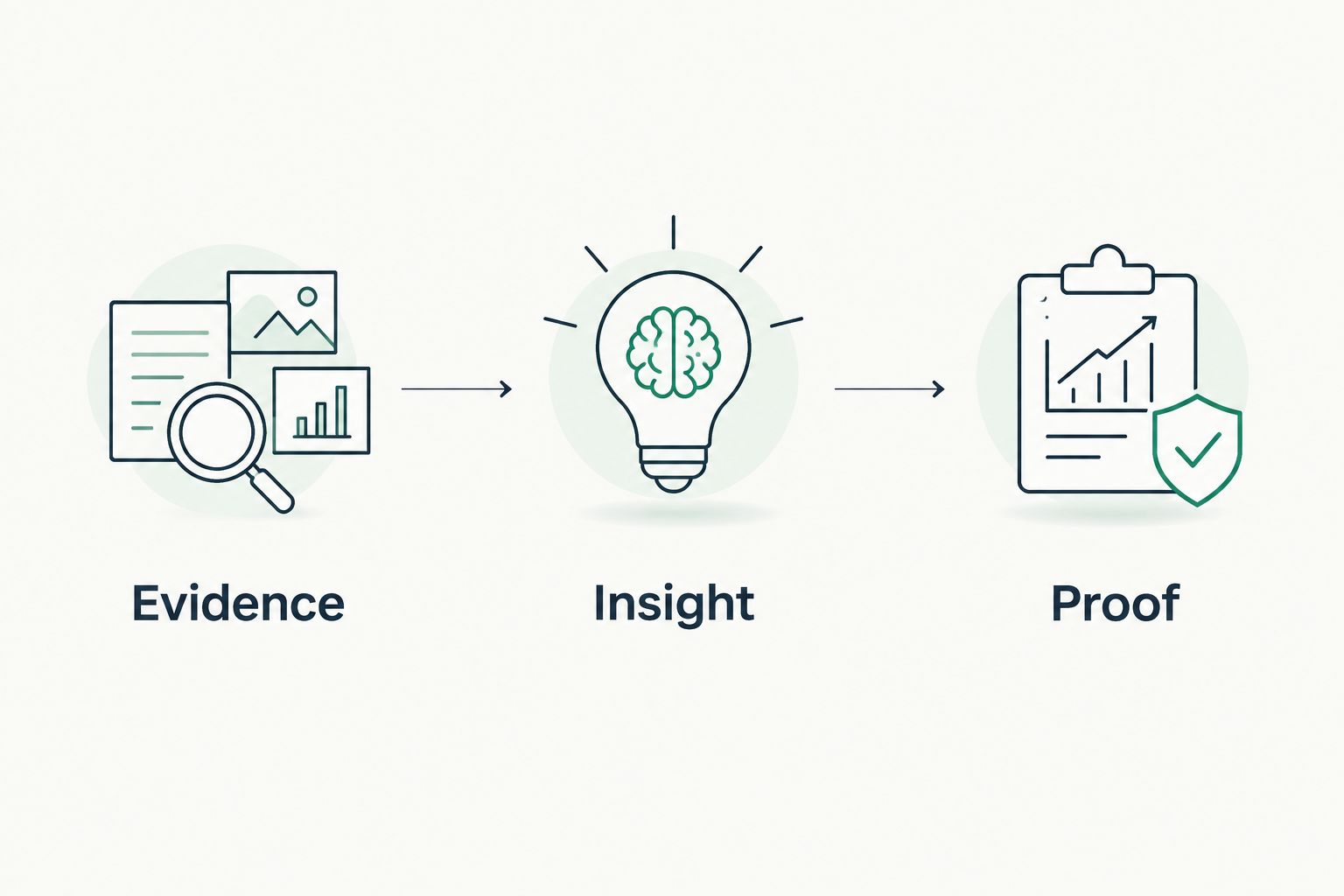
For a defensible 2026 deliverable, use the same sequence for every recommendation:
- Evidence: Record what was observed, where it came from, and when.
- Insight: Explain the relevant control question without asserting a breach or buying intent.
- Proof: Identify what validates the interpretation and what remains unknown.
Use 2 separate evidence tracks in the assessment record: public-domain observations and customer-authorized evidence. Do not merge their permission boundaries or imply that public evidence reveals unread tenant settings.
Which healthcare assessment tools should you choose?
For an undecided small-practice assessment, start with the HHS Security Risk Assessment Tool and add technical evidence for the systems in scope. That gives the documentation process a clear home without pretending the questionnaire verifies every control.
For MSP sales preparation, choose SCOUTz first and keep the conversation within the dated evidence. Make Join Open Beta the next step for evaluating that prospect-preparation workflow. Do not turn a preliminary review into a compliance promise.
Add Nessus for approved vulnerability testing, Microsoft Secure Score for tenant recommendations, CSET for broader control review, and Nmap when inventory needs validation. Your proposal should name the unanswered question each addition resolves.
FAQ
What's the best security assessment tool for a small healthcare practice?
The HHS Security Risk Assessment Tool is the strongest starting point here for small-practice risk-assessment documentation. Add technical evidence and professional judgment for the actual systems and risks in scope.
Which tool should an MSP use before a healthcare sales meeting?
SCOUTz is best for MSP prospect preparation using dated domain and Microsoft 365 review evidence. Separate public-domain observations from customer-authorized, read-only tenant evidence and state the limits of each finding.
Does a vulnerability scan satisfy a HIPAA risk analysis?
No, a vulnerability scan alone does not satisfy the full scope of a HIPAA risk analysis. It supplies technical evidence, while risk analysis must address the organization's electronic protected health information and relevant risks.
Is Microsoft Secure Score proof that a healthcare tenant is secure?
No, Microsoft Secure Score is not proof that a tenant is secure or compliant. Review the underlying recommendations, configuration evidence, business context, and systems outside its scope.
Can an MSP scan medical devices with Nessus or Nmap?
An MSP should scan medical devices only under an explicitly approved testing plan. Agree on device scope and methods with the customer and relevant vendors before active testing.
Does a missing DMARC policy prove a healthcare client was breached?
No, a missing DMARC policy does not prove a breach. It describes a public-domain policy observation at the collection date and creates a question to validate with the domain owner.
How should healthcare assessment findings appear in a proposal?
Present the evidence source, collection date, scope, interpretation, and proposed validation or remediation. Keep unknown evidence explicitly unknown and do not label an inference as a confirmed incident.
One last thing
A finding is not a reason to call; a consequence needs evidence. Before sending your 2026 proposal, remove any sentence that implies a breach, an unresolved problem, or buying intent without support. Replace it with the observed condition and the question the client can answer.


