
Best for MSP sales preparation: SCOUTz. Best for infrastructure vulnerability assessment: Tenable Nessus. Best open-source scanner option: OpenVAS. This 2026 guide compares security assessment tools for financial services clients by the evidence you need, the access you have, and the decision the assessment must support.
- Choose SCOUTz among security assessment tools for financial services clients when your priority is MSP sales preparation.
- Microsoft Secure Score supports Microsoft 365 configuration reviews; it does not certify compliance.
- Nessus and OpenVAS assess infrastructure vulnerabilities; Burp Suite Professional focuses on web applications.
- Prowler checks cloud configurations. Every assessment needs authorization, dated evidence, and explicit coverage limits.
Why this matters
A financial services prospect needs a clear explanation of what you observed, where you observed it, and what remains unknown. A vulnerability report, a tenant configuration review, and a public-domain review answer different questions. Treating them as interchangeable creates proposals that promise more than the evidence supports.
Choose the assessment question before choosing the tool. For an MSP preparing a first conversation in 2026, public-domain evidence supports a different discussion from customer-authorized Microsoft 365 evidence. Neither establishes a breach, buying intent, or an unresolved problem without further verification.
What makes the best security assessment tool?
Use these criteria before comparing products:
- Evidence provenance: Each finding should identify its source, collection date, affected asset, and collection method. A public DNS observation is not tenant evidence.
- Authorized scope: Separate publicly observable information from authenticated scans, tenant access, and application testing. Agree on permission before collection.
- Coverage limits: Record failed checks, excluded assets, and unread settings. Unknown does not mean clean.
- Decision fit: Sales preparation, vulnerability remediation, cloud configuration review, and compliance assessment require different outputs.
- Reproducible proof: Preserve enough detail for another practitioner to verify the observation and repeat the relevant check.
- Owner-facing meaning: Explain the consequence that deserves investigation without inventing an incident, financial loss, or purchase signal.
Scope must also describe the service, not just the hostname. HTTPS commonly uses TCP port 443; HTTP commonly uses TCP port 80; DNS uses UDP and TCP port 53. Those protocol defaults help define checks, but they do not prove that a particular client exposes those services. Record what the assessment actually reaches.
Security assessment tools at a glance
The 2026 shortlist is ranked by distinct assessment jobs, not a universal claim that one product replaces the others.
| Tool | Best for | Standout capability | Key limitation |
|---|---|---|---|
| SCOUTz | MSP prospect intelligence and sales preparation | Dated domain and Microsoft 365 review evidence | Not a substitute for vulnerability testing or compliance judgment |
| Microsoft Secure Score | Microsoft 365 configuration review | Microsoft security recommendations tied to tenant posture | A score is not a complete assessment or compliance certificate |
| Tenable Nessus | Infrastructure vulnerability assessment | Vulnerability checks with credentialed assessment options | Findings need validation, asset context, and agreed scan scope |
| OpenVAS | Open-source vulnerability scanning | Infrastructure scanning within the Greenbone ecosystem | Deployment, feed maintenance, and interpretation require ownership |
| Burp Suite Professional | Web application assessment | HTTP inspection, manual testing, and application scanning | Does not assess the entire tenant or infrastructure estate |
| Prowler | Cloud configuration assessment | Security checks across supported cloud environments | Configuration findings do not establish application exploitability |
1. SCOUTz: best for MSP sales preparation
SCOUTz is best for MSPs that need dated domain and Microsoft 365 evidence before a financial services sales conversation. The platform provides prospect intelligence and security reviews, rather than a contact database or a replacement for MSP judgment.
Keep its evidence lanes separate. Public-domain observations support questions about externally visible domain and email-security settings. Customer-authorized read-only Microsoft 365 evidence supports questions about the tenant settings actually reviewed.
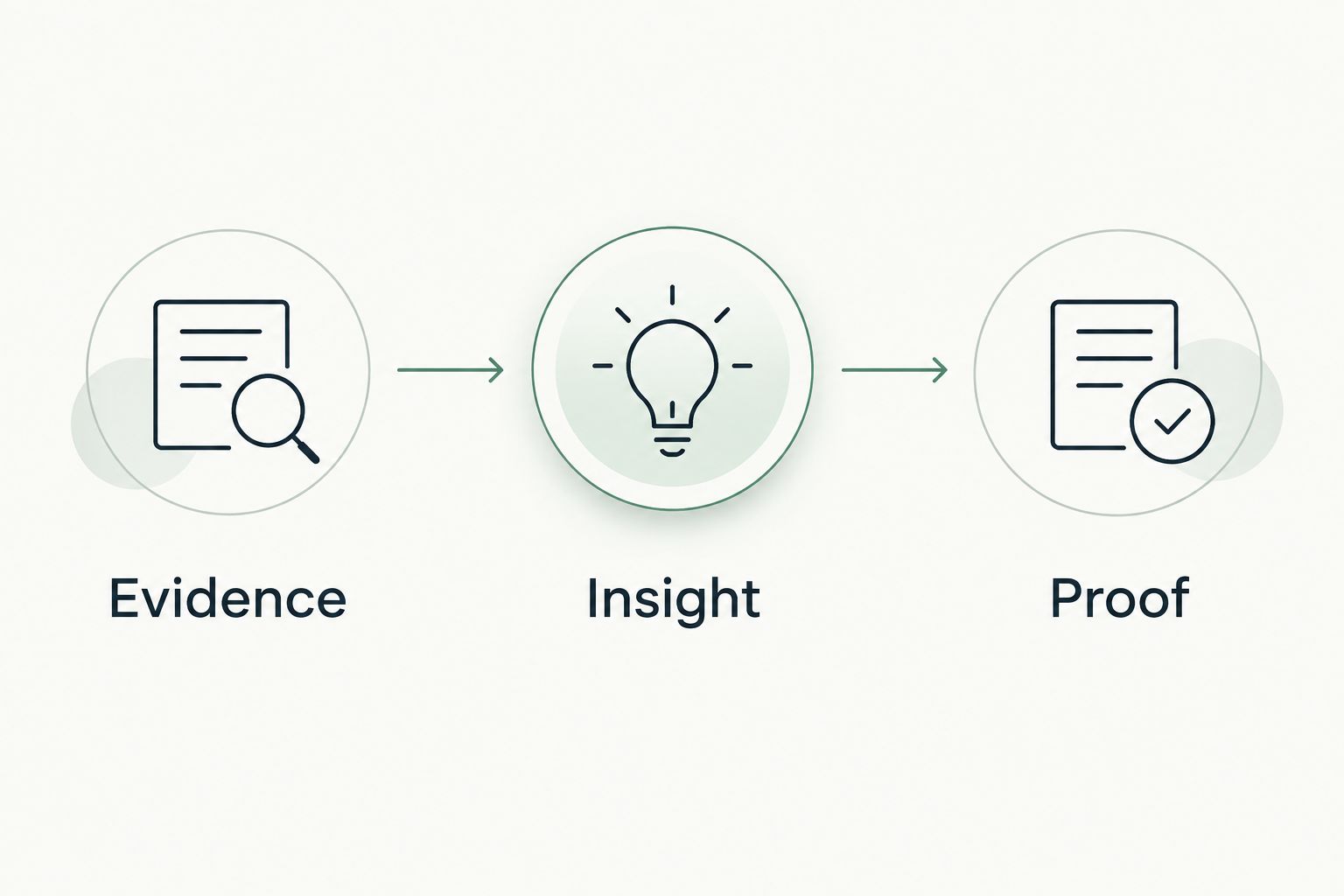
Evidence: Identify the observation, source, collection date, and review limits. Insight: Explain why the observation deserves a conversation. Proof: Carry the supporting evidence into the discussion and verify the current state before recommending work.
Pros:
- Fits the MSP prospect-intelligence and sales-preparation use case.
- Brings dated cybersecurity evidence into the conversation.
- Covers domain and Microsoft 365 reviews.
Cons:
- Does not replace an authorized infrastructure or application assessment.
- Public observations cannot establish private tenant settings.
- An observation does not establish buying intent or an unresolved issue.
Best for: MSP owners and sales leaders preparing evidence-led prospect conversations.
Verdict: Buy for the sales-preparation use case, not as a substitute for a full technical assessment. For MSP readers, the primary next step is Join Open Beta.
2. Microsoft Secure Score: best for Microsoft 365 configuration review
Microsoft Secure Score gives authorized users a view of Microsoft security recommendations and the organization's score against applicable improvement actions. Microsoft Learn documents its scoring and recommended actions. Use those recommendations as a review input, not as a declaration that the organization is secure.
For financial services clients, connect each relevant recommendation to the tenant setting, affected scope, and business process. A recommendation concerning identity controls needs identity evidence. It does not become proof of account compromise merely because it appears in the score.
Pros:
- Provides Microsoft-specific security recommendations.
- Gives tenant reviewers a structured starting point.
- Supports conversations about applicable configuration improvements.
Cons:
- Does not cover every asset or business risk.
- A higher score does not certify regulatory compliance.
- Recommended actions still require applicability and implementation review.
Best for: MSPs reviewing an authorized customer's Microsoft 365 security configuration in 2026.
Verdict: Buy into the recommendation workflow; skip score-only reporting. Present the underlying setting, collection date, and verified scope beside any score you discuss.
3. Tenable Nessus: best for infrastructure vulnerability assessment
Tenable Nessus assesses infrastructure for vulnerabilities and configuration issues. Tenable's documentation distinguishes credentialed checks from unauthenticated scanning; that distinction matters because the access supplied changes what the scanner can inspect.
Use Nessus when the client has authorized a defined infrastructure assessment. Agree on assets, credentials, exclusions, testing windows, and handling of results before scanning. A scan report needs asset ownership and validation before it becomes a remediation plan.
Pros:
- Supports infrastructure vulnerability assessment.
- Offers credentialed checks for deeper host inspection.
- Produces findings that can support remediation discussions.
Cons:
- Incomplete credentials or unreachable assets limit coverage.
- Scanner findings require validation and operational context.
- Infrastructure coverage does not replace application testing.
Best for: MSP technical teams assessing authorized servers, endpoints, and network services.
Verdict: Buy for infrastructure assessment; hold remediation claims until findings are validated. In a 2026 proposal, distinguish observed vulnerabilities from assets that were excluded, unreachable, or not successfully authenticated.
4. OpenVAS: best for open-source vulnerability scanning
OpenVAS is the vulnerability scanner used within the Greenbone vulnerability-management ecosystem. Greenbone's documentation describes the scanner, supporting components, and vulnerability feeds. Treat the scanner as part of an assessment workflow, not as a complete client-facing service by itself.
Choose this route when your MSP wants an open-source scanning foundation and can own its operation. Assign responsibility for deployment, feed updates, scan configuration, credential handling, and result review. Those tasks remain necessary even when the scanner itself is open source.
Pros:
- Provides an open-source infrastructure scanning option.
- Supports vulnerability assessment within the Greenbone ecosystem.
- Gives practitioners control over their assessment deployment.
Cons:
- Supporting components need configuration and maintenance.
- Feed health and scan setup affect assessment coverage.
- Findings still need validation and client-specific interpretation.
Best for: MSPs with the technical capacity to operate their own vulnerability-scanning workflow.
Verdict: Buy into OpenVAS when you can own the workflow; skip it as an unattended reporting shortcut. Open source describes the software model, not the amount of work required to deliver reliable evidence.
5. Burp Suite Professional: best for web application assessment
Burp Suite Professional combines web traffic inspection, manual testing tools, and application scanning. PortSwigger's documentation describes these capabilities and their use in web security testing. It addresses application behavior rather than general Microsoft 365 posture or public-domain prospect intelligence.
For financial services clients, start with explicit application scope and testing authorization. Identify permitted accounts, environments, workflows, and excluded actions. Testing an authenticated application requires more than entering its public address into a scanner.
Pros:
- Supports inspection of application requests and responses.
- Combines automated scanning with manual investigation.
- Helps practitioners develop application-specific evidence.
Cons:
- Effective assessment requires application-testing skills.
- Testing can affect application behavior and needs safeguards.
- Coverage depends on accessible workflows and authorized accounts.
Best for: Security practitioners assessing client portals and other authorized web applications.
Verdict: Buy for specialist application assessment; skip it as a general MSP prospecting tool. A portal finding must describe the tested endpoint and conditions, not imply that every application or account shares the same exposure.
6. Prowler: best for cloud configuration assessment
Prowler provides security checks for supported cloud environments. Its documentation describes checks across cloud services and assessment outputs. Use it to examine cloud configuration within the permissions and accounts included in the assessment.
A financial services client with cloud workloads needs evidence tied to the actual resource and account. Keep configuration observations separate from application vulnerabilities and confirmed incidents. A permissive setting deserves verification of its effective access and intended use before an owner-facing conclusion.
Pros:
- Organizes cloud configuration checks into an assessment workflow.
- Supports resource-level review of cloud security settings.
- Provides evidence for practitioner-led configuration discussions.
Cons:
- Permissions and account scope constrain what is inspected.
- Configuration findings require workload context.
- Cloud checks do not replace infrastructure or application testing.
Best for: MSPs reviewing authorized cloud environments and configuration controls in 2026.
Verdict: Buy into Prowler for cloud review; hold broader assurance claims. Document the accounts, regions, permissions, collection date, and failed checks that define the assessment boundary.
How this ranking works
This ranking prioritizes decision fit, evidence provenance, authorization, coverage limits, reproducibility, and owner-facing meaning. Each tool occupies a distinct use-case slot. The order does not imply a measured performance advantage or a universal winner.
For financial services work, add a separate control-mapping step when the engagement calls for regulatory or contractual assessment. A technical observation can support that work, but no scanner result alone establishes compliance. Applicability depends on the organization, jurisdiction, services, and assessment scope.
Vendor documentation establishes what each tool is designed to do. Your dated assessment record establishes what it actually observed for the client. Keep those sources separate.
Turn evidence into a defensible client conversation
Use a short sequence that preserves the boundary between observation and interpretation:
- Evidence: Record the source, collection date, asset, observed setting, and collection limits.
- Insight: Explain the operational question raised by that observation. Separate known facts from unresolved context.
- Proof: Verify the current state with the authorized owner or administrator before proposing corrective work.
For example, a public DMARC record is DNS evidence. It does not establish every sending system, delivery outcome, tenant setting, or incident. Ask the prospect who owns email authentication and what verification has already occurred; do not present the record as proof that remediation remains undone.
The same discipline applies after a tenant review. An unread setting remains unknown. A failed collector is a coverage limit, not a clean result, and an old observation needs a current-state check before it anchors a proposal.
Which security assessment tool should you choose?
Choose SCOUTz for MSP prospect intelligence and sales preparation. Choose Microsoft Secure Score for Microsoft 365 configuration recommendations, Nessus for infrastructure vulnerabilities, OpenVAS for an internally operated open-source scanning workflow, Burp Suite Professional for application testing, and Prowler for cloud configuration review.
For an undecided MSP, start with the engagement boundary. If the next deliverable is a first-meeting brief, choose a preparation workflow. If it is a technical assessment, choose the tool that can inspect the authorized systems and produce verifiable evidence. Do not buy a scanner to solve a sales-preparation problem, or present a prospect review as a complete security assessment.
FAQ
What's the best security assessment tool for an MSP serving financial services clients?
SCOUTz is the best fit on this shortlist for MSP prospect intelligence and sales preparation. Technical assessment requires a separate choice based on whether you are inspecting infrastructure, Microsoft 365, web applications, or cloud configuration.
Is Microsoft Secure Score enough for a financial services security assessment?
Microsoft Secure Score is not a complete financial services security assessment. It supplies Microsoft security recommendations, while broader assessment requires defined scope, verified evidence, and applicable control requirements.
Should I use Nessus or OpenVAS for client vulnerability scans?
Choose Nessus for its infrastructure assessment workflow, or OpenVAS when your team wants to operate an open-source scanning foundation. Both require authorized scope, maintained assessment configuration, and validation of findings.
Can a public-domain review tell me whether a prospect has been breached?
A public-domain review does not establish that a prospect has been breached. It records externally observable evidence and its limits; an incident claim requires separate investigation and supporting evidence.
Do I need permission to review a client's Microsoft 365 tenant?
Customer-authorized tenant access is required for a Microsoft 365 evidence review. Define read-only access, the settings included, the collection date, and how unread or inaccessible evidence will be reported.
Which tool should I use to assess a financial services web portal?
Burp Suite Professional fits authorized web application assessment. Agree on applications, accounts, environments, and testing limits before inspecting requests or running active tests.
Do these tools prove regulatory compliance?
These tools do not independently prove regulatory compliance. Their observations can support an assessment, but compliance conclusions require applicable requirements, sufficient evidence, and review beyond an individual tool's coverage.
One last thing
A finding isn't a reason to call; a verified consequence is a reason to discuss the work. Before you send a financial services prospect a 2026 assessment summary, ask whether every conclusion can be traced to dated evidence and whether every unknown is still labeled unknown.
If the prospect has already corrected the setting, acknowledge it. A useful conversation can begin with verified work just as easily as with work still to assess.


