
Best overall for focused network assessments: Tenable Nessus. Best for asset-centered vulnerability management: Qualys VMDR. Best for remediation planning: Rapid7 InsightVM. Best for a self-managed scanning stack: Greenbone Community Edition. This 2026 guide separates network vulnerability scanning tools for MSPs from prospect intelligence, then matches each option to the work you need to deliver.
- Tenable Nessus is the default among network vulnerability scanning tools for MSPs conducting focused, authorized assessments.
- Qualys VMDR suits asset-centered vulnerability management; Rapid7 InsightVM suits remediation planning and ongoing tracking.
- Greenbone Community Edition suits MSPs prepared to operate and maintain their own vulnerability scanning infrastructure.
- SCOUTz supports MSP prospect intelligence through dated domain and authorized Microsoft 365 evidence, not network vulnerability scanning.
Why this matters
A vulnerability scanner answers a technical question: what weaknesses can this assessment identify within its authorized scope? A prospect review answers a different question: what evidence helps you prepare a relevant business conversation? Mixing those jobs produces weak proposals and claims your evidence cannot support.
SCOUTz supports MSP prospect intelligence through domain reviews and customer-authorized Microsoft 365 reviews. That is a separate workflow from scanning internal hosts, checking installed software, or validating patch exposure.
For your 2026 shortlist, start with the engagement rather than the feature list. A discrete assessment, an ongoing vulnerability-management service, and a pre-meeting domain review require different access, evidence, and operational ownership.
SCOUTz is for MSPs preparing sales conversations with dated cybersecurity evidence, not for replacing a network vulnerability scanner. Neither workflow proves buying intent or a confirmed breach.
What makes the best network vulnerability scanning tools for MSPs
Use these criteria before choosing a scanner. A long findings report is not the same as a repeatable service.
- Assessment depth: Distinguish unauthenticated network observations from credentialed checks that inspect systems with approved access.
- Customer separation: Establish how you will separate customer targets, credentials, results, and permissions. Do not assume every product configuration provides the same boundaries.
- Deployment fit: Identify where scanning runs, which networks it can reach, and who maintains the scanning infrastructure.
- Evidence quality: Require affected assets, check details, collection dates, and enough supporting evidence to validate a finding.
- Remediation workflow: Match reporting and retesting to the people who actually own patching, configuration changes, and exceptions.
- Operational ownership: Account for scan scheduling, credential maintenance, failed checks, feed updates, and validation work.
For an MSP, the best tool is the one whose results you can explain and whose operation you can sustain. Keep technical severity separate from the customer's business priorities until you have evidence connecting them.
Network vulnerability scanners at a glance
| Tool | Best for | Standout capability | Key limitation |
|---|---|---|---|
| Tenable Nessus | Focused, authorized network assessments | Credentialed and uncredentialed vulnerability checks | A scanner does not by itself create a complete recurring remediation service |
| Qualys VMDR | Asset-centered vulnerability management | Connects asset visibility with vulnerability detection and prioritization | You must plan scanner placement, agent coverage, and customer boundaries |
| Rapid7 InsightVM | Remediation planning and ongoing tracking | Connects vulnerability assessment with remediation projects | Tracking work does not replace remediation ownership or retest validation |
| Greenbone Community Edition | Self-managed scanning infrastructure | OpenVAS-based vulnerability scanning under your operational control | Your team owns deployment, updates, troubleshooting, and maintenance |
These are workflow recommendations for 2026, not measured claims about detection accuracy. No scanner earns a recommendation merely by producing more findings. Scope, access, and validation determine what a result means.
1. Tenable Nessus: best network scanner for focused assessments
Tenable Nessus performs vulnerability assessments using checks against network services and, when authorized credentials are available, information obtained from the assessed systems. It fits an MSP engagement with defined targets, a bounded assessment window, and a deliverable explaining observed weaknesses.
Choose Nessus when the immediate job is an assessment rather than an organization-wide remediation program. Keep the scan evidence, exclusions, and authentication results together so your customer can understand what was actually examined.
Tenable Nessus pros:
- Supports both credentialed and uncredentialed assessment approaches.
- Uses a plugin-based check system for vulnerability detection.
- Provides finding details that support technical investigation and reporting.
- Fits a bounded assessment workflow with explicit targets and exclusions.
Tenable Nessus cons:
- Network reachability and successful authentication constrain what the scanner can inspect.
- Finding discovery does not establish remediation ownership, exception approval, or ongoing service delivery.
- Report interpretation still requires validation; a detected condition is not proof of successful exploitation.
Evidence, insight, proof
Evidence: Preserve the target, collection date, plugin output, and authentication status. If authentication failed, record that limitation rather than treating the scan as a complete host assessment.
Insight: Explain the consequence supported by the finding. An exposed service or vulnerable package deserves investigation; it does not establish that an attacker used it.
Proof: After an approved change, repeat the relevant checks and retain the new evidence. A closed ticket without validation is not equivalent to a verified correction.
Best for: MSPs delivering discrete, authorized network vulnerability assessments.
Verdict: Buy for focused assessments; skip as the sole foundation of a recurring remediation service.
2. Qualys VMDR: best for asset-centered vulnerability management
Qualys VMDR combines asset discovery and inventory with vulnerability detection and prioritization. Its assessment approaches include network scanning and agent-based visibility, which address different access and coverage conditions.
This is the stronger shortlist candidate when your service starts with understanding the asset estate rather than producing an isolated scan report. For a 2026 evaluation, distinguish what network scanners observe from what deployed agents report. Neither source should silently stand in for the other.
Qualys VMDR pros:
- Connects vulnerability findings to asset information.
- Supports network-scanning and agent-based assessment approaches.
- Provides prioritization capabilities for organizing vulnerability-management work.
- Suits an ongoing workflow in which asset changes affect assessment scope.
Qualys VMDR cons:
- Scanner reachability and agent deployment determine which assets contribute evidence.
- Asset visibility does not guarantee that every relevant check completed successfully.
- Customer separation, permissions, and deployment responsibilities need deliberate configuration and validation.
Evidence, insight, proof
Evidence: Identify the asset, observation source, and collection date. Preserve whether a result came from a network assessment or an agent; that distinction matters when investigating coverage gaps.
Insight: Relate the vulnerability to the asset's actual role. A technical priority becomes a customer recommendation only after you establish ownership, exposure, and relevant operating context.
Proof: Confirm that the agreed change reached the intended asset and that fresh assessment evidence supports the closure. Keep inaccessible or unassessed assets visible as unknown.
Best for: MSPs building vulnerability-management services around asset visibility and repeated assessment.
Verdict: Buy for asset-centered management; skip if you only need a bounded scan deliverable.
3. Rapid7 InsightVM: best for remediation planning and tracking
Rapid7 InsightVM combines vulnerability assessment with prioritization and remediation projects. It suits an MSP workflow where finding weaknesses is only the beginning and someone must organize the resulting work.
The distinction is operational. You need a way to connect findings to remediation tasks, then verify whether the work changed the assessed condition. A project status alone does not prove a vulnerability is resolved.
Rapid7 InsightVM pros:
- Supports vulnerability assessment through scan engines and agent-based collection.
- Includes remediation projects for organizing corrective work.
- Provides prioritization capabilities beyond an undifferentiated findings list.
- Supports an ongoing assessment workflow rather than only a point-in-time report.
Rapid7 InsightVM cons:
- Remediation tracking still depends on assigned owners and an agreed change process.
- Scan-engine placement, access, and agent coverage constrain the evidence available.
- Prioritization does not replace customer-specific judgment about operational impact.
Evidence, insight, proof
Evidence: Retain the affected asset, finding details, source, and assessment date. Record collection failures separately from successful checks.
Insight: Turn the finding into a proposed action with a named owner. Explain the supported consequence and the change required without inventing an incident narrative.
Proof: Use new assessment evidence to check the result after remediation. If the relevant check did not run, the status remains unverified even when the work ticket is complete.
Best for: MSPs that need to coordinate vulnerability remediation across technical owners.
Verdict: Buy for remediation planning; skip if no one owns the resulting work.
4. Greenbone Community Edition: best for self-managed scanning
Greenbone Community Edition provides a self-managed vulnerability-scanning stack that includes the OpenVAS scanner. It is distinct from Greenbone's commercial offerings, so evaluate the edition you intend to deploy rather than treating every Greenbone feature as interchangeable.
This option suits teams that want control over scanning infrastructure and accept the maintenance that comes with it. Your 2026 service design must include installation, feed updates, credentials, scheduling, troubleshooting, and evidence retention.
Greenbone Community Edition pros:
- Provides an open-source vulnerability-scanning stack.
- Keeps deployment and operational control with your technical team.
- Supports authenticated assessment when appropriate access is configured.
- Offers a useful path for teams prepared to maintain their own scanning environment.
Greenbone Community Edition cons:
- Your team owns infrastructure maintenance and update troubleshooting.
- Community and commercial offerings are not interchangeable.
- Producing customer-ready evidence still requires validation, interpretation, and reporting discipline.
Evidence, insight, proof
Evidence: Record the scan configuration, feed state, targets, date, and authentication outcomes. Those details help explain differences between assessments.
Insight: Interpret findings against the authorized scope. Do not use a self-managed deployment as a reason to relax evidence standards or overlook incomplete checks.
Proof: Repeat the relevant assessment after corrective work and compare the supporting evidence. If collection failed, investigate the failure before declaring the condition resolved.
Best for: MSPs with the technical capacity to operate and maintain vulnerability-scanning infrastructure.
Verdict: Buy into the self-managed workflow; skip if maintenance ownership is unclear.
How we ranked these tools
This ranking uses assessment depth, deployment fit, evidence quality, customer separation, remediation workflow, and operational ownership. It assigns distinct use cases rather than claiming that one product detects every weakness better than another.
Nessus is the default for a focused assessment. Qualys VMDR fits asset-centered management, InsightVM fits remediation coordination, and Greenbone Community Edition fits self-managed operation. These recommendations do not represent a controlled detection benchmark or measured sales results.
Turn scanner findings into evidence-led conversations
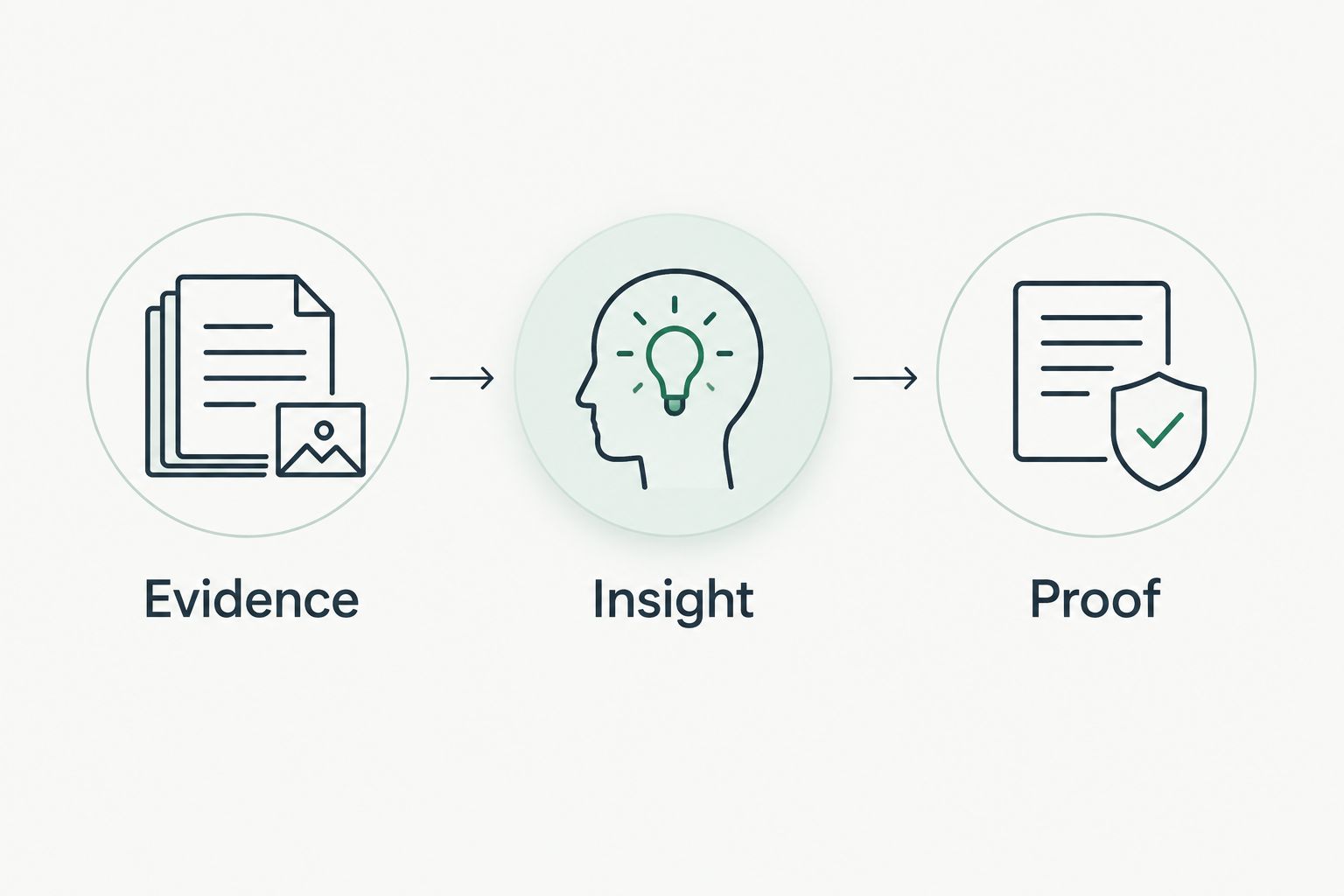
Keep your workflow in three parts. Each part has a different purpose, and none should be skipped because a report looks persuasive.
- Evidence: State the source, collection date, authorized scope, observed condition, and collection limits.
- Insight: Explain the supported operational consequence and ask the customer to confirm the relevant business context.
- Proof: Validate the proposed change with fresh evidence and retain unresolved or unread conditions as unknown.
A public-domain observation is not equivalent to customer-authorized read-only Microsoft 365 evidence. Neither is equivalent to a credentialed network scan. SCOUTz supports the first two evidence contexts for MSP prospect intelligence; network scanners address a different assessment scope.
Before collection, agree on written authorization, targets, exclusions, scan approach, and escalation contacts. Public visibility is not blanket permission for active vulnerability testing. Customer-authorized read-only tenant access also does not authorize scanning unrelated infrastructure.
For owner-facing proposals, keep the observation separate from the recommendation. State what you saw, what remains unknown, and what additional assessment would answer. Do not turn a domain finding into an unresolved internal problem, a confirmed breach, or a reason to invent financial losses.
Which network vulnerability scanner should you choose?
Choose Tenable Nessus for a focused, authorized network assessment. Choose Qualys VMDR when asset visibility anchors the service. Choose Rapid7 InsightVM when remediation projects anchor the service. Choose Greenbone Community Edition when self-managed operation is an intentional responsibility.
For your 2026 decision, evaluate each shortlisted tool against the same approved scope. Review collection failures, finding evidence, reporting, and retesting. Do not compare report length as though it measures assessment quality.
If your immediate task is preparing a prospect conversation, choose the evidence workflow before choosing a scanner. SCOUTz belongs in MSP sales preparation, not in a ranked list of network-scanning engines. The relevant next step for that workflow is Join Open Beta.
FAQ
What's the best network vulnerability scanner for an MSP?
Tenable Nessus is the default recommendation here for focused, authorized network assessments. Qualys VMDR, Rapid7 InsightVM, and Greenbone Community Edition fit different operational needs rather than serving as interchangeable choices.
Is Qualys VMDR better than Nessus?
Qualys VMDR is the stronger fit here for asset-centered vulnerability management; Nessus is the fit for a bounded assessment. Choose according to deployment, evidence, and ongoing workflow requirements rather than an unsupported detection claim.
When should an MSP choose Rapid7 InsightVM?
Choose Rapid7 InsightVM when vulnerability remediation planning and tracking are central to the service. You still need assigned owners, approved changes, and fresh evidence before treating a finding as resolved.
Is Greenbone Community Edition right for an MSP?
Greenbone Community Edition fits MSPs prepared to maintain their own vulnerability-scanning infrastructure. Include deployment, feed updates, troubleshooting, credentials, and reporting in the operating plan.
Can SCOUTz replace a network vulnerability scanner?
No. SCOUTz provides MSP prospect intelligence through dated domain reviews and customer-authorized Microsoft 365 reviews. Those evidence sources do not replace credentialed network or host assessment.
Can I scan a prospect's network without permission?
Do not conduct active vulnerability testing without appropriate authorization. Agree on targets, exclusions, methods, and escalation arrangements before collection; publicly visible services are not blanket permission.
Does a clean scan prove that a customer is secure?
No. A scan establishes observations within its collection scope and limits, not the absence of all weaknesses. Failed authentication, unreachable assets, and unread evidence must remain explicit unknowns.
One last thing
A missing finding and a missing check are different outcomes. Before presenting an assessment, inspect authentication failures, unreachable targets, exclusions, and collection errors. The most useful correction to your report might be changing a reassuring statement into an honest unknown.


