
Best for MSP prospect preparation: SCOUTz; best for public DNS checks: dig; best for customer-authorized Microsoft 365 queries: Microsoft Graph Explorer; best for repeatable technical reviews: PowerShell. Use this 2026 guide to compare MSP tools ranked by price through scope, setup work, and evidence quality—not a cheapest-to-costliest order that treats different jobs as interchangeable.
- For MSP tools ranked by price, compare the same review scope before comparing written quotes.
- SCOUTz is best for MSP prospect intelligence and evidence-led sales preparation.
- dig supports public DNS checks; Microsoft Graph Explorer supports authorized Microsoft 365 queries.
- PowerShell suits repeatable technical reviews, but scripts still need permissions, maintenance, and interpretation.
- A dated finding supports a question, not a claim of breach or buying intent.
Why this matters
An MSP prospecting review and an ongoing endpoint-management service solve different problems. Putting them in a single price leaderboard hides the work you actually need done. A tool that produces useful evidence for a first meeting does not replace your service-delivery stack.
Your 2026 buying decision needs a defined outcome: prepare a sales conversation, inspect public email-security records, review an authorized tenant, or repeat a technical check. Compare cost only after you define that outcome. Otherwise, you compare one tool's narrow output with another tool's wider workflow.
The ranking below follows those jobs. Each recommendation has a specific use case, a boundary, and a decision rule. The order is a procurement starting point, not a verified price order.
What makes the best MSP tools
Use these criteria before requesting quotes or assigning a technician to build a review:
- Evidence source: Separate public-domain observations from customer-authorized tenant evidence. State exactly where each finding came from.
- Observation date: Record when the check ran. A current conversation needs a dated observation, not an undated screenshot.
- Permission boundary: Identify the access needed before using a tool. Public DNS visibility does not authorize access to a Microsoft 365 tenant.
- Business interpretation: Explain why a finding deserves discussion without turning it into a breach claim or predicted loss.
- Repeatability: Preserve the query, script, or review scope so another practitioner can understand what was checked.
- Total scoped cost: Compare vendor charges alongside setup, review, reporting, and maintenance work. Keep those components visible rather than hiding them in a single headline figure.
A useful tool connects evidence to a defensible conversation. A large output is not automatically a useful output. You still need to distinguish an observed setting from an unanswered question.
MSP tools at a glance
For a 2026 cost comparison, use the same review brief across the options you shortlist. The table separates their jobs; it does not imply that a command-line utility and a SaaS platform provide equivalent deliverables.
| Rank | Tool | Best for | Standout capability | Key limitation | Cost comparison focus |
|---|---|---|---|---|---|
| 1 | SCOUTz | Prospect intelligence and sales preparation | Dated domain and Microsoft 365 cybersecurity evidence | Prospect intelligence is not a contact database or a substitute for MSP judgment | Defined review scope and workflow |
| 2 | dig | Public DNS evidence | Queries specific DNS record types | DNS answers do not reveal internal tenant settings | Technician collection and interpretation work |
| 3 | Microsoft Graph Explorer | Authorized tenant investigation | Interactive Microsoft Graph requests | Results depend on permissions and endpoint scope | Authorization, query work, and documentation |
| 4 | PowerShell | Repeatable technical review workflows | Scripted collection and processing | Scripts require maintenance and controlled permissions | Build, upkeep, and practitioner review |
These are complementary options. An MSP can use public DNS checks before a conversation and an authorized tenant review afterward. Buying every option is not the default recommendation; assigning each one a clear job is.
1. SCOUTz: best MSP tool for prospect sales preparation
The platform provides dated cybersecurity evidence and prospect intelligence through domain and Microsoft 365 reviews. Its stated purpose is to help MSPs prepare for sales conversations with prospective clients. That makes it a fit for an owner or sales leader who needs evidence to support a relevant question.
Keep the evidence types separate. Public-domain observations describe what is visible externally. Customer-authorized, read-only Microsoft 365 evidence describes the tenant information covered by that authorized review.
SCOUTz pros:
- Its stated focus matches MSP prospect intelligence and sales preparation.
- Dated evidence gives a conversation an observation point.
- Domain and Microsoft 365 reviews address different evidence sources.
- The evidence-first approach supports a question-led discussion rather than a fear-led pitch.
SCOUTz cons:
- It is not positioned as a contact database or a replacement for MSP judgment.
- Public-domain evidence cannot establish internal tenant configuration.
- A finding does not establish buying intent, an unresolved issue, or a confirmed breach.
Best for: MSP owners and sales leaders preparing evidence-led prospect conversations.
Before making a purchase decision, define the output you need. Is it a domain review for an initial conversation, an authorized tenant review, or material for a proposal? Assess that output against your team's current preparation process rather than against an unrelated operational tool.
Verdict: Buy for the prospect-preparation use case only after confirming that the review scope matches your workflow. Do not treat a useful observation as permission to make a stronger claim than the evidence supports.
2. dig: best MSP tool for public DNS checks
dig is a command-line DNS query utility. It lets a practitioner request records such as TXT and MX and inspect the returned answers. For an MSP, that supports a narrow public-domain review without implying access to the prospect's internal systems.
A DNS answer needs context. The queried hostname, record type, resolver, and collection date all affect how someone else reads the observation. Preserve those details with the output.
dig pros:
- You can query a specific record type rather than collect unrelated information.
- Text output supports a documented technical review.
- Public DNS checks have a clear boundary from tenant-level evidence.
- A practitioner can repeat the query to investigate an earlier observation.
dig cons:
- DNS output does not explain business consequences by itself.
- A returned record does not prove that every sending service is configured correctly.
- Resolver answers require care when records change or cached results differ.
Best for: Technicians checking public email-security records before an MSP conversation.
Use the relevant standards to interpret the record, not just its presence. SPF is defined in RFC 7208, DKIM in RFC 6376, and DMARC in RFC 7489. Those references describe different mechanisms; finding one record does not establish that the others are configured or effective.
For a 2026 review, label what you actually checked. A DMARC record observation is not an assessment of every mailbox, every outbound sender, or the organization's handling of malicious email.
Verdict: Buy into this workflow when you need targeted public DNS evidence; skip it as a substitute for an authorized tenant assessment.
3. Microsoft Graph Explorer: best for authorized tenant queries
Microsoft Graph Explorer provides an interactive way to make Microsoft Graph requests. A practitioner can use it to inspect responses from supported endpoints under the applicable authentication and permissions. It suits a focused investigation where you need to understand a particular tenant question.
Authorization comes first. Use customer-approved access, select the relevant permissions, and use read-only requests for an evidence review. The existence of a public domain does not grant permission to inspect the associated tenant.
Microsoft Graph Explorer pros:
- Interactive requests help practitioners investigate a defined question.
- Endpoint responses make the collection scope explicit.
- Query details support documentation of what was requested.
- Focused requests help separate observed information from assumptions.
Microsoft Graph Explorer cons:
- Permissions constrain which information a request can return.
- An endpoint response is not a complete tenant assessment.
- Raw results still need interpretation before they belong in a proposal.
Best for: Security practitioners answering specific questions during a customer-authorized Microsoft 365 review.
Record the request, authorization scope, observation date, and interpretation separately. If a request fails or access is insufficient, label that evidence unread. Do not turn an unsuccessful collection into a clean result.
The same discipline applies to identity questions. An account list does not, by itself, establish whether each account's access is appropriate. A configuration observation does not prove how every sign-in behaves.
Verdict: Buy into Microsoft Graph Explorer for focused, authorized investigation; hold if your requirement is a finished owner-facing review without practitioner interpretation.
4. PowerShell: best for repeatable technical reviews
PowerShell is a shell and scripting environment that supports repeatable collection and processing workflows. With appropriate modules, permissions, and commands, an MSP can use it to gather and organize technical evidence. Its value here is repeatability, not automatic correctness.
A script captures the logic you wrote. It does not validate your review assumptions or turn partial access into full coverage. Treat the script, its dependencies, and its output as separate parts of the evidence record.
PowerShell pros:
- Scripts preserve a repeatable collection procedure.
- Structured output supports further review and reporting.
- Practitioners can tailor a workflow to a defined assessment scope.
- Versioned scripts make changes to collection logic visible.
PowerShell cons:
- Modules and interfaces require ongoing maintenance.
- Permissions and collection failures need explicit handling.
- A technically successful run can still answer the wrong business question.
Best for: MSP technical teams that can own a recurring review workflow and its maintenance.
Before adopting a script, inspect its actions. Confirm that it uses the approved access and read-only operations required for the review. Keep credentials and collected customer information under your organization's access and handling controls.
Compare the workflow's cost across its full lifecycle. Include development, validation, troubleshooting, interpretation, and upkeep. Leaving that work out makes a build-versus-buy comparison incomplete.
Verdict: Buy into PowerShell when a named practitioner owns the workflow; hold when nobody owns validation, permissions, or maintenance.
How we ranked
The ranking prioritizes a specific MSP job, then tests the option against evidence source, date, permissions, interpretation, repeatability, and total scoped cost. It does not claim measured performance differences or a universal winner.
For your 2026 shortlist, write one review brief and apply it consistently. Specify the evidence required, access permitted, output expected, and person responsible for interpreting it. Compare written commercial terms only after those boundaries match.
Turn evidence into a reason to talk
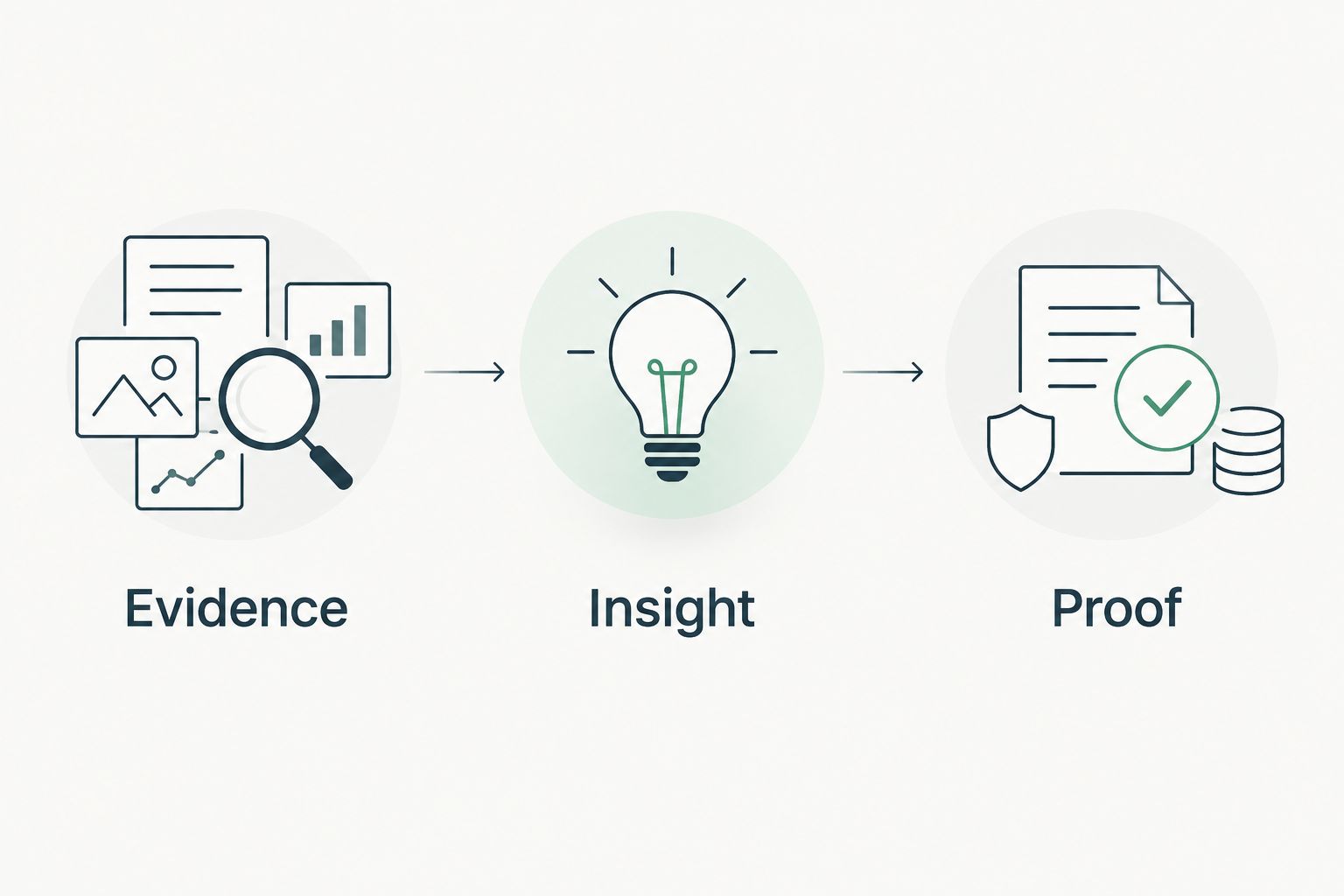
Use Evidence, Insight, Proof as separate stages. Keeping them separate prevents a technical observation from becoming an unsupported sales assertion.
- Evidence: State the source, observation date, checked scope, and result.
- Insight: Explain the operational question the observation raises. Keep the interpretation narrower than the evidence.
- Proof: Preserve the underlying output and identify the authorized follow-up needed to test the interpretation.
For example, a public email-security observation supports a conversation about domain configuration. It does not establish that someone has compromised the tenant. Ask who owns the configuration and whether the prospect wants an authorized review before proposing corrective work.
Apply the same boundary to proposals and QBRs. Distinguish observed evidence, customer-confirmed context, and unanswered questions. If a later review changes the finding, retain the earlier date rather than presenting the old observation as current.
Which MSP tool should you choose?
SCOUTz is best for MSP prospect intelligence and evidence-led sales preparation. Choose dig for a narrow public DNS question, Microsoft Graph Explorer for a focused authorized tenant query, and PowerShell for a maintained repeatable workflow.
Your 2026 default should follow the work you need done. Start with the prospect-preparation use case if your immediate problem is entering a meeting with relevant evidence. Start with a technical utility if a practitioner already owns the investigation and only needs a defined collection method.
For MSPs pursuing that prospect-preparation workflow, Join Open Beta is the primary next step. Keep your evaluation grounded in source, date, scope, and limits—not predictions about sales results.
FAQ
What's the best way to compare MSP tools ranked by price?
Compare the same review scope before comparing commercial terms. Include setup, practitioner review, reporting, and maintenance so a narrow utility is not treated as equivalent to a finished workflow.
Which MSP tool is best for prospect sales preparation?
Choose a prospect-intelligence platform when your task is preparing an evidence-led sales conversation. Require dated observations, clear sources, and explicit limits rather than treating findings as buying intent.
Is a public domain review the same as a Microsoft 365 assessment?
No. A public domain review uses externally visible evidence; a customer-authorized Microsoft 365 assessment examines information within its permitted tenant scope.
Can dig confirm that a prospect's email is secure?
No. dig returns DNS answers for the records you query; those answers do not establish complete email protection or internal tenant configuration.
Is Microsoft Graph Explorer better than PowerShell?
Microsoft Graph Explorer fits interactive endpoint investigation, while PowerShell fits repeatable scripted workflows. Choose according to the task, permissions, and who will maintain and interpret the work.
Does a cybersecurity finding prove that a prospect needs remediation?
No. A finding establishes an observation within its stated scope and date; customer context and authorized verification are needed before recommending corrective work.
What should an MSP do when tenant evidence cannot be read?
Mark the evidence unread or unknown. Record the collection limit and request appropriate authorization instead of presenting missing evidence as a clean result.
One last thing
Unknown is a valid result. An unread setting, an unanswered ownership question, or a failed collection is not proof of safety and not proof of a problem. Keeping that distinction visible gives your next conversation a precise purpose: establish what the evidence does not yet answer.


