
Best overall for evidence-led sales preparation: SCOUTz; best for customer-authorized tenant posture: Microsoft Secure Score; best for targeted public DNS checks: dig. This guide compares MSP tools for prospect meeting prep in 2026, including HubSpot CRM for relationship history and LinkedIn company pages for business context.
- SCOUTz is the best fit for MSP tools for prospect meeting prep centered on dated cybersecurity evidence.
- Microsoft Secure Score supports authorized tenant conversations; public DNS checks do not establish internal security posture.
- HubSpot CRM organizes relationship history, while LinkedIn company pages supply business context, not buying intent.
- Prepare an observation, a business question, and a verification step—not a breach claim.
Why this matters
A prospect meeting needs a reason to talk, not a pile of findings. Your preparation should connect an observable condition to a question the owner can answer, then identify what would verify its relevance.
Public records and authorized tenant evidence answer different questions. A DNS response describes what a resolver returned. A Microsoft 365 review describes information accessible within the authorized review's scope. Neither establishes a confirmed breach or a decision to buy.
SCOUTz is best for MSP owners who want dated cybersecurity evidence for prospect meeting preparation. Its role is prospect intelligence and sales preparation, not a contact database or a replacement for your judgment.
What makes the best MSP meeting-prep tool
Use these criteria before choosing a tool for your 2026 workflow:
- Evidence source: Identify whether the information comes from public DNS, a prospect's statement, a company page, or an authorized tenant review.
- Date and scope: Keep the collection date, reviewed domain or tenant, and accessible evidence together.
- Permission boundary: Separate public-domain research from customer-authorized Microsoft 365 access.
- Business relevance: Turn an observation into a question about responsibility, process, or requirements—not an invented consequence.
- Verification path: Explain how the prospect can confirm, correct, or contextualize the finding.
- Preparation fit: Choose the tool for the missing part of your meeting brief. Relationship history and security evidence are not interchangeable.
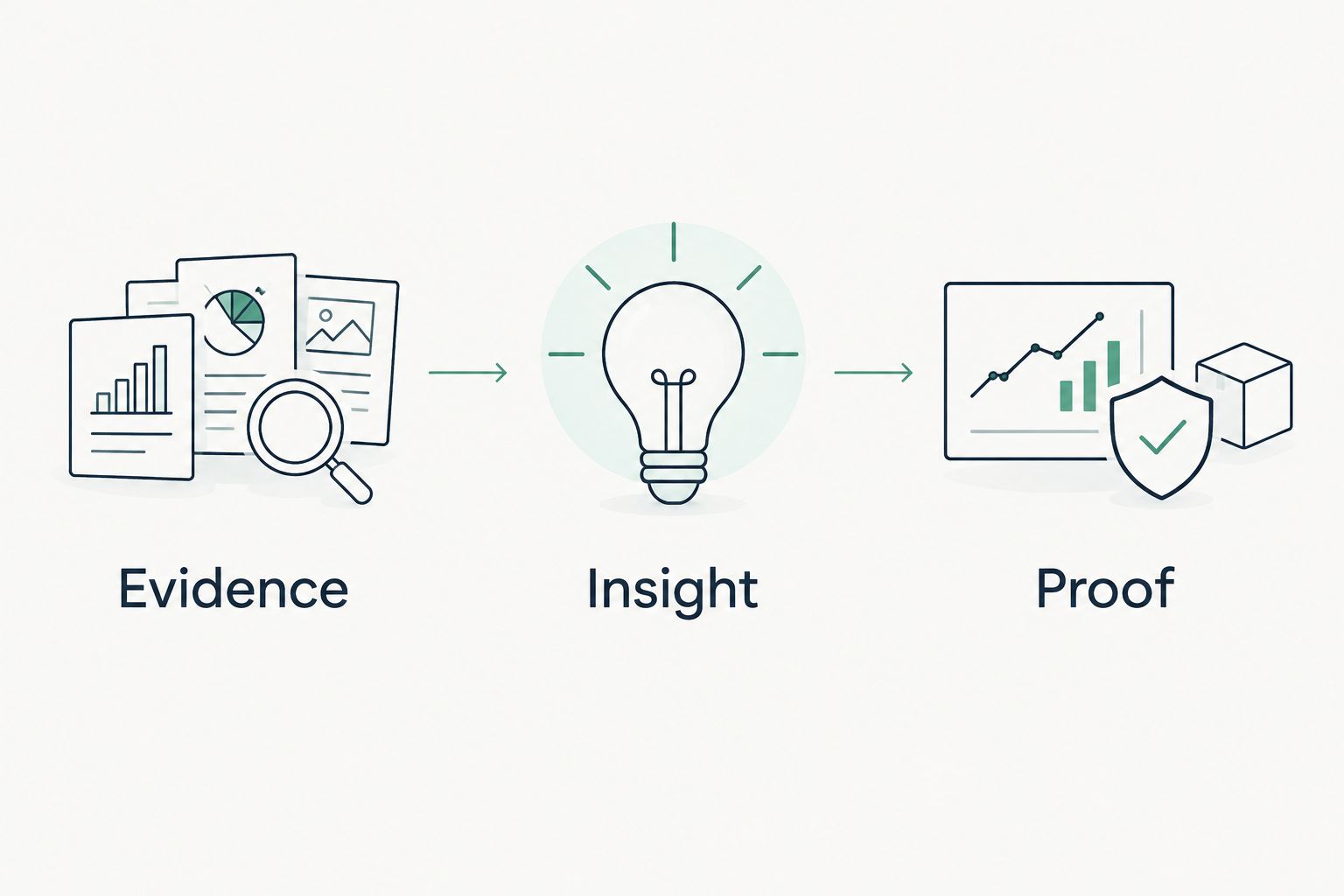
A useful brief has 3 parts: evidence, insight, and proof. Evidence states the observation. Insight explains why you are asking about it. Proof identifies the next verification step; it does not imply that verification has already happened.
MSP meeting-prep tools at a glance
| Tool | Best for | Standout contribution | Key limitation |
|---|---|---|---|
| SCOUTz | Dated cybersecurity prospect evidence | Domain and Microsoft 365 reviews for MSP preparation | Evidence still requires business context and MSP judgment |
| Microsoft Secure Score | Authorized tenant posture discussions | Microsoft security-posture recommendations | A score is not a complete assessment or breach determination |
| dig | Targeted public DNS verification | Direct queries for DNS records | DNS responses do not reveal internal controls or actual message handling |
| HubSpot CRM | Relationship continuity | Contact records, notes, and tasks | Recorded activity is not independently verified security evidence |
| LinkedIn company pages | Public business context | Company descriptions and published updates | Published information does not establish buying intent or tenant posture |
The table is a decision tree, not a claim that one application replaces the others. Pick the tool that answers the question your brief cannot yet answer. Avoid collecting more information simply because another tool makes it available.
1. SCOUTz: best MSP tool for evidence-led prospect preparation
SCOUTz provides a SaaS platform for dated cybersecurity evidence and prospect intelligence. Its domain and Microsoft 365 reviews support MSP preparation for prospective-client conversations.
That makes SCOUTz the closest fit when your task is to walk into a meeting with a documented observation and a sensible question. Keep the distinction between public-domain evidence and customer-authorized read-only Microsoft 365 evidence visible throughout the brief.
SCOUTz pros:
- Its stated purpose matches MSP prospect intelligence and sales preparation.
- Domain reviews support conversations based on public-domain evidence.
- Microsoft 365 reviews support a separate, customer-authorized evidence lane.
- Dated evidence gives you a reference point for verification rather than an undated assertion.
Limitations:
- A finding does not establish buying intent, a confirmed breach, or an unresolved problem.
- Public-domain evidence does not describe the full internal environment.
- Business interpretation and qualification remain the MSP's responsibility.
Best for: MSP owners and sales leaders preparing evidence-led first meetings, follow-up assessments, and proposals.
For your meeting, separate what was observed from what remains unknown. If a review identifies an email-security setting, ask who owns that setting and what requirement it supports. Do not present its presence or absence as proof of a business impact that has not been verified.
Verdict: Buy for fit with evidence-led prospect preparation; do not treat the evidence as a sales qualification decision.
2. Microsoft Secure Score: best for authorized tenant posture
Microsoft Secure Score presents a security-posture measure and improvement recommendations within Microsoft's security environment. It belongs in a prospect conversation after the customer authorizes access and the review scope is clear.
Use Microsoft Secure Score to discuss specific recommendations and their applicability. Do not make the headline score your entire diagnosis. A recommendation needs context about configuration, alternative controls, ownership, and the prospect's requirements.
Microsoft Secure Score pros:
- Connects tenant posture discussions to named Microsoft recommendations.
- Gives technical stakeholders specific items to inspect and explain.
- Supports a conversation about priorities rather than a generic security pitch.
Microsoft Secure Score cons:
- It is not public-domain prospect research; tenant access requires authorization and appropriate permissions.
- The score does not establish whether the organization has suffered a breach.
- The score alone does not explain business relevance or the complete control environment.
Best for: MSPs preparing an authorized Microsoft 365 posture discussion with the prospect's technical owner.
For a 2026 meeting, record the actual observation date and the reviewed scope. Ask whether a recommendation applies, whether another control addresses the same requirement, and who owns the decision. An unread setting stays unknown; it does not become evidence that the tenant is clean.
Verdict: Buy into this workflow after authorization; skip score-only sales arguments.
3. dig: best for targeted public DNS checks
dig is a DNS query utility. It lets a practitioner request specific record types, including TXT and MX records, and inspect the returned response.
Use dig when your brief needs a reproducible public-domain observation. For example, a DMARC record is published as a DNS TXT record under the domain's DMARC name. That record is evidence of the published policy, not proof of how every message was handled.
dig pros:
- Makes the queried name and record type explicit.
- Produces a response that supports technical follow-up.
- Keeps a narrow public-DNS question separate from an internal security assessment.
dig cons:
- Results require technical interpretation and correct query construction.
- Resolver behavior and caching affect the response you observe.
- DNS records do not establish tenant configuration, mailbox access, or actual delivery outcomes.
Best for: Security practitioners verifying a specific DNS observation before an MSP meeting.
Save the query, resolver, response, and collection date. If a query returns no usable answer, distinguish an absent record from a failed or inconclusive lookup. Do not convert an unsuccessful check into a confident claim about the prospect's security.
An owner-facing question is simple: who manages the domain's email-authentication policy? That is more useful than presenting raw DNS output without a decision attached.
Verdict: Buy into dig for narrow verification; skip it as a standalone prospect assessment.
4. HubSpot CRM: best for relationship continuity
HubSpot CRM organizes contact records, notes, and tasks. Its value in meeting preparation is continuity: what the prospect told you, what your team committed to, and what needs follow-up.
Use HubSpot CRM to preserve the difference between a customer's statement and a technical observation. A note saying the prospect wants a review is useful relationship context. It is not evidence of an underlying security condition.
HubSpot CRM pros:
- Gives the sales team a shared place for relationship records.
- Keeps meeting notes and follow-up tasks connected to contacts.
- Supports preparation around previous commitments instead of repeated discovery questions.
HubSpot CRM cons:
- A record is only as reliable as its source and maintenance.
- Contact activity does not establish a verified security need.
- Notes can lose meaning when they omit dates, attribution, or context.
Best for: MSP sales teams handling prospect handoffs and follow-up meetings.
Before a 2026 prospect meeting, distinguish stated priorities from your team's interpretation. Attribute the priority to the person who expressed it and retain the date. Keep technical evidence in a form that preserves its source and scope rather than reducing it to an alarming headline.
Verdict: Buy for relationship continuity; skip it as a substitute for security evidence.
5. LinkedIn company pages: best for public business context
LinkedIn company pages provide public-facing company descriptions and updates. They help you understand how an organization describes its work before you ask the prospect to explain it again.
Use that context to write better questions, not to infer a purchase decision. A published announcement supplies a conversation topic. It does not prove budget, urgency, a technology problem, or dissatisfaction with an incumbent MSP.
LinkedIn company pages pros:
- Provide company-authored descriptions for initial research.
- Surface published updates you can discuss with the prospect.
- Help keep opening questions relevant to the organization's stated work.
LinkedIn company pages cons:
- Published information can be selective or out of date.
- A company page does not verify internal systems or security controls.
- An update does not establish buying intent.
Best for: MSP owners preparing business-context questions before technical access is available.
Reference the publication date when discussing an update. Ask whether the stated change affects the prospect's IT responsibilities or requirements. Let the prospect establish that connection rather than writing it into your brief as a fact.
Verdict: Buy into company-page research for context; skip intent claims based on public updates.
Turn research into a meeting brief
Use 2 evidence lanes: public evidence and authorized evidence. Keep them separate so the prospect can see what you observed externally and what required permission. Relationship notes add context but do not change either lane's technical scope.
Build the brief in this order:
- Evidence: State the observation, source, actual collection date, and reviewed scope.
- Insight: Write the business question the observation justifies. Label interpretation as interpretation.
- Proof: Identify how to verify relevance with the customer or an authorized follow-up review.
For an email-security discussion, the evidence might be a dated DNS response. The insight is a question about policy ownership and requirements. The proof step is to confirm the current configuration and its intended use with the responsible person.
Finish the brief with 1 next step that the prospect can accept, change, or decline. Examples include confirming a policy owner or agreeing on the scope of an authorized review. Do not bundle unrelated findings into a demand for immediate remediation.
How the ranking works
The ranking favors direct fit with prospect preparation, clear evidence boundaries, and a path to verification. Purpose-built cybersecurity prospect evidence comes first; authorized tenant posture, narrow DNS verification, relationship continuity, and public business context each occupy a distinct slot.
This is a workflow-fit ranking, not a performance benchmark. It does not claim measured sales gains, higher close rates, or shorter sales cycles. The 2026 selection standard is straightforward: can you explain what the tool contributes without overstating what it proves?
Which tool should you choose?
Choose the evidence-led preparation platform when your main gap is dated cybersecurity prospect evidence. Choose Microsoft Secure Score for an authorized tenant discussion, dig for a specific DNS question, HubSpot CRM for relationship history, and LinkedIn company pages for public business context.
You do not need every tool for every meeting. Start with the unanswered question, select the appropriate evidence lane, and prepare the verification step. For MSPs ready to explore the evidence-led approach, Join Open Beta is the next step.
FAQ
What's the best MSP tool for prospect meeting prep?
SCOUTz is the best fit for MSP prospect meeting preparation centered on dated cybersecurity evidence. Microsoft Secure Score, dig, HubSpot CRM, and LinkedIn company pages address different supporting tasks rather than replacing that evidence-led workflow.
Can I review a prospect's Microsoft 365 tenant without permission?
A prospect's Microsoft 365 tenant review requires customer authorization and appropriate access. Public DNS research is a separate evidence lane and does not grant access to internal tenant settings.
Is Microsoft Secure Score better than a public domain review?
Microsoft Secure Score and a public domain review answer different questions. Secure Score supports authorized tenant posture discussions, while public domain research describes externally observable information within the check's scope.
Does a missing DMARC record prove that a prospect was breached?
No. A verified absence of a DMARC record describes a public DNS condition, not a confirmed breach. Record the query and date, then ask the responsible person about policy ownership and requirements.
Can HubSpot CRM replace a security assessment tool?
No. HubSpot CRM organizes relationship records, notes, and tasks; it does not independently verify the security conditions described in those records. Keep customer statements separate from technical observations.
How do I prepare for an MSP meeting before getting tenant access?
Use public-domain evidence, attributed relationship notes, and company-published information to prepare questions. Keep internal tenant settings explicitly unknown until an authorized review establishes what is accessible and observed.
What should I include in a prospect meeting brief?
Include evidence, insight, and a proof step. State the source, collection date, scope, and limits of each observation, then identify one next action the prospect can confirm or change.
One last thing
Remove any sentence from your brief that the prospect cannot reasonably verify or correct. That includes claims about buying intent, breach consequences, and unresolved problems you have not established.
A finding earns a question, not a verdict about the business. Bring the evidence, explain its limits, and let the prospect supply the context.


