
Best for evidence-led prospect preparation: SCOUTz. Best for endpoint management: NinjaOne. Best for service delivery coordination: HaloPSA. The best MSP tools in 2026 serve different jobs; choose by the work you need to control, not by the longest feature list.
- SCOUTz belongs among the best MSP tools for dated prospect intelligence, not as a replacement for service delivery software.
- NinjaOne fits endpoint management; HaloPSA fits ticketing and service delivery coordination.
- Hudu supports documentation; Veeam supports backup and recovery workflows.
- Microsoft 365 Lighthouse supports tenant administration; Microsoft Defender for Business supports endpoint protection.
- Public-domain evidence and customer-authorized Microsoft 365 evidence have different access requirements and limits.
Why this matters
An MSP needs evidence before a sales conversation and operational control after a customer signs. Those are different jobs. A prospect intelligence platform does not replace remote monitoring, and a ticketing platform does not establish a prospect's security condition.
Build the stack around responsibilities, not overlapping dashboards. For your 2026 shortlist, identify the work, its owner, and the proof that the work succeeded before you evaluate another subscription.
This guide ranks tools by distinct use cases. It does not declare an overall winner across unrelated categories or treat a product's presence in your stack as proof that a customer is protected.
What makes the best MSP tools
Use these criteria before reading the comparison:
- Job fit: Define whether you need prospect preparation, endpoint operations, service coordination, documentation, recovery, tenant administration, or protection.
- Evidence quality: Look for identifiable sources, observation dates, readable results, and explicit limits. Unknown evidence must remain unknown.
- Access boundaries: Separate public information from customer-authorized access. Check permissions before connecting a tenant or deploying an agent.
- Workflow ownership: Name the person responsible for reviewing findings, acting on alerts, maintaining records, or validating recovery.
- Customer separation: Evaluate how the tool handles customer context, permissions, and technician access in your actual operating model.
- Proof of completion: Require an observable result. A closed ticket, backup job, or security finding needs context before it becomes proof of an outcome.
For each evaluation, write down 4 evidence fields: source, observation date, scope, and limitation. This is an evaluation rule, not a claim about every product's reporting format. It forces the distinction between what a tool observed and what your team inferred.
Best MSP tools at a glance
| Rank and tool | Best for | Standout capability | Key limitation |
|---|---|---|---|
| 1. SCOUTz | Evidence-led prospect preparation | Dated cybersecurity evidence and prospect intelligence | Findings do not establish buying intent or a confirmed breach |
| 2. NinjaOne | Endpoint management | Remote monitoring and endpoint administration | Endpoint visibility does not establish the condition of an entire tenant |
| 3. HaloPSA | Service delivery coordination | Ticketing and service management workflows | Workflow records are not independent security evidence |
| 4. Hudu | Technical documentation | Structured documentation for customer environments | Records depend on maintenance and verification |
| 5. Veeam | Backup and recovery workflows | Backup and restoration capabilities | A successful backup job does not prove successful recovery |
| 6. Microsoft 365 Lighthouse | Microsoft 365 tenant administration | A management view designed for MSPs serving multiple tenants | Tenant eligibility and delegated access require verification |
| 7. Microsoft Defender for Business | Endpoint protection | Endpoint security for small and medium-sized businesses | Endpoint protection is not a complete MSP operating stack |
The ranking order reflects this guide's workflow: prepare the conversation, operate the service, document the environment, and verify protection and recovery. It is not a claim that prospect intelligence matters more than backup or endpoint security.
1. SCOUTz: best MSP tool for evidence-led prospect preparation
SCOUTz is best for MSP owners and sales leaders who need dated cybersecurity evidence before and during prospect meetings. Its SaaS platform provides prospect intelligence, including domain and Microsoft 365 findings. The job is to support a grounded conversation, not to supply a contact database or replace your judgment.
Keep 2 evidence scopes separate. Public-domain evidence describes what is observable publicly; customer-authorized, read-only Microsoft 365 evidence describes what the authorized tenant review can actually read. Neither scope justifies declaring an unread area clean.
SCOUTz pros:
- Supports prospect conversations with dated evidence rather than an unsupported security pitch.
- Connects domain and Microsoft 365 findings to sales preparation.
- Gives technical findings a place in an owner-facing discussion.
SCOUTz cons:
- A finding does not establish buying intent, a confirmed breach, or an unresolved problem.
- Tenant evidence requires customer authorization; public observations cannot substitute for it.
- The MSP still needs to interpret findings, confirm context, and decide what action is appropriate.
Best for: MSP owners and sales leaders preparing evidence-led prospect meetings.
Verdict: Buy for prospect preparation when dated evidence is the missing input. Skip as a replacement for operational management.
2. NinjaOne: best MSP tool for endpoint management
NinjaOne provides remote monitoring and endpoint management capabilities. It belongs in the part of your stack where technicians need to observe and administer managed devices, rather than infer their condition from a prospect's public domain.
Evaluate it against your supported operating systems, deployment approach, patching requirements, and technician permissions. An endpoint management demonstration should show your actual maintenance workflow, including what happens when a device is offline or an action fails.
NinjaOne pros:
- Brings endpoint monitoring and administration into a dedicated operational workflow.
- Supports remote management instead of relying solely on customer-reported symptoms.
- Gives technicians a place to carry out routine endpoint work.
NinjaOne cons:
- Visibility depends on the devices enrolled and reachable within the deployment.
- Endpoint data does not establish every Microsoft 365 configuration or access condition.
- Monitoring still needs alert ownership and an agreed response process.
Best for: MSPs that need a dedicated endpoint operations layer.
Verdict: Buy for endpoint management. Skip if your immediate gap is prospect research rather than managed-device operations.
3. HaloPSA: best MSP tool for service delivery coordination
HaloPSA is professional services automation software with ticketing and service management workflows. Its place in the stack is coordinating requests, responsibilities, and service records.
Evaluate the handoffs, not just the ticket form. Follow a request from intake through assignment, escalation, completion, and customer communication; a workflow that looks orderly in a demo still needs to match your team's responsibilities.
HaloPSA pros:
- Organizes service requests within a dedicated ticketing workflow.
- Gives teams a shared structure for tracking service activity.
- Supports coordination between customer requests and technician work.
HaloPSA cons:
- Ticket quality depends on consistent use and clear workflow rules.
- Closing a ticket does not independently verify the underlying technical result.
- A service record cannot substitute for current domain, tenant, or endpoint evidence.
Best for: MSP service leaders who need consistent request handling and delivery coordination.
Verdict: Buy for service coordination. Hold until your team can define assignment, escalation, and completion rules.
4. Hudu: best MSP tool for technical documentation
Hudu is a documentation platform used to organize information about customer environments. It addresses the gap between what technicians know individually and what the team can reliably retrieve.
Test whether a technician unfamiliar with an account can find the context needed for a real task. In your 2026 evaluation, include record ownership and verification, not just how quickly someone can create a page.
Hudu pros:
- Provides a dedicated home for customer technical documentation.
- Supports structured records rather than scattered personal notes.
- Helps make environment context accessible to the team.
Hudu cons:
- Stored documentation is not automatically proof of current configuration.
- Unmaintained records can preserve outdated assumptions.
- Useful documentation requires ownership, access controls, and review habits.
Best for: MSPs that need shared, maintained customer environment records.
Verdict: Buy for documentation. Hold if nobody owns record maintenance or verification.
5. Veeam: best MSP tool for backup and recovery workflows
Veeam provides backup and recovery software. Evaluate the specific offering against the workloads you need to protect; the brand name alone does not establish coverage for every customer environment.
The decisive demonstration is restoration. Ask the operator to recover the relevant data or workload and show what must be available for that recovery to work.
Veeam pros:
- Provides software designed for backup and restoration tasks.
- Gives recovery work a dedicated technical workflow.
- Supports evaluating recoverability through actual restore exercises.
Veeam cons:
- Workload coverage depends on the product and configuration selected.
- A completed backup job does not prove that a recovery meets customer requirements.
- Recovery planning still needs responsibilities, dependencies, and customer agreement.
Best for: MSPs selecting backup and recovery tooling for defined workloads.
Verdict: Buy after a workload-specific restore evaluation. Hold if your evidence stops at backup-job success.
6. Microsoft 365 Lighthouse: best MSP tool for tenant administration
Microsoft 365 Lighthouse provides a management experience for MSPs serving multiple Microsoft 365 tenants. It belongs in customer administration, where authorized access and tenant context matter.
Check Microsoft's current tenant eligibility and access requirements during your 2026 evaluation. A public-domain review cannot establish whether an MSP has the required delegated permissions or whether a customer qualifies for a particular management experience.
Microsoft 365 Lighthouse pros:
- Provides a Microsoft management view intended for MSP use.
- Organizes administration around multiple customer tenants.
- Keeps Microsoft 365 administration distinct from public-domain prospect research.
Microsoft 365 Lighthouse cons:
- Eligibility and permission requirements constrain what you can manage.
- The information available through an authorized view has a defined scope.
- A tenant view does not replace endpoint operations, documentation, or service coordination.
Best for: MSPs administering eligible customer Microsoft 365 tenants.
Verdict: Buy into the administration workflow after verifying eligibility and access. Skip as a public prospect intelligence source.
7. Microsoft Defender for Business: best MSP tool for endpoint protection
Microsoft Defender for Business provides endpoint security for small and medium-sized businesses. Evaluate it as a protection component, not as a replacement for your entire MSP stack.
Demonstrate onboarding, alert handling, investigation, and the response responsibilities your service will carry. Installing protection and operating a security service are related, but they are not the same deliverable.
Microsoft Defender for Business pros:
- Provides endpoint-focused security capabilities.
- Gives security alerts and investigations a dedicated product context.
- Fits evaluations centered on protecting business endpoints.
Microsoft Defender for Business cons:
- Coverage depends on supported endpoints and correct onboarding.
- Alerts still require interpretation, ownership, and response.
- Endpoint protection does not prove backup recoverability or complete tenant security.
Best for: MSPs evaluating endpoint protection for small and medium-sized business customers.
Verdict: Buy for endpoint protection after validating deployment and response workflows. Skip as a complete service management platform.
How to turn evidence into a useful decision
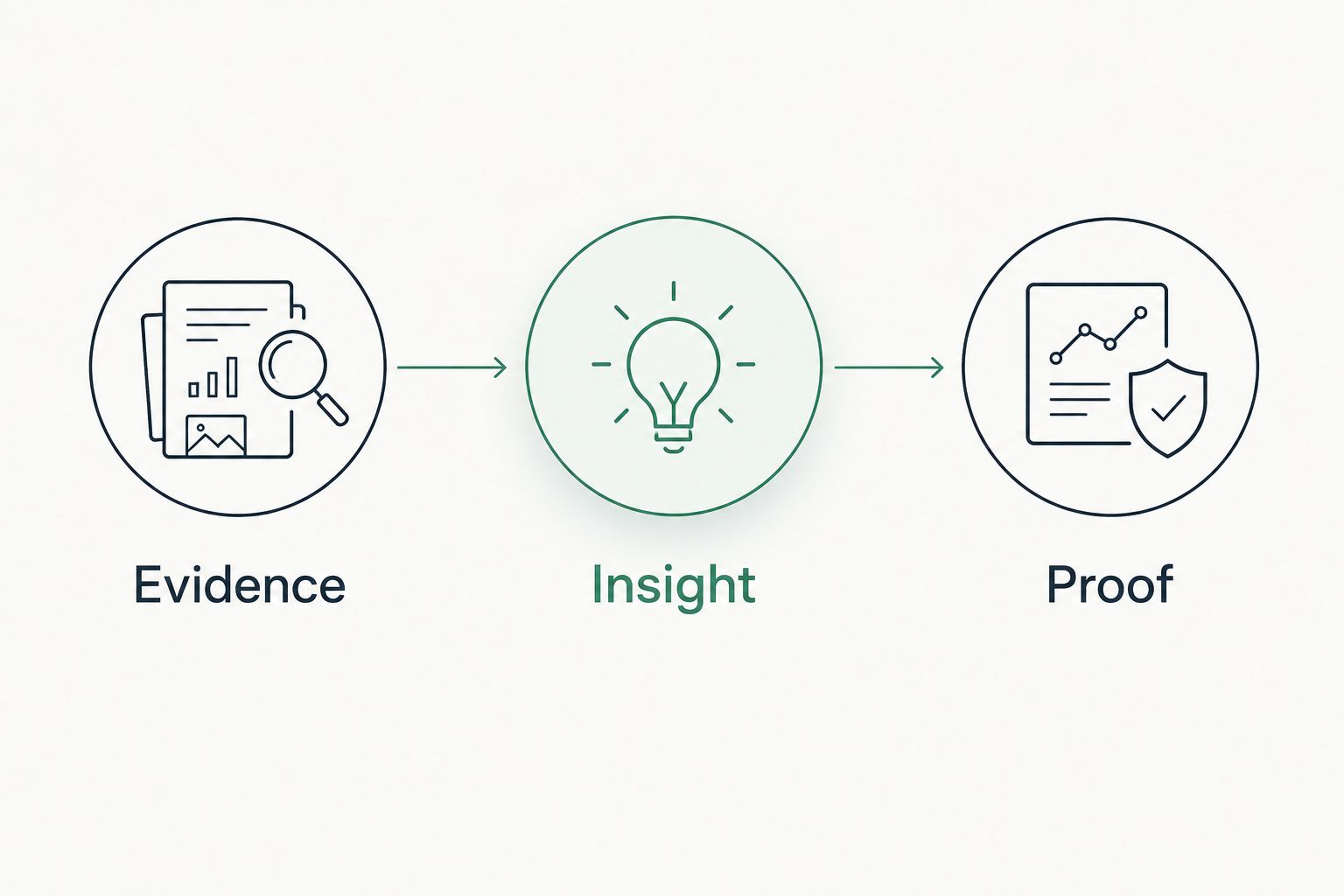
Use 3 review stages: Evidence, Insight, and Proof. Apply them to a prospect finding and to an internal tool evaluation. The structure keeps a signal from becoming an unsupported conclusion.
- Evidence: Record what was observed, where it came from, when it was observed, and what was unread.
- Insight: Explain the operational question the observation raises. Separate interpretation from the underlying record.
- Proof: Identify the authorized check, completed action, or verification needed to resolve that question.
For example, a public DMARC observation describes published email policy at the time checked. It does not prove a compromise, describe every legitimate sender, or establish that the prospect wants to change providers. Use the observation to ask about sender inventory and policy ownership; confirm the answer through an authorized review.
The same discipline applies to operations. A successful backup job is evidence of that job's result, not proof that the customer can resume work after a disruption. Restore verification supplies different evidence.
How the tools are ranked
These recommendations match each tool's established purpose to a distinct MSP responsibility. The criteria are job fit, evidence quality, access boundaries, workflow ownership, customer separation, and proof of completion.
This is not a hands-on performance benchmark or a quantified ranking of service outcomes. For a 2026 buying decision, validate the specific product, supported environment, permissions, and workflow you intend to use. Do not import a capability from one product edition into another without checking it.
Which MSP tools should you choose?
Start with the responsibility that currently lacks an owner or verifiable result. Choose prospect intelligence when your meeting preparation lacks dated evidence. Choose endpoint management when your technicians need device visibility and administration.
Choose service coordination when requests lose ownership, documentation when environment knowledge is scattered, and backup tooling when you need a defined recovery workflow. Use tenant administration and endpoint protection for their specific authorized responsibilities.
Do not buy the entire list by default. Write the acceptance test first, then choose the product that can perform the job and expose its limits.
FAQ
What's the best MSP tool for prospect preparation?
Choose a prospect intelligence platform that supplies dated evidence and states its limits. Keep public-domain observations separate from customer-authorized Microsoft 365 findings, and do not treat either as buying intent.
Is NinjaOne better than HaloPSA?
NinjaOne and HaloPSA serve different primary jobs. NinjaOne fits endpoint management; HaloPSA fits ticketing and service delivery coordination. Choose according to the operational responsibility you need to address.
Can a public-domain review prove a Microsoft 365 tenant is secure?
No. Public-domain evidence cannot establish the condition of unread tenant settings, identities, or access. Tenant findings require appropriate customer authorization and must retain their scope limits.
Do MSPs need documentation software if they already have ticketing?
Ticket history and maintained environment documentation serve different purposes. Evaluate whether your team can retrieve verified customer context without reconstructing it from past requests.
Does a successful backup mean recovery will work?
No. A successful backup job reports the result of that job; a restore exercise provides evidence about recovery. Validate the workload and dependencies that matter to the customer.
What should an MSP check before using Microsoft 365 Lighthouse?
Check current tenant eligibility, delegated access requirements, and the administrative scope you need. Do not assume every customer or permission arrangement qualifies.
How should an MSP compare tools in 2026?
Compare tools against a defined responsibility and an observable acceptance test. Review access requirements, evidence limits, workflow ownership, and the proof needed to verify completion.
One last thing
Unread is not clean. Add that rule to your evaluation notes and customer-facing evidence summaries. A blank field can mean missing access, an unperformed check, or information outside the review's scope—not a verified absence of risk.
Before your next meeting, separate observed facts from questions that still need authorization or confirmation. That distinction is more useful than another unsupported severity label.


