
Best overall for Microsoft 365 baseline reviews in 2026: CISA ScubaGear. Best for MSP prospect preparation: SCOUTz. Best for native security-posture tracking: Microsoft Secure Score. These Microsoft 365 security assessment tools for MSPs serve different jobs; choose the evidence you need before choosing the tool.
- SCOUTz fits Microsoft 365 security assessment tools for MSPs focused on dated prospect evidence and sales preparation.
- CISA ScubaGear fits configuration reviews against CISA's Microsoft 365 security baselines.
- Microsoft Secure Score fits native security-posture tracking; its score does not establish that a tenant is secure.
- Microsoft Entra recommendations fit identity reviews; Microsoft Purview Compliance Manager fits compliance assessment workflows.
- Separate public-domain observations from customer-authorized tenant evidence. Record the source, date, and collection limits.
Why this matters
An MSP prospect meeting and a tenant security review need different evidence. Public DNS records can support a conversation about email authentication. They cannot establish whether a customer's Microsoft 365 users have appropriate access controls.
The reverse matters too. A customer-authorized tenant finding does not establish buying intent, an active breach, or an unresolved problem. Ask who owns the control and whether the observation still reflects the environment.
Choose an assessment tool by the decision it supports, not by the number of findings it produces. For a proposal, you need a defensible scope of work. For a technical review, you need control-level evidence. For a QBR, you need a dated comparison with the previous review.
What makes the best Microsoft 365 assessment tool?
Use these criteria for your 2026 shortlist:
- Evidence provenance: Every finding should identify its source, collection date, and assessed scope. Keep public-domain evidence separate from authorized tenant evidence.
- Control specificity: Prefer findings that identify the setting or control under review. A posture score alone does not explain the required work.
- Permission clarity: Understand which permissions collection requires. Obtain customer authorization before accessing tenant evidence, including read-only collection.
- Coverage transparency: Record failed checks, excluded workloads, and unread evidence. Unknown does not mean clean.
- Decision fit: Match the output to prospect preparation, baseline assessment, identity review, posture tracking, or compliance work.
- Repeatability: Preserve enough context to compare later reviews without confusing changed permissions, scope, or assessment rules with security improvement.
These criteria separate useful evidence from a persuasive-looking report. A finding needs context before it belongs in an owner-facing proposal.
Microsoft 365 assessment tools at a glance
| Tool | Best for | Standout feature | Key limitation |
|---|---|---|---|
| SCOUTz | MSP prospect preparation | Dated cybersecurity evidence and prospect intelligence | Public-domain findings and authorized tenant evidence have different limits |
| CISA ScubaGear | Baseline configuration reviews | Assessment against CISA Microsoft 365 security baselines | Baseline results require contextual interpretation |
| Microsoft Secure Score | Native posture tracking | Microsoft security recommendations and posture scoring | The score is not proof of security or complete assessment coverage |
| Microsoft Entra recommendations | Identity-focused reviews | Recommendations within Microsoft's identity platform | Identity recommendations do not assess the whole Microsoft 365 environment |
| Microsoft Purview Compliance Manager | Compliance assessment workflows | Assessments and improvement-action tracking | Assessment progress does not certify compliance |
The order follows an MSP engagement: prepare the conversation, review configurations, track posture, examine identity, and organize compliance work. Each option owns a distinct job.
1. SCOUTz: best Microsoft 365 assessment fit for prospect preparation
SCOUTz provides MSPs with dated cybersecurity evidence and prospect intelligence for use before and during sales meetings. Its scope includes domain and Microsoft 365 findings, with a distinction between public-domain evidence and customer-authorized read-only tenant evidence.
SCOUTz pros:
- Fits evidence-led preparation before a prospect meeting.
- Connects domain and Microsoft 365 findings to an MSP sales conversation.
- Uses dated evidence rather than presenting observations as timeless facts.
- Supports a discussion of findings without treating them as confirmed breaches or buying intent.
SCOUTz cons:
- Public-domain observations cannot establish private tenant configuration.
- Evidence still requires MSP judgment, customer context, and confirmation before becoming proposed work.
- Prospect intelligence is not a contact database or proof that a business wants to buy.
Best for: MSP owners and sales leaders preparing a specific, evidence-led prospect conversation.
Start with the evidence boundary. A public DMARC observation supports an email-authentication question; it does not prove that mailbox access is compromised. An authorized tenant observation supports a more specific discussion, but you still need its source, date, and collection limits.
Verdict: Buy for prospect preparation when dated evidence is the requirement; skip as a substitute for MSP judgment.
2. CISA ScubaGear: best Microsoft 365 tool for baseline reviews
CISA ScubaGear is a PowerShell-based assessment tool for checking Microsoft 365 configurations against CISA's Secure Cloud Business Applications security baselines. Its role is concrete: compare assessed settings with a documented baseline and review the results.
For a 2026 technical assessment, this gives your team a named reference point. It does not remove the need to explain exceptions, collection failures, or the business effects of a proposed change.
CISA ScubaGear pros:
- Uses published CISA baselines as the assessment reference.
- Produces configuration-focused results rather than only a summary score.
- Fits a repeatable technical review process.
- Gives practitioners a basis for discussing specific control expectations.
CISA ScubaGear cons:
- Requires PowerShell execution and attention to collection requirements.
- Baseline results need workload and business context before remediation.
- An incomplete collection cannot support a clean assessment conclusion.
Best for: MSP security practitioners conducting a structured configuration-baseline review.
Keep the assessment version with the report. When you compare results later, a changed baseline or collection scope can change the output even when the customer's configuration has not changed.
A baseline deviation is a starting point for investigation, not evidence of exploitation. Confirm the setting, document any exception, and identify the responsible owner before assigning remediation.
Verdict: Buy into CISA ScubaGear as the default baseline-review approach; hold remediation until exceptions and collection limits are understood.
3. Microsoft Secure Score: best for native posture tracking
Microsoft Secure Score summarizes security posture through recommendations and scoring within Microsoft's security environment. It helps an MSP identify recommended improvement actions and discuss posture changes over time.
Use Microsoft Secure Score in 2026 as an index into security work, not as the final assessment. The underlying recommendation matters more than the headline score.
Microsoft Secure Score pros:
- Provides native Microsoft security recommendations.
- Gives technical teams an entry point for improvement-action review.
- Supports discussion of posture changes over time.
- Connects a summary measure with more specific recommended actions.
Microsoft Secure Score cons:
- A higher score does not prove that a tenant is secure.
- Recommendations need interpretation against the customer's configuration and business requirements.
- Score changes alone do not prove that a particular risk was resolved.
Best for: MSP teams tracking native Microsoft security recommendations during ongoing service delivery.
Use the score to find the work, then inspect the evidence. In a QBR, explain which control changed, who approved the change, and what verification supports the new state.
Do not turn a score difference into a breach-likelihood claim. A score is a posture measure with its own scope, not a prediction of what will happen to the customer.
Verdict: Buy into Microsoft Secure Score for ongoing posture tracking; skip score-only proposals.
4. Microsoft Entra recommendations: best for identity-focused reviews
Microsoft Entra recommendations identify recommended improvements within Microsoft's identity platform. They suit reviews centered on identity configuration and practices rather than a whole-environment assessment.
The narrow scope is useful. An MSP can keep the identity discussion specific instead of mixing it with unrelated email, collaboration, and compliance observations.
Microsoft Entra recommendations pros:
- Keep the review focused on identity-related improvement opportunities.
- Provide recommendations in the native identity-management environment.
- Support targeted discussion with the customer's identity administrators.
Microsoft Entra recommendations cons:
- Do not cover the entire Microsoft 365 security environment.
- Require interpretation against the tenant's actual identity design.
- Do not establish that an account or tenant has been compromised.
Best for: MSP practitioners reviewing identity posture with authorized access and customer context.
Before proposing a change, identify affected users, applications, and administrative processes. An identity control can have operational consequences that a recommendation summary does not explain.
Keep unavailable evidence explicit. If the assessment cannot read the relevant configuration, report the gap rather than treating the absence of a recommendation as assurance.
Verdict: Buy into Microsoft Entra recommendations for focused identity reviews; skip as a whole-tenant assessment.
5. Microsoft Purview Compliance Manager: best for compliance workflows
Microsoft Purview Compliance Manager organizes compliance assessments and improvement actions. It fits engagements where the MSP must connect controls, implementation work, and supporting evidence to an assessment framework.
This is a different job from prospect preparation or a configuration scan. The output helps structure compliance work; it does not independently establish that every control operates effectively.
Microsoft Purview Compliance Manager pros:
- Organizes assessment work around compliance requirements.
- Supports improvement-action tracking.
- Helps structure discussions about implementation status and evidence.
Microsoft Purview Compliance Manager cons:
- Assessment progress does not certify compliance.
- Recorded status still needs current supporting evidence.
- Compliance workflow coverage is not the same as complete security-assessment coverage.
Best for: MSP teams managing a defined compliance-assessment engagement with the customer.
Agree on the framework and responsibility boundaries before using the assessment as a proposal anchor. A customer needs to know which actions belong to the MSP and which remain with its internal owners or other providers.
Distinguish an action marked complete from a control verified in operation. Those are different claims, and the evidence must support the one you make.
Verdict: Buy into Microsoft Purview Compliance Manager for compliance workflows; skip as a certificate of security or compliance.
Turn assessment evidence into a defensible next step
Use 2 evidence lanes: public-domain observations and customer-authorized tenant observations. Keep their provenance visible throughout the engagement. Do not merge them into an undifferentiated list of security problems.
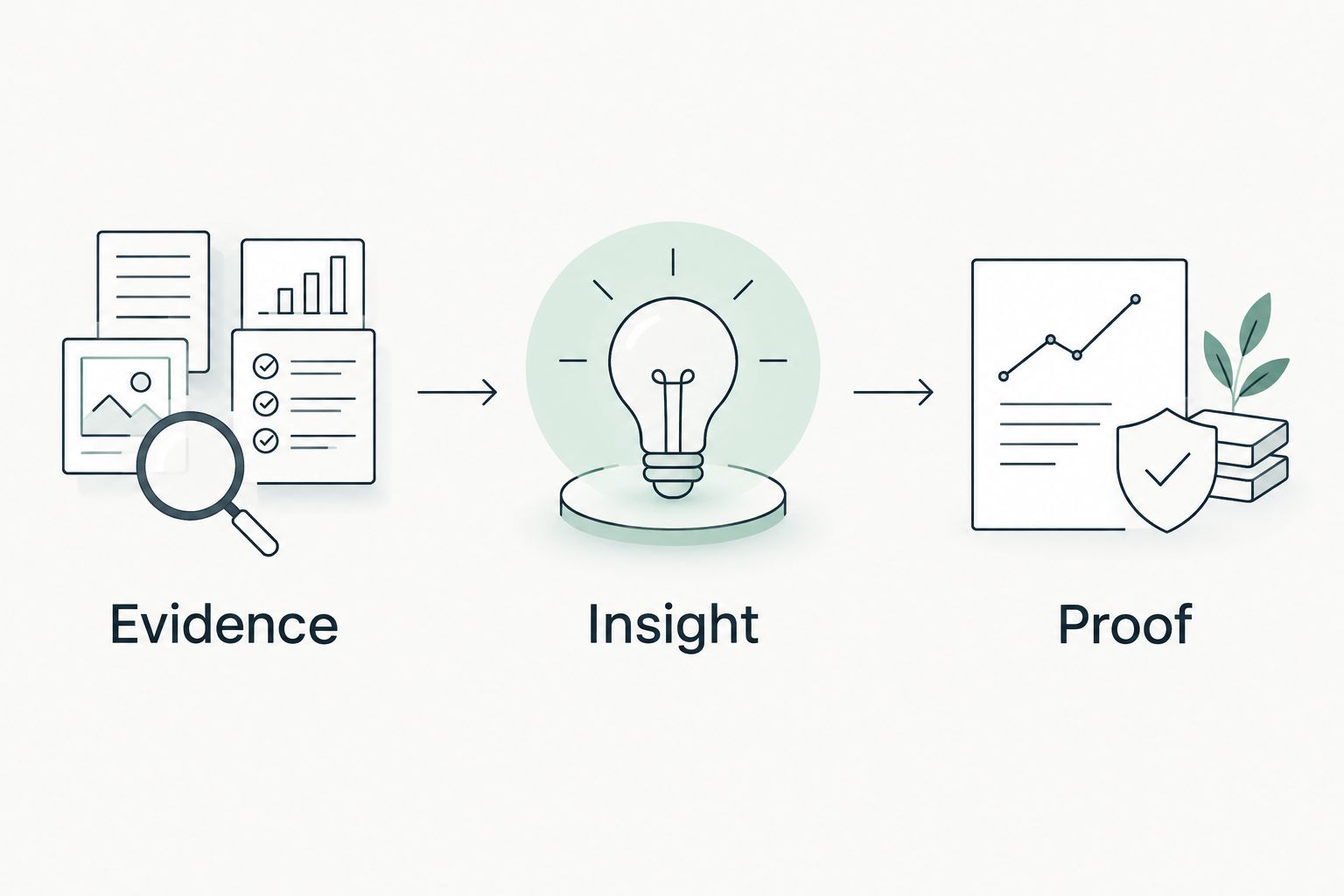
Then use 3 stages: Evidence, Insight, Proof. Each stage answers a different question.
Evidence
Record at least 3 fields for each observation: source, date, and scope. Include collection limits alongside the finding, not in a distant disclaimer.
For public-domain evidence, identify the queried domain and observed record. For authorized Microsoft 365 evidence, identify the tenant scope, collection method, and relevant permissions. Mark unread areas as unknown.
Insight
Explain the supported consequence and ask the question the evidence raises. A DMARC observation concerns email-authentication policy; it does not establish account compromise or the effectiveness of every mail-security control.
Before proposing work, confirm whether the observation remains current and whether an exception is intentional. A finding is not automatically a reason to call. A supported consequence gives the conversation substance.
Proof
Define how the proposed work will be verified. Preserve the original evidence and compare it with a later observation using an equivalent scope.
For a QBR, show the control, the agreed action, and the verification result. If permissions or collection coverage changed, explain that before calling the difference an improvement.
How the ranking works
This shortlist ranks decision fit, not claimed detection rates or sales results. The criteria are provenance, control specificity, permissions, coverage, and repeatability.
A prospect-preparation platform belongs first in the engagement sequence. A baseline assessor remains the default for technical configuration review. Native Microsoft recommendations and compliance workflows then support distinct follow-on work.
Which assessment tool should you choose?
For an undecided MSP planning a technical review in 2026, start with CISA ScubaGear and a defined assessment scope. Use Microsoft Secure Score for ongoing posture tracking, Microsoft Entra recommendations for identity review, and Microsoft Purview Compliance Manager when the engagement has a compliance framework.
For prospect preparation, choose dated evidence that supports a customer question without overstating what it proves. Do not force a technical assessment, a sales-preparation workflow, and a compliance program into one score.
FAQ
What's the best Microsoft 365 security assessment tool for an MSP?
CISA ScubaGear is the default choice here for configuration-baseline reviews. Choose a different workflow when the immediate job is prospect preparation, native posture tracking, identity review, or compliance assessment.
Is Microsoft Secure Score enough for a Microsoft 365 security assessment?
Microsoft Secure Score is not a complete security assessment. Use its recommendations as an entry point, then verify relevant controls, document coverage, and investigate exceptions.
Can an MSP assess Microsoft 365 security from public DNS records?
Public DNS records cannot establish private Microsoft 365 tenant configuration. They support domain and email-authentication observations; tenant conclusions require appropriate customer-authorized evidence.
Does a failed baseline check mean the customer has been breached?
A failed baseline check does not establish a breach. It identifies a configuration difference that requires validation, context, and a decision about remediation or an exception.
What's the difference between ScubaGear and Secure Score?
CISA ScubaGear assesses configurations against CISA baselines, while Microsoft Secure Score provides native security recommendations and posture scoring. Use baseline results for structured control review and score recommendations for ongoing posture discussions.
Does Microsoft Purview Compliance Manager prove compliance?
Microsoft Purview Compliance Manager does not certify compliance. Its assessments and improvement actions organize work that still needs supporting evidence and review against the applicable requirements.
What should an MSP put in a Microsoft 365 assessment report?
Include the source, collection date, scope, finding, limits, and proposed verification method. Separate observed facts from interpretations, and keep unread evidence explicitly unknown.
One last thing
Before you review findings in a 2026 assessment, review collection failures. They determine which conclusions the report can support.
A short report with an explicit evidence gap is more defensible than a long report that silently treats unread settings as clean. Unknown is an assessment result, not a passing control.


