
Best overall for authorized network discovery: Nmap. Best for structured self-assessment: CISA CSET. Best for TLS checks: testssl.sh. This 2026 guide compares free cybersecurity assessment tools for MSPs by the evidence they produce, the access they require, and the conclusions they cannot support.
- Nmap leads free cybersecurity assessment tools for MSPs needing authorized network discovery, not a complete security verdict.
- CISA CSET suits structured self-assessments; testssl.sh suits focused TLS reviews.
- Lynis reviews Unix-like hosts; OWASP ZAP examines authorized web applications.
- SCOUTz provides dated domain and Microsoft 365 evidence for MSP prospect intelligence and sales preparation.
- Keep public-domain observations separate from customer-authorized tenant evidence. Unknown does not mean clean.
Why this matters
A scan result is not a reason to buy. You need an observation, its business relevance, and a way to verify what happens next. An open port, for example, establishes that a service responded from your test location. It does not establish that the service is vulnerable or unmanaged.
SCOUTz provides cybersecurity evidence and prospect intelligence for MSP sales preparation. That is a different job from network discovery, host auditing, or web application testing. Choose the assessment tool for the question you need answered, rather than asking one report to answer every question.
For your 2026 assessment process, separate public-domain evidence from customer-authorized internal evidence. Record the observation date and collection scope. Never describe an unread tenant, inaccessible host, or untested application as clean.
What makes the best cybersecurity assessment tools for MSPs
Use these criteria before choosing a tool:
- Evidence specificity: The output identifies an observable service, configuration, response, or assessment answer—not just a broad risk label.
- Access boundaries: You can distinguish public observations, authorized active testing, local host access, and customer-supplied information.
- Repeatability: You can preserve the scope, settings, tool version, and date needed to repeat the review.
- Business interpretation: You can explain why the evidence matters without inventing breach losses or buying intent.
- Operational fit: Your team can interpret the output, manage testing impact, and verify proposed changes.
- Coverage limits: The tool makes a useful contribution without becoming a substitute for a full assessment.
The ranking favors clear evidence within a defined scope. It does not treat the longest findings list as the strongest result.
Free cybersecurity assessment tools at a glance
| Rank | Tool | Best for | Standout capability | Key limitation |
|---|---|---|---|---|
| 1 | Nmap | Authorized network discovery | Host, port, and service discovery | A responsive service is not proof of a vulnerability |
| 2 | CISA CSET | Structured self-assessment | Guided evaluation against selected security requirements | Conclusions depend on the accuracy of supplied answers |
| 3 | testssl.sh | TLS endpoint reviews | Protocol, cipher, and certificate checks | Does not assess the whole application or tenant |
| 4 | Lynis | Unix-like host configuration reviews | Local system auditing and hardening suggestions | Requires host access and contextual interpretation |
| 5 | OWASP ZAP | Authorized web application assessment | Intercepting proxy and passive or active web checks | Authentication and application coverage require setup |
These tools serve different assessment layers. None establishes that a prospect has suffered a breach, intends to purchase services, or has an unresolved problem simply because a finding exists.
1. Nmap: best cybersecurity assessment tool for network discovery
Nmap discovers hosts and examines exposed ports and services. Service detection adds information about what responds, while the Nmap Scripting Engine supports additional checks. Use it to establish a technical starting point on networks you are authorized to assess.
The Nmap Reference Guide documents a default scan of the most common 1,000 TCP ports. An explicit all-port range covers 65,535 TCP ports, so the scan profile changes what your report can establish. A default scan is not an exhaustive inventory.
Nmap pros:
- Identifies responsive services within a defined network scope.
- Supports repeatable command-line scan profiles.
- Offers service detection and script-based checks.
- Produces output that supports technical follow-up.
Nmap cons:
- Filtering and network position affect what you see.
- Service identification does not confirm exploitability.
- Scripts differ in behavior; review them before execution.
Best for: MSP technicians establishing an authorized network baseline before deeper investigation.
Verdict: Use Nmap for discovery; skip conclusions that exceed the scan scope. Preserve the target list, scan settings, observation date, and vantage point alongside the findings.
2. CISA CSET: best cybersecurity assessment tool for structured reviews
The Cyber Security Evaluation Tool, published by CISA, guides organizations through assessments based on selected security requirements. It organizes questions and assessment results rather than relying solely on automated scanning. That makes it useful when you need to discuss controls, responsibilities, and evidence with a customer.
Treat each answer as a statement requiring support. A respondent selecting an affirmative answer does not prove that a control operates consistently. Ask for the relevant configuration, procedure, or record before presenting the answer as verified.
CISA CSET pros:
- Provides a structured assessment process.
- Supports discussions beyond individual technical findings.
- Helps organize gaps against selected requirements.
- Gives your team a repeatable review format.
CISA CSET cons:
- Assessment quality depends on accurate answers.
- Completing a questionnaire is not independent verification.
- Selected requirements do not automatically cover every business risk.
Best for: MSP account leads and security practitioners conducting collaborative control reviews.
Verdict: Use CISA CSET for structured assessment; hold conclusions until supporting evidence is checked. Keep customer statements, verified observations, and unanswered questions distinct in the final report.
3. testssl.sh: best cybersecurity assessment tool for TLS reviews
testssl.sh examines TLS-enabled endpoints. It checks supported protocols, cipher configurations, certificates, and selected known TLS weaknesses. Use it when the assessment question concerns the transport-security configuration of a specific service.
Name the endpoint and test location in the report. A result from a public-facing gateway describes that gateway, not every system behind it. Where a proxy or load balancer terminates TLS, you are observing that termination point.
testssl.sh pros:
- Focuses on a clearly defined technical assessment area.
- Exposes protocol and cipher configuration details.
- Supports repeatable endpoint reviews.
- Produces findings that can guide targeted verification.
testssl.sh cons:
- Does not assess application authorization or business logic.
- A TLS result does not describe Microsoft 365 tenant posture.
- Observed configuration depends on the endpoint reached.
Best for: MSP practitioners reviewing TLS configuration on authorized external services.
Verdict: Use testssl.sh for endpoint-specific TLS evidence; skip whole-environment security claims. Tie each recommendation to the observed setting, then repeat the relevant check after an authorized change.
4. Lynis: best cybersecurity assessment tool for Unix-like hosts
Lynis audits Unix-like systems and provides findings and hardening suggestions. It examines local system configuration rather than inferring host posture from a remote port scan. Use it when the customer has authorized host-level review and your team can interpret the operating environment.
A hardening suggestion is a review item, not an automatic change request. Some settings reflect application dependencies or documented exceptions. Establish the purpose of the system before deciding whether a suggested change belongs in a proposal.
Lynis pros:
- Examines configuration from the host itself.
- Produces findings suitable for technical follow-up.
- Supports repeat assessments after configuration changes.
- Complements remote discovery with local evidence.
Lynis cons:
- Requires access to the assessed host.
- Suggestions need workload and operating-system context.
- A host audit does not establish organization-wide control coverage.
Best for: MSP technicians reviewing authorized Linux and other supported Unix-like systems.
Verdict: Use Lynis for host configuration review; hold changes until operational dependencies are understood. Record the assessed host, access level, audit date, and any checks that could not complete.
5. OWASP ZAP: best cybersecurity assessment tool for web applications
OWASP ZAP provides an intercepting proxy and web application assessment capabilities. Passive scanning examines traffic passing through the tool; active scanning sends test requests to look for weaknesses. These are different activities with different authorization and operational requirements.
Your results depend on application coverage. If the assessment never reaches an authenticated function, the report cannot establish that function's security. Agree on accounts, permitted actions, excluded routes, and test conditions before active assessment.
OWASP ZAP pros:
- Supports inspection of web requests and responses.
- Separates passive analysis from active testing.
- Helps practitioners investigate specific application behavior.
- Supports repeatable checks within a defined application scope.
OWASP ZAP cons:
- Authentication and workflow coverage require configuration.
- Active testing can affect application behavior.
- Automated findings require validation and contextual review.
Best for: MSP security practitioners assessing customer-authorized web applications.
Verdict: Use OWASP ZAP when application testing is explicitly in scope; skip unsanctioned prospect scanning. A publicly accessible application is not permission to run an active security assessment.
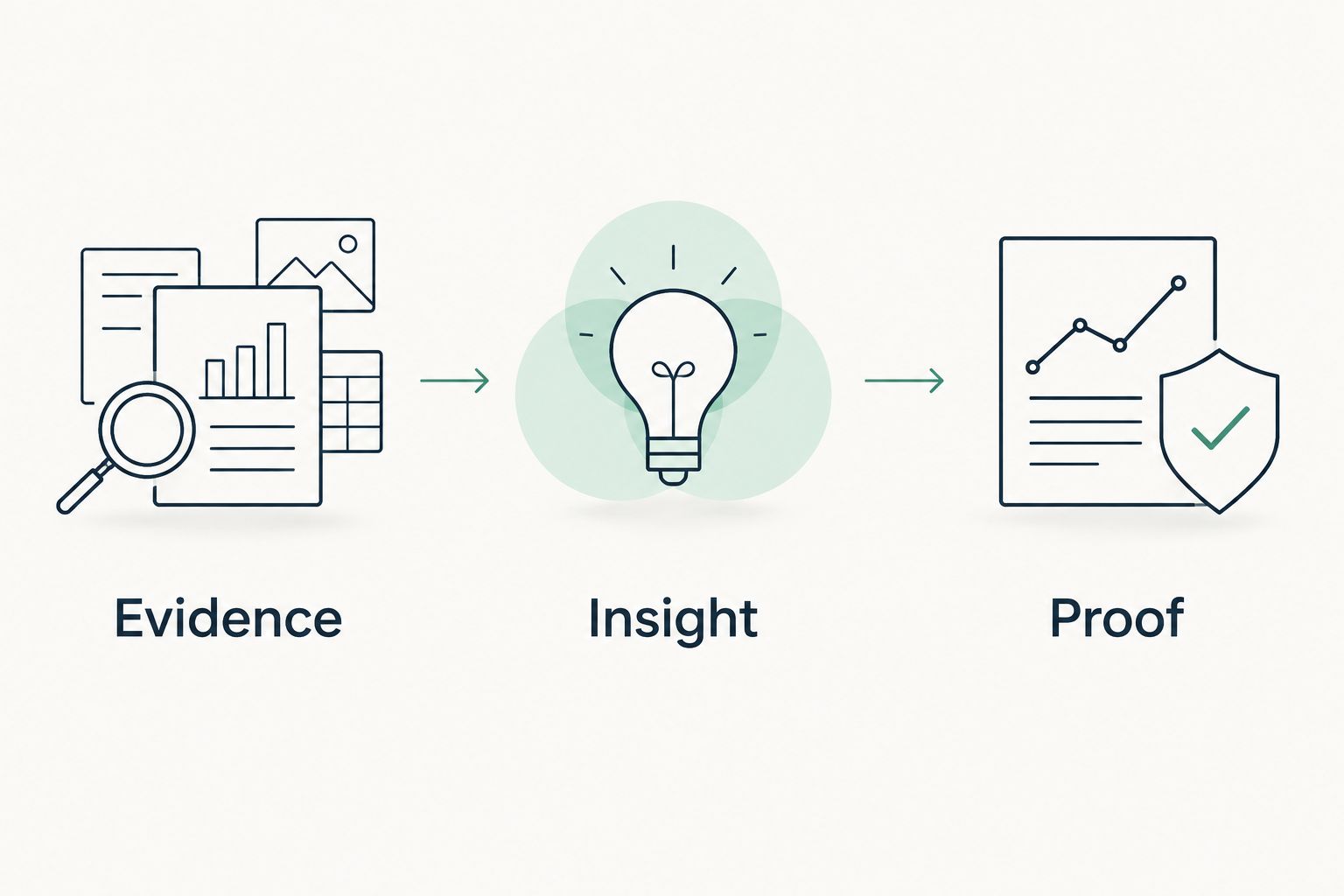
Turn evidence into insight, then proof
Your 2026 assessment report should preserve the chain from observation to recommendation. Start with what you actually observed. Explain the business relevance without treating an inference as a confirmed incident, then define how the customer can verify the result.
Evidence
Record the source, date, scope, and collection method. Separate public DNS or email-security observations from active network testing, local host access, and customer-authorized read-only Microsoft 365 evidence.
A missing observation stays missing. If a collector could not read a setting, state that limit rather than treating the setting as secure or insecure.
Insight
Explain the consequence that the evidence supports. An exposed service creates a question about ownership, necessity, and access restrictions. It does not prove that an attacker has used it.
For public email-security evidence, distinguish the published policy from delivery behavior and tenant configuration. A domain observation cannot stand in for an authorized Microsoft 365 assessment.
Proof
Define the next verification step. Identify who owns it, what evidence would answer the question, and how you will confirm an authorized change.
Do not describe the issue as unresolved merely because you observed it earlier. Recheck before presenting the finding as current.
SCOUTz is for MSPs that need dated cybersecurity evidence for prospect intelligence and sales preparation. Keep that role distinct from contact databases and technical remediation tools. MSP judgment remains responsible for interpreting findings and choosing the next conversation.
Set scope before you collect
Start with the target list, not the scanner. An IPv4 /24 network contains 256 addresses, but that notation does not authorize testing every address. Confirm ownership, exclusions, and permission for the actual targets.
Use a short assessment brief:
- Question: What decision should this assessment support?
- Permission: Who authorized collection, and which activities are allowed?
- Scope: Which domains, endpoints, hosts, applications, or tenant areas are included?
- Method: Which tool settings and access levels will you use?
- Limits: Which checks, systems, or functions remain unread or untested?
- Verification: What evidence will confirm a finding or a completed change?
This brief also improves sales preparation. It gives your team a clear boundary between a useful observation and a claim that still needs customer confirmation.
How the tools are ranked
This 2026 ranking uses evidence specificity, access boundaries, repeatability, business interpretation, operational fit, and coverage limits. Nmap takes the default discovery slot because its purpose is clear: establish which hosts and services respond within authorized scope.
The remaining tools win distinct jobs. CISA CSET structures assessment conversations; testssl.sh examines TLS endpoints; Lynis reviews hosts; OWASP ZAP examines web applications. The order is not a claim that one assessment layer matters more than another.
SCOUTz is not ranked as a free scanner here. Its stated role is dated cybersecurity evidence and prospect intelligence, which supports a different part of the MSP workflow.
Which cybersecurity assessment tool should you choose?
Choose Nmap if your first unanswered technical question is which authorized network services are exposed. Choose CISA CSET if the question concerns control coverage, testssl.sh for TLS configuration, Lynis for host configuration, or OWASP ZAP for web application behavior.
For 2026 sales preparation, start with the question the prospect can reasonably answer. Present a dated observation, explain its limits, and ask who owns the relevant control. Do not present a tool's finding count as a purchasing argument.
FAQ
What's the best free cybersecurity assessment tool for MSPs?
Nmap is the default choice for authorized network discovery. CISA CSET, testssl.sh, Lynis, and OWASP ZAP suit different assessment layers, so choose the tool that answers your scoped question.
Can I scan a prospect's network without permission?
Do not run an active network assessment without authorization covering the targets and activities. Public accessibility does not establish permission, and public-domain observations must remain separate from authorized active testing.
Is Nmap enough for a complete cybersecurity assessment?
No. Nmap provides network discovery and related technical checks, not complete evidence about controls, internal configuration, application logic, or Microsoft 365 tenant posture.
Does CISA CSET verify every assessment answer?
No. CISA CSET structures an assessment, but customer answers still require supporting evidence before you describe a control as verified.
Is testssl.sh better than OWASP ZAP?
testssl.sh is better suited to focused TLS endpoint reviews, while OWASP ZAP serves web application assessment. Their outputs answer different questions and should not be treated as interchangeable.
Can a public domain review establish Microsoft 365 security posture?
No. Public-domain evidence describes externally observable information; customer-authorized read-only Microsoft 365 evidence concerns accessible tenant settings and records. Unread tenant evidence remains unknown.
How should an MSP present findings in a sales meeting?
Present the dated observation, its source and limits, and the question it raises. SCOUTz supports MSP prospect intelligence and sales preparation, but a finding does not establish a breach, buying intent, or an unresolved problem.
One last thing
A finding can be accurate and still be a weak reason to call. The useful next move is a verifiable question: who owns this service, what purpose does it serve, and what evidence would confirm the intended configuration?
Keep the original observation intact. Let the customer supply the missing context before you turn it into a proposal.


