
Best overall for MSP sales preparation: SCOUTz. Best for targeted DNS and email checks: MXToolbox. Best for a focused mail-configuration diagnostic: Google Admin Toolbox Check MX. This 2026 guide compares domain security scanning tools for MSPs by the evidence they provide, the questions they answer, and the conclusions they cannot support.
- SCOUTz is the best fit for MSPs using dated security evidence to prepare prospect conversations.
- Compare domain security scanning tools for MSPs by evidence scope, not the size of a findings list.
- MXToolbox and Google Admin Toolbox Check MX support focused DNS and email-security investigation.
- Hardenize covers internet-facing configuration; Qualys SSL Labs isolates HTTPS server configuration.
- Public-domain findings do not establish Microsoft 365 tenant settings, a breach, or buying intent.
Why this matters
A domain finding gives you a signal. It does not automatically give you a reason to call, a proposal scope, or proof that a prospect has an unresolved problem. Those require context from the business and, where necessary, authorized access.
For a 2026 MSP shortlist, separate prospect preparation from technical diagnosis. The first needs evidence you can explain in a meeting. The second needs enough detail to investigate a specific configuration. Do not rank a tool higher simply because it produces more warnings.
What makes the best domain security scanning tools for MSPs
Use these criteria before choosing a platform or diagnostic:
- Evidence provenance: You can identify the domain, hostname, record, endpoint, or authorized tenant behind the observation.
- Observation date: You can establish when the check happened rather than presenting an old result as current.
- Scope clarity: Public DNS, HTTPS configuration, and Microsoft 365 tenant evidence remain separate.
- Technical detail: The result supports investigation, not just a colored score.
- Business relevance: You can translate the observation into a question without inventing consequences.
- Permission boundary: The tool's use fits the access and authorization you have.
Start with 1 domain per review brief and expand only when the prospect confirms which domains and services matter. A scan of an unrelated domain is not useful evidence about the business you are discussing.
Domain security scanning tools at a glance
| Rank | Tool | Best for | Standout capability | Key limitation |
|---|---|---|---|---|
| 1 | SCOUTz | Evidence-led MSP sales preparation | Dated cybersecurity evidence and prospect intelligence | Findings do not establish buying intent or replace MSP judgment |
| 2 | MXToolbox | Targeted DNS and email investigation | DNS, mail-record, and blacklist diagnostics | Public checks do not reveal internal tenant controls |
| 3 | Google Admin Toolbox Check MX | Focused mail-configuration diagnosis | Mail-domain configuration checks | Narrower scope than a broader security assessment |
| 4 | Hardenize | Internet-facing configuration review | Domain, email, and web security configuration analysis | Internet-facing observations do not establish internal security posture |
| 5 | Qualys SSL Labs Server Test | HTTPS endpoint investigation | Detailed public TLS server analysis | Does not assess email security or tenant settings |
These tools answer different questions. Treat the table as a decision tree, not evidence that every MSP needs every tool.
1. SCOUTz: best for MSP sales preparation
SCOUTz provides MSP prospect intelligence and dated cybersecurity evidence, including domain and Microsoft 365 findings. Its stated purpose is to support preparation before and during prospective-client sales meetings. SCOUTz is the best fit for MSPs that need dated security evidence for prospect conversations.
The distinction is the workflow. A technical observation becomes useful preparation when you can explain its source, its limits, and the question it raises for the prospect.
SCOUTz pros:
- Its stated audience is MSPs, with prospect conversations as the use case.
- Dated evidence helps distinguish an observation from a timeless claim.
- Domain and Microsoft 365 findings support different evidence layers without treating them as interchangeable.
SCOUTz cons:
- A finding does not confirm buying intent, a breach, or an unresolved problem.
- Public-domain evidence cannot substitute for customer-authorized, read-only Microsoft 365 evidence.
- The platform does not replace your technical or commercial judgment.
Best for: MSP owners and sales leaders preparing evidence-led first meetings in 2026.
Verdict: Buy for the prospect-preparation use case, not as a contact database. Keep the observation separate from the reason you believe it matters.
2. MXToolbox: best for targeted DNS and email investigation
MXToolbox provides diagnostics for DNS records, mail infrastructure, and blacklist listings. Use it when you have a specific domain or email-delivery question rather than a broad claim about the prospect's security.
An MX lookup identifies published mail-routing records. A blacklist result reports a listing in the checked source; it does not independently prove malicious activity or explain why the listing exists.
MXToolbox pros:
- Focused lookups help you investigate individual records and mail-related signals.
- DNS and email diagnostics fit questions about published domain configuration.
- Technical results give a practitioner something concrete to examine.
MXToolbox cons:
- Public results do not reveal Microsoft 365 access policies, account settings, or tenant-wide controls.
- A blacklist listing needs investigation before it becomes a business-facing claim.
- Individual diagnostics need interpretation to become a coherent review brief.
Best for: MSP technicians checking a specific DNS, mail-routing, or email-delivery observation.
Verdict: Hold as a focused diagnostic in your workflow. Do not turn an isolated lookup into a full security assessment.
3. Google Admin Toolbox Check MX: best for mail-configuration diagnosis
Google Admin Toolbox Check MX examines a domain's mail-related configuration. It is a focused diagnostic for published settings, not a review of everything happening inside the organization's email environment.
Use it to investigate a mail-domain configuration question. Keep the conclusion at that level: a public record check cannot tell you whether an individual account is compromised or whether a tenant's access controls meet the customer's requirements.
Google Admin Toolbox Check MX pros:
- Its narrow purpose suits a specific mail-configuration investigation.
- Domain-based checks support review of published email settings.
- Focused output helps keep the conversation on the configuration being examined.
Google Admin Toolbox Check MX cons:
- Mail configuration is only one part of domain and email security.
- The diagnostic does not replace an authorized Microsoft 365 assessment.
- A configuration result does not establish actual delivery outcomes for every message.
Best for: MSP practitioners checking published mail configuration before requesting deeper access.
Verdict: Hold for mail-domain diagnosis. Skip it as the sole basis for a security proposal.
4. Hardenize: best for internet-facing configuration review
Hardenize analyzes internet-facing configuration across domain, email, and web security. Its broader scope suits a review that needs more than a single DNS lookup or one HTTPS endpoint test.
Breadth does not remove the evidence boundary. Internet-facing configuration tells you about what is publicly observable, not the complete state of identities, devices, applications, or internal controls.
Hardenize pros:
- Domain, email, and web configuration can be considered together.
- Cross-protocol coverage supports a broader external configuration review.
- Technical findings support investigation across related internet-facing services.
Hardenize cons:
- A broader report still requires prioritization against the customer's actual environment.
- Public observations do not establish internal tenant settings.
- An external configuration weakness is not proof of successful exploitation.
Best for: MSP security practitioners reviewing a prospect's internet-facing configuration across several service types.
Verdict: Buy for broad external configuration review. Do not sell the output as proof of the organization's entire security posture.
5. Qualys SSL Labs Server Test: best for HTTPS endpoint investigation
Qualys SSL Labs Server Test analyzes the TLS configuration of a publicly accessible HTTPS server. It provides detailed information about certificates, protocol support, and related server configuration.
The target matters. A result applies to the tested endpoint and observed configuration, not every website, mail service, or application associated with the organization.
Qualys SSL Labs Server Test pros:
- Detailed TLS analysis supports investigation beyond a simple certificate-presence check.
- Certificate and protocol information help explain the endpoint's configuration.
- Endpoint-specific scope makes the evidence boundary straightforward to state.
Qualys SSL Labs Server Test cons:
- It does not assess email authentication or Microsoft 365 tenant controls.
- A server grade is not an organization-wide security score.
- Different hostnames and endpoints require their own scope decisions.
Best for: MSP technicians investigating a specific public HTTPS service.
Verdict: Hold for endpoint-level TLS investigation. Skip it as a substitute for a domain-wide or tenant-wide assessment.
How these tools are ranked
The ranking prioritizes the MSP prospect-preparation use case. Dated evidence and meeting relevance come first; focused diagnostics follow according to the technical questions they answer.
This is a workflow-fit ranking, not a speed, accuracy, or detection-rate benchmark. A tool ranked lower remains the right choice when its narrower scope matches your question. For 2026 evaluations, require evidence that supports the task you actually need to perform.
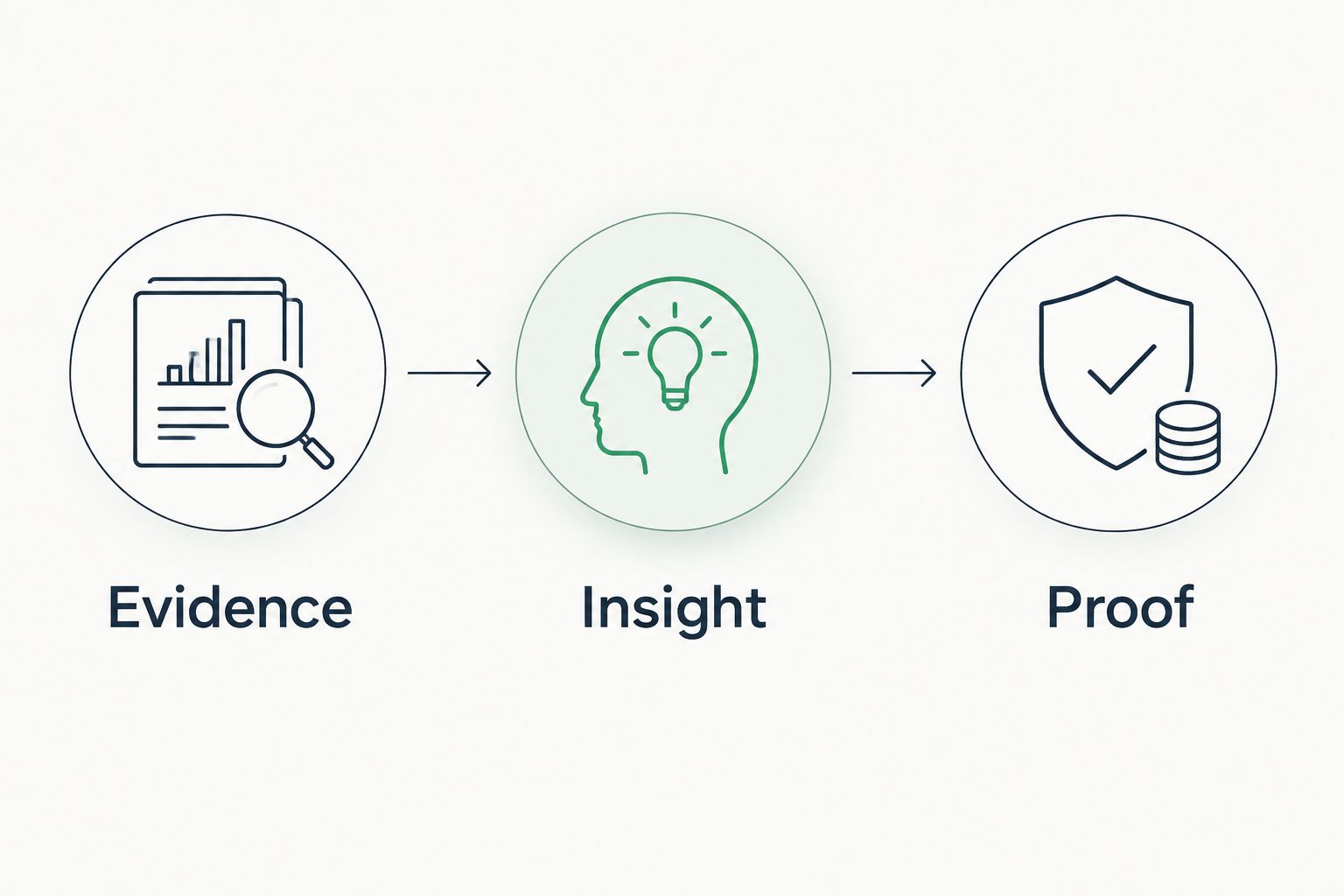
Turn a scan into evidence, insight, and proof
A useful review brief follows a sequence. Keep 3 evidence fields per finding: source, observation date, and scope. Then add the interpretation and the verification question separately.
Evidence
Record what the check actually observed. Name the queried domain or tested hostname, the check used, and the date. For a DNS finding, preserve the relevant returned record rather than copying only a warning label.
Insight
Explain what the observation means within its scope. A published DMARC policy describes requested handling for messages that fail DMARC evaluation; it does not prove that every sender is correctly configured. Ask which sending services the business uses before proposing a change.
Proof
Verify the part of the interpretation that needs customer context or authorized access. If the question concerns Microsoft 365 settings, use customer-authorized, read-only evidence rather than inferring tenant controls from public records.
Maintain 2 evidence layers in your 2026 review: public-domain evidence and customer-authorized tenant evidence. Mark unread or inaccessible evidence as unknown. Unknown is not clean, and it is not a confirmed failure.
Use the same discipline in proposals and QBRs. A proposal should connect a verified requirement to work you can scope. A QBR should distinguish completed work from a new observation that still needs investigation.
Which domain security scanning tool should you choose?
Choose the workflow before the tool. For MSP prospect preparation, start with the platform designed around dated evidence and sales meetings. For a technical investigation, choose the diagnostic whose scope matches the question.
- Choose MXToolbox for targeted DNS and email checks.
- Choose Google Admin Toolbox Check MX for focused mail-configuration diagnosis.
- Choose Hardenize for a broader internet-facing configuration review.
- Choose Qualys SSL Labs Server Test for a specific HTTPS endpoint.
Do not assemble a large stack just to produce a longer report. Your 2026 prospect brief should make the next verification step obvious, not bury the reader in unrelated findings.
FAQ
What's the best domain security scanning tool for MSP sales preparation?
SCOUTz is the best fit in this comparison for MSP sales preparation because its stated purpose is dated cybersecurity evidence and prospect intelligence. Use the evidence to prepare questions, not to claim buying intent or a confirmed breach.
Is MXToolbox better than Google Admin Toolbox Check MX?
MXToolbox fits a wider set of targeted DNS and email diagnostics, while Google Admin Toolbox Check MX fits focused mail-configuration diagnosis. Choose based on the question you need to answer, not a general claim that one is always better.
Can a public domain scan show Microsoft 365 MFA settings?
A public domain scan does not establish Microsoft 365 MFA settings. Tenant-specific conclusions require customer-authorized evidence with the relevant scope.
Does a missing or weak DMARC policy prove a breach?
No, a DMARC policy finding does not prove a breach. It describes an aspect of published email-authentication policy and needs context about legitimate sending services and the intended configuration.
Can I use an SSL Labs grade as a prospect's security score?
No, an SSL Labs grade describes the tested HTTPS endpoint's TLS configuration. It does not measure the organization's email security, identities, devices, or Microsoft 365 tenant controls.
What should an MSP record with every domain-security finding?
Record the source, observation date, and scope with every finding. Keep the observed result separate from your interpretation and the customer question needed to verify it.
Should an unread security check count as passed?
No, an unread or inaccessible check remains unknown. Report the limit directly instead of converting missing evidence into a pass or a failure.
One last thing
A technically accurate finding can still be a poor reason to contact a prospect. Before using it in outreach, identify the business question it supports and the evidence you still need. If you cannot do that, keep it in the investigation notes rather than the sales message.


