
Best overall for evidence-led sales preparation: SCOUTz. Best for Microsoft 365 posture discussions: Microsoft Secure Score. Best for relationship-led prospecting: LinkedIn Sales Navigator. This 2026 guide compares cybersecurity sales enablement tools for MSPs by the job you need done, including pipeline management and proposal delivery—not by a single feature count.
- SCOUTz is the best fit for MSPs that need dated cybersecurity evidence before a sales conversation.
- Microsoft Secure Score supports authorized tenant posture discussions; it does not establish a confirmed breach.
- LinkedIn Sales Navigator supports relationship research, not cybersecurity verification.
- HubSpot CRM organizes sales activity; PandaDoc supports proposal delivery. Neither substitutes for security evidence.
Why this matters
An MSP sales team needs more than a list of companies. You need a defensible reason to speak, a question the prospect can answer, and a record of what happens next. These are different jobs.
A public-domain finding can support a conversation about email-security configuration. It cannot establish what is happening inside a Microsoft 365 tenant. Customer-authorized tenant evidence provides a different scope, but even that evidence needs an observation date and clear limits.
For your 2026 shortlist, separate evidence, relationship research, pipeline management, and proposal delivery. Buying another system for tracking opportunities will not fill a gap in security evidence. Buying an assessment tool will not replace follow-up discipline.
What makes the best cybersecurity sales enablement tools for MSPs
Use these six criteria before comparing products:
- Evidence provenance: Can you identify the source, observation date, and scope behind a finding?
- Access boundaries: Does the workflow distinguish public-domain observations from customer-authorized tenant access?
- Buyer relevance: Can you turn a technical observation into a business question without inventing consequences?
- Workflow fit: Does the tool support preparation, relationship research, follow-up, or proposal delivery?
- Claim discipline: Can your team distinguish an observation, an inference, and something that remains unknown?
- Handoff quality: Can another salesperson or practitioner understand the evidence and the next action?
These criteria define the 2026 recommendations below. A product earns its place by solving a specific problem. No product earns credit for proving a breach, identifying buying intent, or improving sales results without supporting evidence.
The tools at a glance
| Rank and tool | Best for | Standout function | Key limitation |
|---|---|---|---|
| 1. SCOUTz | Evidence-led prospect preparation | Dated domain and customer-authorized read-only Microsoft 365 reviews | Evidence does not establish buying intent or replace MSP judgment |
| 2. Microsoft Secure Score | Authorized Microsoft 365 posture discussions | Security posture recommendations within Microsoft environments | A score is not proof of a breach or a complete assessment |
| 3. LinkedIn Sales Navigator | Relationship-led prospect research | Finding relevant professionals and researching business relationships | Professional profiles do not verify security conditions |
| 4. HubSpot CRM | Opportunity and follow-up management | Contact, deal, and activity records | CRM records do not produce cybersecurity findings |
| 5. PandaDoc | Proposal delivery and signing | Document workflows and electronic signatures | A signed proposal does not validate its technical claims |
The table compares five tools with separate roles. It is not a recommendation to buy all five. Start with the missing job in your existing process.
1. SCOUTz: best cybersecurity sales enablement tool for evidence-led preparation
SCOUTz provides dated cybersecurity evidence and prospect intelligence through domain and Microsoft 365 reviews. Its role is to help MSPs prepare for sales conversations with something more specific than a generic security pitch.
SCOUTz is the best fit for MSPs that need dated cybersecurity evidence before a sales conversation. Keep the two evidence sources separate: public-domain observations describe publicly visible conditions; customer-authorized read-only Microsoft 365 evidence describes the authorized tenant scope.
From finding to conversation
A DMARC observation is a signal. The sales conversation needs a question about ownership, intended policy, or verification—not a claim that the business has suffered an incident.
Use the source and observation date to explain what you saw. State the limits before discussing implications. An unread setting remains unknown; it is not evidence of a clean configuration.
SCOUTz pros:
- Gives MSP sales preparation a cybersecurity-evidence foundation.
- Supports both domain reviews and authorized Microsoft 365 reviews.
- Uses dated evidence rather than treating an observation as permanently current.
SCOUTz cons:
- A finding does not establish budget, urgency, buying intent, or an unresolved problem.
- Public-domain evidence cannot answer questions that require authorized tenant access.
- The MSP still owns interpretation, qualification, and the recommendation.
Best for: MSP owners and sales leaders who need a defensible starting point for security conversations.
Verdict: Buy for evidence-led preparation—not as a contact database or a replacement for qualification.
2. Microsoft Secure Score: best for authorized tenant posture discussions
Microsoft Secure Score provides a view of security posture and recommended improvement actions within supported Microsoft environments. It gives your team a structured starting point for discussing tenant configuration with an authorized customer.
The score is an indicator, not a diagnosis. Review the underlying actions and evidence before turning a score into a proposal or QBR recommendation.
Use the recommendation, not just the score
Ask what an improvement action addresses, whether it applies to the customer's environment, and what implementation would change. Confirm the current state before describing a recommendation as an unresolved issue.
Record the review date and tenant scope. A later configuration change can make an earlier observation unsuitable for a current proposal, even when the earlier observation was accurate.
Microsoft Secure Score pros:
- Connects posture discussions to Microsoft's security recommendations.
- Gives practitioners a structured set of improvement actions to examine.
- Supports configuration-focused conversations with authorized customers.
Microsoft Secure Score cons:
- The score does not establish that a breach occurred.
- It does not cover every security control or business dependency.
- Access and visibility depend on the authorized environment and permissions.
Best for: MSPs preparing Microsoft 365 posture discussions, assessments, and QBRs with customer authorization.
Verdict: Buy into the workflow for tenant discussions; skip score-only sales claims.
3. LinkedIn Sales Navigator: best for relationship-led prospect research
LinkedIn Sales Navigator helps sales teams find relevant professionals, research accounts, and follow business relationships. Its value is understanding who you need to speak with and the professional context for that conversation.
It does not assess a prospect's domain or tenant. Keep relationship intelligence separate from cybersecurity evidence, even when both inform the same outreach.
Research the person without inventing intent
A job title helps you form a hypothesis about responsibility. It does not prove that the person owns security purchasing, has an active project, or wants a new MSP.
Use professional information to improve your questions. Confirm decision roles directly rather than copying an assumed buying committee into your proposal process.
LinkedIn Sales Navigator pros:
- Supports searches for relevant professionals and accounts.
- Adds professional context to prospect preparation.
- Helps teams research relationship paths rather than relying only on company names.
LinkedIn Sales Navigator cons:
- Profile information is not proof of purchasing authority or buying intent.
- Relationship research does not verify a cybersecurity finding.
- Your team still needs to qualify the account and confirm responsibilities.
Best for: MSP sales teams that know their target account profile but need better relationship research.
Verdict: Buy for relationship context; skip it as a security-assessment substitute.
4. HubSpot CRM: best for opportunity and follow-up management
HubSpot CRM organizes contacts, companies, deals, and sales activity. It addresses a different problem from security assessment: keeping the opportunity, its history, and its next action visible.
For an MSP, the useful distinction is between a security observation and a qualified sales opportunity. A record in the pipeline should not silently turn the first into the second.
Preserve the boundary in your records
Keep the evidence date, confirmed customer statements, unanswered questions, and agreed next action distinguishable. Do not record an inferred security consequence as a fact the prospect confirmed.
For example, a prospect's agreement to review a finding is a meeting outcome. It is not evidence that the prospect has approved a remediation project. Your pipeline stages should reflect the commercial conversation, not the severity of a finding alone.
HubSpot CRM pros:
- Centralizes contact, company, and deal information.
- Records sales activity and follow-up history.
- Gives the team a shared structure for opportunity management.
HubSpot CRM cons:
- It does not generate domain or tenant security evidence.
- Record quality depends on what your team enters and maintains.
- A pipeline stage does not prove the prospect's intent or technical condition.
Best for: MSPs losing track of follow-ups, opportunity context, or ownership of the next action.
Verdict: Buy for pipeline discipline; hold if your existing CRM already meets that need.
5. PandaDoc: best for proposal delivery and signing
PandaDoc supports document preparation, delivery, and electronic signatures. It belongs after discovery, when your team needs to present an agreed scope and capture a decision.
The document workflow cannot establish whether the underlying security recommendation is justified. Your practitioner and sales lead must agree on that before the proposal goes out.
Put evidence behind the scope
Separate observed conditions from proposed work. State what the engagement will verify, what it will change, and what remains outside the scope.
Avoid presenting a public-domain review as a completed tenant assessment. If authorized discovery is still required, make that dependency explicit rather than writing the proposal as though the work has already been verified.
PandaDoc pros:
- Supports repeatable proposal and document workflows.
- Provides electronic-signature functionality.
- Helps move an agreed scope into a formal document.
PandaDoc cons:
- It does not verify cybersecurity findings or remediation needs.
- Reusing a template does not make its claims appropriate for another prospect.
- Proposal delivery cannot repair missing discovery or unclear scope.
Best for: MSPs with a defined recommendation that need a consistent proposal-delivery process.
Verdict: Buy for document execution; wait if the real bottleneck is discovery.
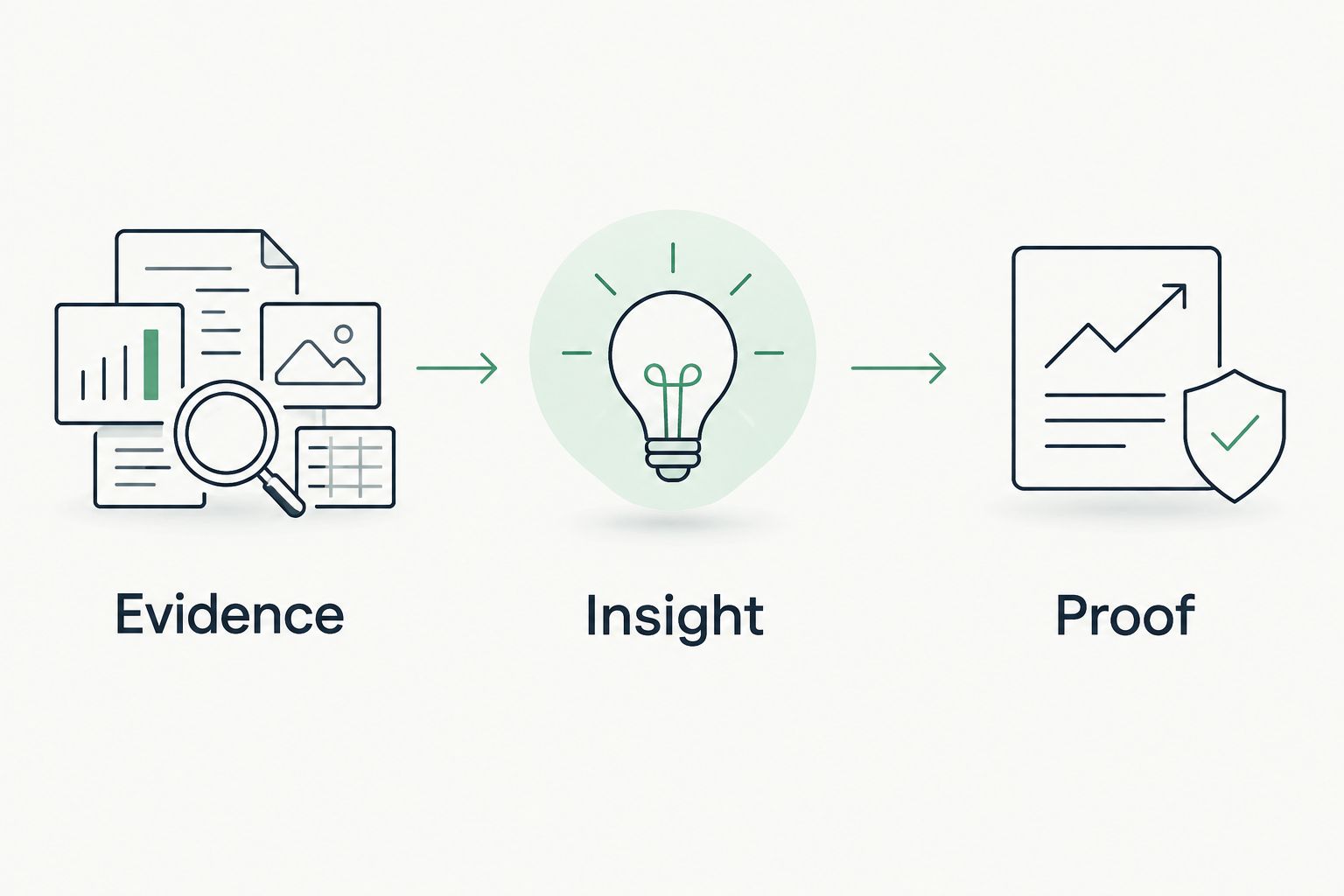
Connect the tools through evidence, insight, and proof
Use three stages to prevent a sales workflow from overstating what a review establishes:
- Evidence: Record the observation, source, date, access boundary, and unread areas.
- Insight: Explain the relevant business question without presenting an inference as a confirmed incident.
- Proof: Verify the condition through authorized review and retain evidence of any agreed work completed.
These stages connect preparation to delivery. Proof of completed work belongs after verification; it must not appear in outreach merely because a finding exists.
For a 2026 proposal, retain the observation date rather than calling the evidence current without qualification. At a later QBR, review the condition again. A historical finding and a fresh verification answer different questions.
How the ranking works
The ranking prioritizes evidence-led preparation first, then assigns each tool a distinct sales job. The criteria are provenance, access boundaries, buyer relevance, workflow fit, claim discipline, and handoff quality—not a claimed hands-on performance test.
No recommendation here promises higher close rates, shorter sales cycles, or revenue gains. Choose against the work you need to complete and validate the current product fit before committing.
Which tool should you choose?
Choose evidence-led preparation as the default when your sales team lacks a defensible reason for the conversation. Choose Microsoft Secure Score when the immediate task is an authorized Microsoft posture review.
If the evidence is already sufficient, address the actual bottleneck: LinkedIn Sales Navigator for relationship research, HubSpot CRM for opportunity management, or PandaDoc for proposal execution. Do not replace a functioning system because another tool appears on a 2026 shortlist.
For MSPs evaluating the evidence-led approach, Join Open Beta is the next step. Bring a clear use case and keep public-domain review separate from customer-authorized tenant assessment.
FAQ
What's the best cybersecurity sales enablement tool for MSPs?
SCOUTz is the best fit for MSPs that need dated cybersecurity evidence for sales preparation. Microsoft Secure Score, LinkedIn Sales Navigator, HubSpot CRM, and PandaDoc address different jobs rather than replacing that evidence workflow.
Is Microsoft Secure Score enough for an MSP security proposal?
Microsoft Secure Score is not enough on its own to justify every proposal claim. Review the underlying recommendations, confirm applicability, and define the authorized assessment scope before proposing work.
Can a public-domain review tell me a prospect has been breached?
No. Public-domain observations do not establish a confirmed breach or reveal every condition inside a tenant. State what was observed, when it was observed, and what remains unknown.
Do I need customer authorization for Microsoft 365 evidence?
Customer-authorized tenant evidence requires customer authorization. Keep that evidence separate from publicly visible domain information, and describe the access scope and limits.
Is LinkedIn Sales Navigator a cybersecurity assessment tool?
No. LinkedIn Sales Navigator supports professional and account research. It does not verify security conditions, purchasing authority, or buying intent.
Should I replace my CRM with a security-intelligence tool?
No. A CRM manages opportunities and activity, while a security-intelligence tool supports evidence gathering and interpretation. Replace a system only when its specific job is not being met.
How should I use security findings in a QBR?
Use dated findings to frame verification and agreed next actions. Distinguish historical observations from fresh evidence, and claim completed remediation only when the work has been verified.
One last thing
An unknown result is not a clean result. Preserve that distinction in outreach, proposals, and QBRs: the next useful action is often authorization or verification, not a stronger sales claim.


