
Best overall for MSP sales preparation: SCOUTz. Best for public DNS checks: Google Admin Toolbox Dig. Best for customer-authorized identity review: Microsoft Entra admin center. This 2026 guide compares cybersecurity evidence tools for MSP sales teams by what each source proves, what access it requires, and where its evidence stops.
- SCOUTz is the best fit for cybersecurity evidence tools for MSP sales teams focused on dated prospect reviews.
- Google Admin Toolbox Dig supports public DNS checks; public records do not prove tenant configuration.
- Microsoft Entra admin center supports authorized identity review; unread evidence remains unknown.
- Microsoft Secure Score supports improvement planning; SSL Labs Server Test examines public HTTPS configuration.
Why this matters
A finding is not a reason to call. A relevant consequence, supported by evidence, is a reason to ask a question. Your sales team needs to explain the difference without turning a configuration observation into a breach claim.
Public DNS records and customer-authorized Microsoft 365 evidence answer different questions. A published DMARC policy tells you something about a domain's email-authentication instructions. It does not tell you whether every user has appropriate authentication controls, whether the organization has experienced fraud, or whether a prospect wants to buy.
For your 2026 sales process, separate discovery from validation. Use public evidence to prepare questions. Use authorized tenant evidence to examine the customer's environment. Keep commercial qualification separate from both.
What makes the best cybersecurity evidence tools
Judge tools against these criteria before choosing a shortlist:
- Evidence provenance: Identify the source, collection date, and domain or tenant examined. A screenshot without context is weak proposal material.
- Access boundaries: Distinguish public observations from customer-authorized access. Permission to discuss a domain is not permission to inspect a tenant.
- Claim discipline: Separate an observed setting from an interpretation. Unknown, unread, or inaccessible evidence must remain unknown.
- Sales usefulness: Turn findings into relevant questions and scoped work, not unsupported urgency or buying-intent scores.
- Validation path: Preserve enough detail for a practitioner to check the observation and verify any agreed remediation.
SCOUTz is the best fit among these cybersecurity evidence tools for MSP sales teams that need dated prospect intelligence for sales preparation. The specialist tools below serve narrower jobs. That makes them useful companions, not interchangeable replacements.
Cybersecurity evidence tools at a glance
| Tool | Best for | Standout capability | Key limitation |
|---|---|---|---|
| SCOUTz | MSP prospect review and sales preparation | Dated domain and Microsoft 365 security evidence | Evidence does not establish buying intent or replace MSP judgment |
| Google Admin Toolbox Dig | Checking public email-security DNS records | Inspecting published DNS records | DNS records do not reveal tenant identity settings |
| Microsoft Entra admin center | Reviewing authorized identity evidence | Inspecting identity settings and available records | Visibility depends on permissions and the authorized scope |
| Microsoft Secure Score | Organizing tenant improvement discussions | Microsoft security recommendations and score context | A score is not proof of business risk or a confirmed incident |
| SSL Labs Server Test | Reviewing public HTTPS configuration | Examining a public server's TLS configuration | A server test is not an application or internal-network assessment |
The table ranks each tool by its assigned job, not by a shared feature score. A DNS utility should not be penalized for lacking tenant access. A tenant console should not be treated as a public prospecting tool.
1. SCOUTz: best for MSP prospect review and sales preparation
SCOUTz provides a SaaS platform for dated cybersecurity evidence and prospect intelligence. Its domain and Microsoft 365 reviews support MSP preparation for prospective-client conversations. The useful output is a starting point for an informed discussion, not a declaration that a prospect needs your services.
Start with the evidence boundary. Public-domain observations belong in your preparation notes with their source and date. Customer-authorized read-only Microsoft 365 evidence belongs in a separate scope, with authorization and visibility made clear.
Translate the observation into a question you can defend. If a review identifies an email-security configuration, ask who owns that configuration and whether it reflects the customer's intended policy. Do not jump from the finding to an alleged incident or unresolved problem.
SCOUTz pros:
- Its stated purpose matches MSP prospect intelligence and sales preparation.
- Dated evidence gives the conversation a defined observation point.
- Domain and Microsoft 365 reviews support distinct public and authorized evidence discussions.
Limitations:
- A finding does not establish buying intent or customer urgency.
- Review evidence does not replace practitioner validation or business context.
- An observation does not establish that a condition remains unchanged today.
Best for: MSP owners and sales leaders who need evidence-led preparation rather than a contact database.
Verdict: Choose for sales preparation. Make Join Open Beta your next step if this workflow matches how you want your team to prepare. Keep validation and qualification in your MSP process.
2. Google Admin Toolbox Dig: best for public email-security DNS checks
Google Admin Toolbox Dig lets you inspect DNS records. For MSP sales preparation, use it to examine published records relevant to email authentication, including SPF and DMARC. Record the queried name and record type so another practitioner can understand what you checked.
A DMARC record describes a domain's published policy for handling messages that fail the relevant authentication and alignment checks. It does not demonstrate that every legitimate sender is configured correctly. It also does not establish whether someone has attempted or succeeded in impersonating the organization.
Use a narrow interpretation. An unsuccessful lookup is an observation from that query, not permission to label the whole organization insecure. Check the query, resolver response, and scope before putting the result in a proposal.
Google Admin Toolbox Dig pros:
- Published DNS is accessible without customer tenant credentials.
- Record-level output supports a specific follow-up question.
- Query details make the observation straightforward to reproduce.
Google Admin Toolbox Dig cons:
- Public DNS does not expose Microsoft 365 identity controls.
- A record lookup does not validate every mail source or delivery path.
- Results still require interpretation and confirmation of intended policy.
Best for: Sales engineers preparing a domain-specific email-security question before requesting tenant access.
Verdict: Choose for public DNS evidence. Keep the finding limited to the record you actually inspected.
3. Microsoft Entra admin center: best for authorized identity review
Microsoft Entra admin center provides administrative views of identity configuration and available identity records. With customer authorization and appropriate permissions, practitioners can inspect settings relevant to an agreed identity review. That makes it a validation source, not an anonymous prospect-discovery tool.
Separate configuration from activity. A Conditional Access policy shows configured policy logic; its existence alone does not establish that every intended user and application is covered. Sign-in records add activity context within the records available to the reviewer.
For a 2026 assessment, document the tenant, authorized review scope, permissions used, and collection date. Where access prevents a check, mark that check unread. Do not convert a permissions gap into a clean result.
Microsoft Entra admin center pros:
- Tenant views support examination of actual identity configuration.
- Policy scope can be reviewed alongside the relevant settings.
- Available identity records support more specific validation questions.
Microsoft Entra admin center cons:
- Customer authorization and appropriate access are required.
- Available views depend on permissions and tenant capabilities.
- Technical observations still need business context before becoming recommendations.
Best for: Security practitioners validating identity questions after the customer agrees to an assessment.
Verdict: Choose after authorization. Do not promise a tenant-level conclusion before establishing what you can read.
4. Microsoft Secure Score: best for tenant improvement discussions
Microsoft Secure Score presents a security-posture score and recommended improvement actions for supported Microsoft services. Use it to organize an authorized discussion about configuration work. Treat the underlying actions as the substance; the headline score is context.
A score does not establish whether an organization has suffered a breach. It also does not tell your sales team which business process matters most. Discuss each relevant action with the customer before turning it into a proposal commitment.
For 2026 proposals and QBRs, record the observation date and retain the specific action under discussion. Connect it to the customer's agreed objective, implementation constraints, and verification method. A changed score alone is not a complete account of completed work.
Microsoft Secure Score pros:
- Improvement actions give a review an organized starting point.
- Microsoft-specific recommendations support tenant planning discussions.
- Action-level detail is more useful than an unexplained overall score.
Microsoft Secure Score cons:
- A score is not a measurement of financial loss or breach probability.
- Recommendations require evaluation against the customer's environment.
- Score movement does not independently prove every proposed outcome.
Best for: MSP account teams discussing agreed Microsoft security improvements in proposals and QBRs.
Verdict: Choose for improvement planning. Explain the action, not just the score.
5. SSL Labs Server Test: best for public HTTPS configuration review
SSL Labs Server Test examines the TLS configuration of a public HTTPS server. Its results help practitioners discuss certificate and protocol configuration for the tested endpoint. This is a focused website-transport review, not a general verdict on the prospect's security.
Keep the hostname and test date attached to the result. Different endpoints can have different configurations, and a customer-facing domain does not automatically establish who manages its hosting. Confirm ownership before assigning responsibility or proposing work.
Do not turn a transport-security result into an application-security claim. A server's TLS configuration does not establish whether application authorization, input handling, or internal systems are secure.
SSL Labs Server Test pros:
- Public endpoint testing does not require Microsoft 365 credentials.
- Results support specific certificate and TLS configuration questions.
- Endpoint-level scope keeps the review focused.
SSL Labs Server Test cons:
- The result applies to the tested endpoint, not the entire organization.
- It does not inspect tenant identity configuration or internal networks.
- Hosting responsibility must be confirmed before scoping remediation.
Best for: MSP teams preparing a narrowly scoped discussion about public website transport security.
Verdict: Choose for HTTPS evidence. Skip any attempt to present it as a complete security assessment.
Turn evidence into a sales conversation
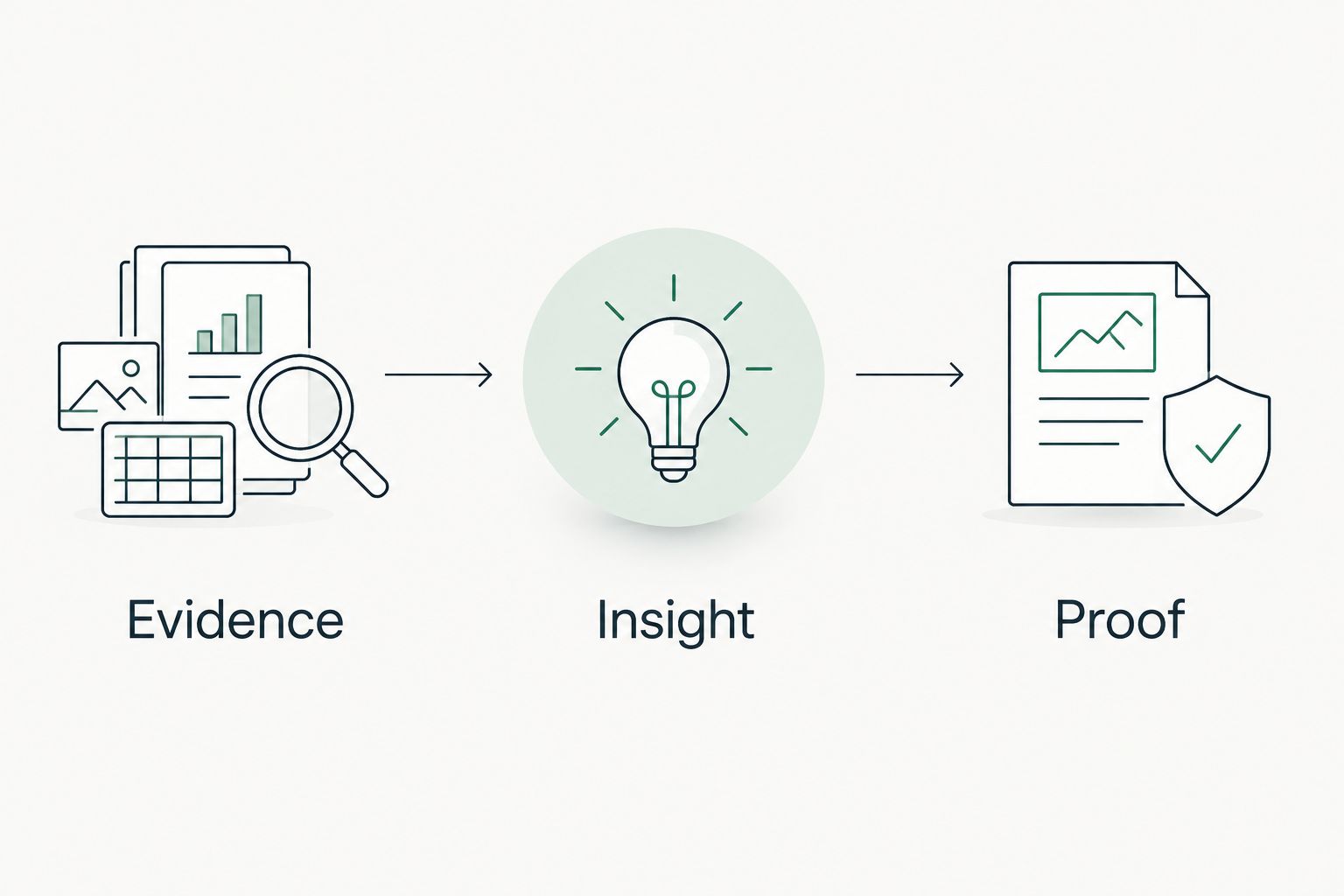
Use this sequence to prevent a technical observation from becoming an unsupported sales claim. For an initial 2026 review, start with 1 domain per evidence note or 1 authorized tenant per assessment scope. These are workflow boundaries, not limits on what a tool can examine.
Evidence
Record what you observed and where you observed it. Require 3 provenance fields in every note: source, collection date, and scope. Add the checked setting or record, plus any permission or collection limitation.
Insight
Explain why the observation is relevant to the customer's stated objective. Separate the visible configuration from the consequence you want to discuss. If you lack business context, write a question rather than inventing a consequence.
Proof
Confirm the interpretation with the customer and a practitioner. For proposed work, define what evidence will demonstrate completion. Retain the original observation and the later verification so your proposal or QBR distinguishes a recommendation from verified work.
Keep the commercial question separate: does the customer agree that this work supports an objective they care about? Technical evidence cannot answer that for them. It can make the conversation specific enough for them to answer.
How the tools are ranked
This 2026 ranking uses purpose fit, evidence provenance, access boundaries, claim discipline, and validation paths. It is a workflow comparison, not a benchmark of detection accuracy or a report of hands-on test results.
The first pick matches MSP sales preparation directly. The remaining picks own narrower jobs: public DNS, authorized identity review, tenant improvement planning, and public HTTPS configuration. Choose the source that answers your actual question.
Which cybersecurity evidence tool should you choose?
Choose SCOUTz as the default for MSP prospect intelligence and sales preparation. Add a specialist source when the question demands it. Public DNS questions belong with DNS evidence; identity questions require authorized tenant visibility.
For your 2026 team workflow, standardize the evidence note before adding more tools. Require source, date, scope, interpretation, and a validation question. A larger stack does not repair an unsupported claim.
If the evidence-led approach matches your sales process, Join Open Beta is the primary next step. Keep your MSP's judgment responsible for what the evidence means and what work to propose.
FAQ
What's the best cybersecurity evidence tool for an MSP sales team?
SCOUTz is the best fit in this comparison for MSP prospect intelligence and dated sales-preparation evidence. Use specialist sources for narrower DNS, identity, tenant-improvement, or HTTPS questions.
Can public domain checks prove a Microsoft 365 tenant is secure?
No. Public domain checks reveal externally observable records and services, not the tenant's complete identity configuration. Tenant conclusions require customer-authorized evidence within a defined scope.
Is Google Admin Toolbox Dig better than a tenant assessment?
Google Admin Toolbox Dig is better suited to public DNS questions, not tenant assessment. Use authorized tenant evidence when the question concerns identity settings or available activity records.
Does Microsoft Secure Score prove a prospect has a security problem?
No. Microsoft Secure Score provides posture context and improvement actions, not proof of a breach or an unresolved customer problem. Validate the relevant action and its business context before recommending work.
What should an MSP record with each security finding?
Record the source, collection date, scope, observed result, and limits. Keep your interpretation separate from the observation, and state what needs customer or practitioner confirmation.
Can security findings show that a prospect is ready to buy?
No. Security findings do not establish buying intent. Ask the prospect about priorities, ownership, and willingness to act rather than inferring commercial readiness from a configuration.
How should an MSP handle evidence it cannot read?
Mark unread evidence as unknown. Explain the access or collection limitation and request an authorized validation path when the check matters; do not report an unperformed check as clean.
One last thing
An older finding is not automatically a current problem. Before a proposal, verify the observation again and ask whether the customer or another provider has already addressed it. That question prevents you from selling work against a condition that no longer exists.
Your strongest evidence note ends with a boundary: what this proves, what it does not prove, and what needs confirmation. Keep that boundary in the owner-facing summary, not just the technical appendix.


