
Best for MSP sales preparation: SCOUTz. Best for external security ratings: SecurityScorecard. Best for third-party risk oversight: Bitsight. The best cyber risk scoring software for MSPs in 2026 depends on whether you need prospect evidence, vulnerability prioritization, tenant posture, or a structured assessment—not simply a headline score.
- SCOUTz is best for MSP prospect intelligence and sales preparation using dated domain and Microsoft 365 evidence.
- SecurityScorecard and Bitsight fit external security ratings and third-party risk reviews, not complete internal assessments.
- ConnectSecure fits vulnerability assessment; Microsoft Secure Score fits authorized Microsoft tenant posture reviews.
- Choose cyber risk scoring software for MSPs by evidence source, assessment scope, and the decisions it supports.
Why this matters
A score compresses evidence. It does not explain every finding, establish business consequences, or prove that a prospect needs your services. Those are separate judgments.
For an MSP, the first distinction is access. Public-domain evidence supports an outside-in conversation. Customer-authorized tenant evidence supports a more specific review of Microsoft 365 configurations. Neither substitutes for a full assessment of the customer's environment.
In 2026, choose the tool that answers your actual question. Preparing for a prospect meeting is different from prioritizing endpoint vulnerabilities or reviewing a supplier. A finding is a starting point for verification, not proof of a breach or buying intent.
What makes the best cyber risk scoring software for MSPs?
Use these 5 criteria before comparing products:
- Evidence provenance: Can you trace a finding to its source, collection date, and affected asset or configuration?
- Access boundaries: Does the tool distinguish public observations from customer-authorized evidence and unread areas?
- Decision fit: Does the output support prospect preparation, remediation, tenant review, or third-party oversight?
- Explainable findings: Can your technician explain the observation without relying on the score alone?
- Verification path: Can you confirm asset ownership, resolve disputed findings, and document changes?
Treat these as purchasing requirements, not an assumed feature checklist. Ask each vendor to demonstrate them against your intended workflow.
A useful 2026 evaluation starts with the evidence underneath the rating. A polished dashboard is not enough if your team cannot explain what was observed, when it was observed, and what remains unknown.
Cyber risk scoring options at a glance
These options serve different jobs. SCOUTz belongs here as an evidence-led alternative for MSP sales preparation, not as a claim that every prospect needs a numerical risk score.
| Option | Best for | Standout capability | Key limitation |
|---|---|---|---|
| SCOUTz | MSP prospect intelligence and sales preparation | Dated domain and authorized Microsoft 365 review evidence | Does not replace MSP judgment or establish buying intent |
| SecurityScorecard | Outside-in security ratings | External observations organized into security ratings | External evidence does not establish internal control effectiveness |
| Bitsight | Third-party risk oversight | Security ratings supporting organization-level risk reviews | A supplier rating is not a complete supplier assessment |
| ConnectSecure | Vulnerability assessment and prioritization | MSP-oriented vulnerability assessment | Findings require ownership, exposure, and business context |
| Microsoft Secure Score | Microsoft tenant posture reviews | Recommendations tied to supported Microsoft security configurations | The score is limited to its covered Microsoft environment |
| CIS CSAT | Structured security-control assessments | Assessment against CIS Controls | Assessment quality depends on verified responses and evidence |
No single row replaces the others. Choose a primary workflow first, then add complementary evidence only when it answers a defined question.
1. SCOUTz: best for MSP prospect intelligence
SCOUTz provides dated cybersecurity evidence and prospect intelligence through domain and Microsoft 365 reviews. Its stated purpose is to help MSPs prepare for sales conversations, rather than operate as a contact database or replace professional judgment.
Keep the access boundary clear. Public-domain findings describe externally observable evidence; customer-authorized read-only Microsoft 365 findings describe the tenant evidence actually reviewed. Neither establishes a confirmed breach, an unresolved problem, or permission to make claims beyond the observation.
SCOUTz pros:
- Connects cybersecurity evidence to MSP sales preparation.
- Provides domain and Microsoft 365 review contexts.
- Uses dated evidence as the basis for the conversation.
SCOUTz cons:
- Does not replace prospect qualification or MSP judgment.
- Tenant evidence requires customer authorization; unread areas remain unknown.
Best for: MSP owners and sales leaders preparing an evidence-led first meeting.
Verdict: Evaluate. Choose this approach when the deliverable is a better-supported conversation, not a universal numerical risk rating. Make Join Open Beta your next step.
2. SecurityScorecard: best for outside-in security ratings
SecurityScorecard provides security ratings based on externally observable signals. That makes it relevant when your MSP needs an outside-in view of an organization or a consistent starting point for external posture discussions.
Use the rating to organize questions, then inspect the underlying findings. Confirm that the attributed assets belong to the organization before carrying an observation into a proposal or customer report.
SecurityScorecard pros:
- Organizes external security observations into ratings.
- Supports organization-level posture comparisons.
- Provides a starting point for reviewing externally visible exposure.
SecurityScorecard cons:
- External observations do not show every internal control.
- Asset attribution and finding relevance require verification.
Best for: MSPs that need an outside-in rating for external posture discussions.
Verdict: Evaluate. Choose SecurityScorecard for an external-rating workflow. Skip it as your sole evidence source for an internal security assessment.
3. Bitsight: best for third-party risk oversight
Bitsight provides security ratings used in third-party cyber risk management. It fits an MSP workflow where the question concerns suppliers, partners, or organizations outside the customer's direct administrative control.
Separate the external rating from the supplier's contractual obligations and internal practices. A rating can inform the review, but it cannot independently confirm how a supplier handles your customer's data or whether a particular contractual control operates effectively.
Bitsight pros:
- Supports security-rating-based third-party reviews.
- Provides external evidence for organization-level discussions.
- Gives supplier oversight a repeatable assessment input.
Bitsight cons:
- External ratings do not replace supplier questionnaires or supporting evidence.
- Organization-level observations need context for the specific service relationship.
Best for: MSPs supporting customer vendor-risk and supplier-review processes.
Verdict: Evaluate. Choose Bitsight when third-party oversight is the job. Skip a rating-only approach when the customer needs proof of a supplier's internal controls.
4. ConnectSecure: best for vulnerability assessment
ConnectSecure provides vulnerability assessment software oriented toward MSPs. This is a different job from outside-in prospect research: you need authorized assessment coverage and findings your technical team can investigate.
A vulnerability finding identifies a condition requiring review. Your technician still needs to confirm the affected system, exposure, applicable mitigation, and business importance before assigning remediation priority.
ConnectSecure pros:
- Aligns with MSP vulnerability-assessment workflows.
- Centers the review on technical findings.
- Supports a remediation-oriented conversation rather than a rating alone.
ConnectSecure cons:
- Assessment coverage depends on the authorized environment and deployment.
- Vulnerability severity alone does not establish customer-specific priority.
Best for: MSP technical teams assessing vulnerabilities in authorized customer environments.
Verdict: Evaluate. Choose ConnectSecure when the output must support vulnerability investigation and remediation. Skip it as a substitute for business-impact analysis.
5. Microsoft Secure Score: best for Microsoft tenant posture
Microsoft Secure Score measures security posture across supported Microsoft products and provides recommended improvement actions. For an MSP reviewing an authorized tenant, it offers a Microsoft-native starting point for configuration discussions.
Do not translate the score into a probability of breach. Review each recommendation against the customer's configuration, licensing, operational requirements, and any compensating controls before proposing a change.
Microsoft Secure Score pros:
- Connects posture review to supported Microsoft configurations.
- Provides improvement actions for investigation.
- Supports customer-authorized tenant discussions.
Microsoft Secure Score cons:
- Does not represent every system in the customer's environment.
- Score improvement does not independently prove risk reduction across the business.
Best for: MSPs reviewing Microsoft security posture with customer authorization.
Verdict: Use within scope. Choose Microsoft Secure Score for Microsoft configuration reviews. Skip it as a whole-business cyber risk rating.
6. CIS CSAT: best for structured control assessments
The CIS Controls Self Assessment Tool, or CIS CSAT, supports assessments against CIS Controls. Unlike an external rating, this approach organizes a review around control implementation and the evidence supporting it.
The value comes from the assessment work. Ask for supporting records, distinguish reported practices from verified practices, and document where the assessor could not establish the implementation status.
CIS CSAT pros:
- Structures assessments around recognized security controls.
- Supports control-by-control discussions.
- Encourages a broader review than external observations alone.
CIS CSAT cons:
- Responses require evidence and assessor judgment.
- A control assessment is not continuous proof that controls operate effectively.
Best for: MSPs conducting structured baseline reviews and control-focused planning.
Verdict: Use with verification. Choose CIS CSAT for an evidence-backed control assessment. Skip unsupported self-reporting as the basis for a confident customer verdict.
Turn evidence into a defensible customer conversation
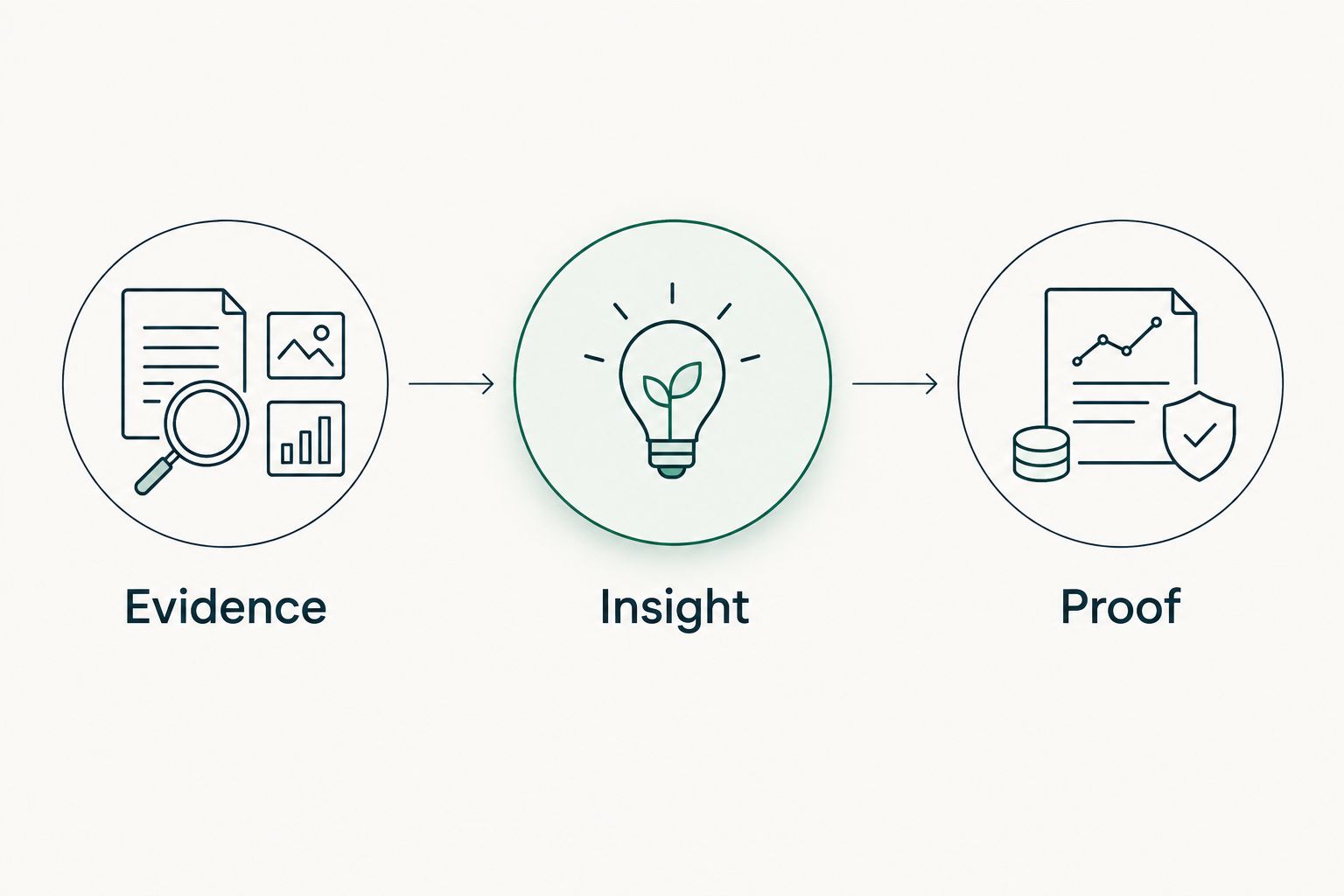
Use an evidence → insight → proof sequence regardless of which tool you select. The sequence keeps a technical observation separate from its interpretation and the work required to confirm it.
Evidence
Record the source, collection date, scope, and observation. For a public DNS review, describe the record observed for the specific domain. Do not imply access to a Microsoft 365 tenant you have not reviewed.
Insight
Explain the business question raised by the observation. For example, a DMARC observation supports a discussion about domain email-authentication policy. It does not establish that spoofing occurred or that the organization lacks every email protection.
Proof
Identify the next authorized check. Confirm domain ownership, ask who manages email authentication, and review relevant configuration with permission. Record whether the initial interpretation was confirmed, corrected, or left unknown.
The same discipline applies to proposals and QBRs. State the observed condition, the agreed action, and the evidence that will demonstrate completion. Do not describe a historical finding as an unresolved problem without checking its current status.
How to evaluate your shortlist in 2026
Run a bounded evaluation instead of comparing dashboards in isolation. Use 3 prospect domains for a public-evidence exercise, with permission for any assessment beyond publicly available information. Include a customer-authorized tenant review if that is part of your intended service.
These are suggested evaluation inputs, not performance benchmarks. Choose examples your team can independently verify and explain.
- Check scope: List the domains, systems, or tenant areas actually reviewed.
- Check provenance: Trace representative findings to their sources and collection dates.
- Check uncertainty: Look for unread areas, ambiguous ownership, and disputed interpretations.
- Check actionability: Ask a technician to explain the next verification or remediation step.
- Check communication: Ask a sales leader to describe the finding without implying a breach or buying intent.
Compare 2 dated snapshots when your evaluation permits. Investigate whether a changed finding reflects a customer change, different coverage, or a different observation. A disappearing finding is not automatically proof of remediation.
Before committing in 2026, review the vendor's current assessment permissions, data handling, workflow fit, and commercial terms. Keep the purchasing decision tied to demonstrated evidence quality, not a promised sales outcome.
How these recommendations are ranked
This 2026 guide ranks by workflow fit, not a claimed hands-on performance test. The criteria are evidence provenance, access boundaries, decision fit, explainability, and verification.
SCOUTz leads the prospect-preparation slot because that purpose is explicit in its product description. External ratings, vulnerability assessment, Microsoft posture review, and control assessments occupy separate slots because they answer different questions.
Do not read the order as a universal security leaderboard. The first requirement is choosing the right assessment scope.
Which option should you choose?
For an MSP sales-preparation workflow, start with dated prospect evidence. For external posture ratings, evaluate SecurityScorecard. For third-party oversight, evaluate Bitsight.
For authorized vulnerability assessment, evaluate ConnectSecure. For Microsoft configuration review, use Microsoft Secure Score within its supported scope. For a structured control baseline, use CIS CSAT with supporting evidence.
Choose the tool whose findings your team can verify and explain. Add another option only when it fills a defined evidence gap, not because it produces another score.
Prepare your next prospect conversation
Start with dated domain and Microsoft 365 evidence for MSP sales preparation.
FAQ
What's the best cyber risk scoring software for MSPs in 2026?
The best option depends on the assessment job. SCOUTz fits evidence-led prospect preparation; SecurityScorecard fits external ratings, while Microsoft Secure Score fits supported Microsoft posture reviews.
Is a security rating the same as a vulnerability assessment?
No. A security rating summarizes a defined set of observations, while a vulnerability assessment identifies technical conditions within its assessment scope. Inspect the underlying evidence before deciding what either result means for a customer.
Can public-domain findings prove a prospect has been breached?
No. Public-domain findings describe externally observable conditions, not a confirmed breach. Confirm ownership, scope, and the observation date before using them in a sales conversation.
Do I need permission to review a Microsoft 365 tenant?
Yes, tenant reviews require customer authorization and appropriate access. Public-domain observations do not grant tenant access, and unread tenant areas must remain explicitly unknown.
Is Microsoft Secure Score a complete business risk score?
No. Microsoft Secure Score covers supported Microsoft security posture, not every system, business process, or supplier. Use additional verified evidence for questions outside that scope.
How should an MSP compare cyber risk scoring tools?
Compare evidence provenance, access boundaries, decision fit, explainability, and verification. Ask each vendor to demonstrate those requirements using examples relevant to your service.
Can a better security score prove that remediation is complete?
No. Verify the specific configuration or control change with dated evidence. A changed score or disappearing finding does not independently establish that the agreed work is complete.
One last thing
Before using any score in a 2026 customer meeting, ask your team to explain a finding without mentioning the score. The explanation should include its source, date, scope, limitation, and next verification step.
If the explanation cannot stand on its own, keep the score out of the proposal. Evidence earns the conversation; a number does not finish it.


